

Open-source alternatives guide
Best Open Source Claude Code Alternatives
By SurajReviewed Verified
The closest match to how Claude Code works is OpenCode. Its MIT repository supports 75+ providers and local models, reads AGENTS.md for project instructions (move or rename CLAUDE.md to AGENTS.md when migrating), and documents ChatGPT Plus/Pro subscription login. I'd start there for most terminal work.
If you have invested in Claude configuration files already on disk, I would pick oh-my-pi. It auto-discovers CLAUDE.md, .mcp.json, rules, skills, commands, and hooks on first run, and it supports your existing Claude subscription through Anthropic OAuth.
Claude Code is all rights reserved and uses Claude models through Anthropic or documented cloud gateway routes. Your project configuration travels as plain files. Ten open-source agents address different combinations of those constraints, and the deciding question is which tool loads your files without a manual rebuild and what you want to do about provider choice after the move.
TL;DR
- OpenCode: For terminal coding with any model or provider, from Claude API to local Ollama, under an MIT license with ChatGPT Plus/Pro subscription support.
- oh-my-pi: For anyone with an active Claude subscription and Claude configuration files already on disk, where CLAUDE.md, MCP servers, skills, and hooks load automatically without manual conversion.
- Codex: For ChatGPT-plan users who want to bring recent Claude Code session history along, via the
/importcommand that covers up to 50 chats from the last 30 days.
Pain points
Why people leave Claude Code
The practical reasons teams compare Claude Code with open-source alternatives before they migrate.
Claude Code's public repository license says all rights reserved. That is a documented constraint with practical consequences. The published repository does not provide an open-source, forkable, self-buildable implementation. When terms change or the service has an outage, there is no fallback you can compile yourself.
Model inference routes through Anthropic's service or documented Claude gateways, not local models and not arbitrary third-party providers. GPT-4o, Gemini, and local Ollama runs are not supported paths. The official documentation covers Claude's own deployment surfaces, including Bedrock and Vertex routes, but those are still Claude models delivered differently. For work that depends on a specific non-Claude model, Claude Code is not the tool. OpenCode covers this directly: 75+ providers plus local models under an MIT license.
The subscription structure can make the economics awkward. Subscription tiers step from a lower monthly cost to a significantly higher one, with metered API usage as a separate route. For consistent high-volume work that may be reasonable. For occasional terminal sessions, you may be paying for capacity you do not use.
Configuration is portable in the sense that CLAUDE.md, .mcp.json, skills, hooks, and settings are plain files you can copy. What is not documented is a single-command neutral export that packages your full configuration plus recent sessions for handoff to another tool. Claude Code stores local session transcripts and documents /export; no single command bundles all configuration and sessions for migration. For anyone with a substantial Claude configuration on disk, oh-my-pi is the most direct answer: it auto-discovers those files and loads them on first run.
If any of these constraints are the reason you're looking, the ten MIT- or Apache-2.0-licensed tools in this guide address different combinations of them. The deciding question is whether you want provider freedom, configuration portability, or both.
At a glance
Quick comparison
| Name | License | Best For |
|---|---|---|
| OpenCode | MIT | Broad provider and model choice in a terminal-first client, MIT-licensed with AGENTS.md instructions |
| oh-my-pi | MIT | Direct Claude configuration inheritance with Anthropic subscription support |
| kilocode | MIT | Documented Claude transcript import with IDE and CLI surfaces |
| Goose | Apache-2.0 | ACP subscription bridge that reuses an existing Claude Code or ChatGPT subscription |
| codex | Apache-2.0 | ChatGPT-plan access with first-party Claude Code session import |
| Pi | MIT | Minimal MIT upstream core for self-extension and embedding |
| Cline | Apache-2.0 | Agentic coding across the editor and terminal that reuses your Claude subscription, skills, and sessions; move CLAUDE.md by hand |
| Aider | Apache-2.0 | Git-centric pair programming where each change is committed under the default auto-commit workflow and the last commit is undoable |
| OpenHands | MIT | Server and cloud coding workflows with Claude-compatible hooks and SDK subagent delegation |
| fx | Apache-2.0 | Tiny embeddable agent for shell pipelines, CI sandboxes, and embedding in a larger program, installed as one native binary |
Core license
All rights reserved
All ten are MIT or Apache-2.0: OpenCode, oh-my-pi, Kilo Code, Pi, and OpenHands are MIT; Goose, Codex CLI, Cline, Aider, and fx are Apache-2.0
Model choice
Claude only; Bedrock/Vertex and gateway routes are Claude deployments, not arbitrary providers
OpenCode: 75+ providers plus local; oh-my-pi: 40+ including Ollama; Kilo, Cline, Goose, Aider: multi-provider plus local; Codex: ChatGPT plus local in oss mode; Pi: multi-provider plus llama.cpp; OpenHands: provider-agnostic SDK; fx: Gateway or ChatGPT/Grok, plus loopback/local inference
Claude subscription reuse
Yes (native Claude plan access)
oh-my-pi: yes, Anthropic OAuth; Pi: yes, subscription auth documented; Goose: yes via ACP, fork/resume unavailable for ACP sessions; Cline: yes via the Claude Code provider; OpenHands: yes via authenticated Claude Code ACP agent; others: not documented or explicitly no
ChatGPT subscription reuse
Not documented
OpenCode, oh-my-pi, Pi, Kilo, Goose, Codex, Cline, OpenHands, fx: yes; Aider: no (docs say subscription is not API access)
CLAUDE.md reads
Yes (native)
oh-my-pi: first-run auto-discovery; OpenCode, fx: AGENTS.md only; rename CLAUDE.md to AGENTS.md; Kilo: add to instructions or copy/rename to AGENTS.md; OpenHands: yes; Codex: configurable fallback; Pi: AGENTS.override/AGENTS/CLAUDE; Goose: CONTEXT_FILE_NAMES; Aider: manual; Cline: .clinerules
Claude session import
Local JSONL transcripts plus /export; no bundled migration export
Codex: /import covers setup/projects/recent chats, capped at 50 chats from 30 days; Kilo: /resume-claude imports transcripts; Cline: SDK imports Claude Code history from ~/.claude/projects; others: not documented
Editorial ranking
10 Best Open Source Claude Code Alternatives (Ranked)

Rank 1
OpenCode
Best for Broad provider and model choice in a terminal-first client, MIT-licensed with AGENTS.md instructions
- 218.6K stars
- MIT
- Active this week
- Last commit 1 day ago
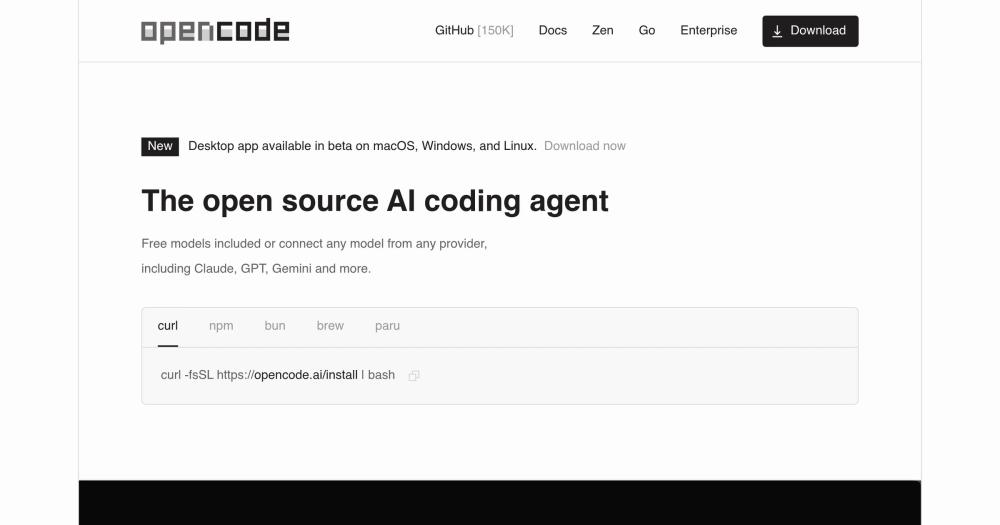
OpenCode is a terminal coding agent with 75+ providers and local model support, a documented ChatGPT Plus/Pro subscription path, and AGENTS.md for project instructions; rename CLAUDE.md to AGENTS.md when migrating. Sessions can be resumed, forked, exported as JSON, or shared by link.
Read moreShow lessKey Features · Pros · Cons · License & Hosting · Best For
Key Features
- 75+ providers plus local models; ChatGPT Plus/Pro subscription via browser sign-in
- AGENTS.md for project instructions; rename CLAUDE.md to AGENTS.md when migrating;
.claude/skillsas a documented fallback path - Session resume, fork, export/import JSON, and share URL
- TUI and desktop beta; IDE/ACP server mode
- Subagents, MCP, plugins/hooks with file-edited, tool-execution, and session-lifecycle events; skills; custom commands via configuration
Pros
- MIT repository with many install routes: curl, npm-family packages, Homebrew, Scoop, and Nix
- AGENTS.md is the instruction file; rename CLAUDE.md to AGENTS.md to migrate project instructions without rebuilding the content
- Any-provider freedom lets you swap Claude for a local model or a ChatGPT plan without changing your workflow
- Per-tool allow/ask/deny permissions let you gate individual tools without blocking everything else
Cons
- Claude Pro/Max subscription reuse is explicitly not supported; the first-party provider page says Anthropic prohibits the route; oh-my-pi or Goose cover that path instead
- MCP servers from
.mcp.jsonneed manual translation into OpenCode's config format and re-approval; no direct importer is documented - Hosted provider services are separate from the core MIT repository
License & Hosting
- License: MIT, fully open; modify and self-host freely
- Where it runs: local-first; no server required from anyone else; available as a TUI, desktop beta, and IDE/ACP server
- Setup: install via curl, npm-family packages, Homebrew, Scoop, or Nix; source: github.com/anomalyco/opencode
- Costs: provider API key required for inference; Claude Pro/Max subscription sign-in is explicitly not supported
Best For
I'd start here for most people who want provider freedom in a terminal coding tool. Rename CLAUDE.md to AGENTS.md to bring project instructions across; .claude/skills compatibility means your skills move without rewriting. Skip OpenCode if you need Claude Pro/Max subscription inference to keep working; that route is explicitly not supported, so oh-my-pi or Goose are the right places to look instead.

- 36K stars
- MIT
- Active this week
- Last commit 1 day ago
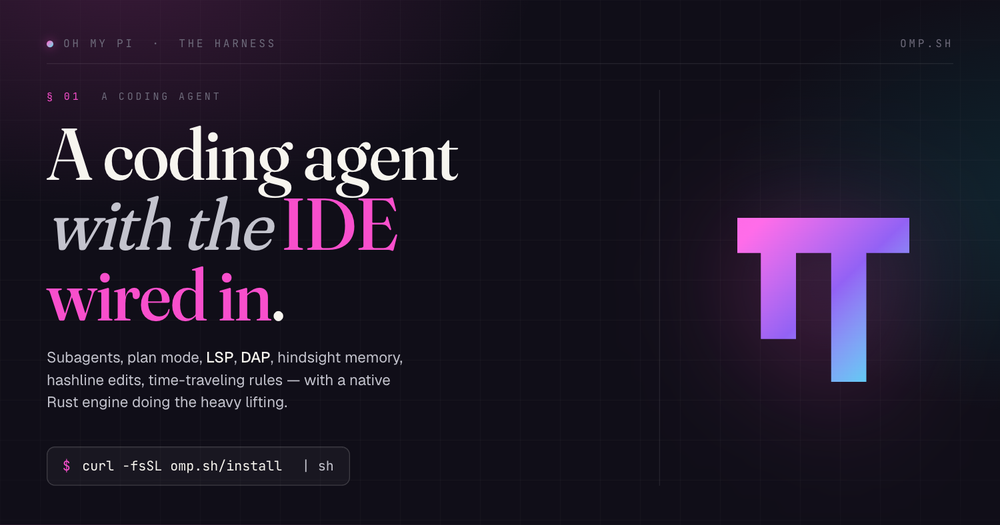
oh-my-pi discovers and loads your Claude configuration on first run: CLAUDE.md, AGENTS.md, the project .mcp.json, rules, skills, commands, hooks, and tool/settings files are all picked up automatically. Anthropic OAuth/subscription login is documented, so your existing Claude Pro or Max subscription works without setting up a separate API key. OpenAI Codex/ChatGPT subscription login is also documented.
Read moreShow lessKey Features · Pros · Cons · License & Hosting · Best For
Key Features
- Auto-discovers CLAUDE.md, AGENTS.md, project
.mcp.json, rules, skills, commands, hooks, and tools/settings on first run - Anthropic OAuth and subscription login; OpenAI Codex/ChatGPT subscription login
- 60+ providers including Ollama; subscription or API key
omp commitGit command; subagents; RPC mode; no-session for headless and automation- ACP IDE integration
Pros
- MIT repository; the most direct Claude configuration compatibility of any tool on this shortlist
- CLAUDE.md, MCP servers, skills, and hooks load without manual conversion; you re-approve rather than rebuild
- Active Claude subscription keeps working without a separate API key
Cons
- Own-session resume only; Claude conversation history import is not documented
- No managed hosted tier is documented; local client with BYOK or subscription auth
License & Hosting
- License: MIT, client code fully open; compute is not included
- Where it runs: local-first; TUI, RPC, and no-session headless modes run on your machine; no documented managed hosting
- Setup: install via curl, Homebrew, Bun, Nix, or Windows package routes; source: github.com/can1357/oh-my-pi
- Costs: provider API key, local endpoint, or eligible Claude/ChatGPT subscription required for inference
Best For
I'd start here for anyone who has an active Claude Pro or Max subscription and significant Claude configuration already on disk. The rules, skills, MCP servers, and hooks move without manual conversion; you're re-approving what already exists, not rebuilding it. The deciding detail is whether those configuration files are the asset you want to preserve. RPC mode and no-session headless paths are available if you need to drive it from automation without an interactive session. Skip oh-my-pi if you have no existing Claude config and want the widest model agnosticism; OpenCode is the better starting point in that case.

- 27.7K stars
- MIT
- Active this week
- Last commit 1 day ago
Kilo Code offers /resume-claude, which imports Claude Code transcripts from ~/.claude/projects/, skips unsupported outputs, and reports what it skipped. AGENTS.md loads automatically; CLAUDE.md must be added to the instructions configuration or copied/renamed to AGENTS.md. .claude/skills loads when compatibility is enabled. The MIT core covers the local CLI and IDE clients; Slack is a hosted Cloud Agent surface with a separate account, credits, and terms.
Read moreShow lessKey Features · Pros · Cons · License & Hosting · Best For
Key Features
/resume-claudeimports Claude Code transcripts; skips and counts unsupported outputs- AGENTS.md auto-loads; add CLAUDE.md to
instructionsor copy/rename it to AGENTS.md .claude/skillsloads with compatibility enabled- ChatGPT Plus/Pro subscription documented; multi-provider and local models including Ollama and LM Studio
- VS Code, JetBrains, and CLI clients in the MIT core; Slack via the hosted Cloud Agent; subagents/custom modes; MCP; plugins/hooks
- Session resume, export, and fork; headless CLI automation
Pros
/resume-claudeis one of three documented paths for moving Claude session transcripts (alongside Codex's/importand Cline's SDK importer)- Multi-surface: IDE and CLI share the same configuration, so switching contexts during a task does not mean switching tools
Cons
- Claude consumer subscription sign-in is not available; the documentation requires an Anthropic API key.
- Git commit-message generation is documented for the VS Code extension only, not the CLI or TUI
- MIT label covers the repository code; hosted/team/cloud services have separate terms not included in that license
License & Hosting
- License: MIT (core repository); hosted, team, and cloud services have separate terms not covered by the repo license
- Where it runs: CLI and IDE extensions are local-first; Slack and cloud surfaces run on the hosted Cloud Agent
- Setup: global npm install for CLI; VS Code and JetBrains IDE extensions from their respective marketplaces; source: github.com/Kilo-Org/kilocode
- Costs: Anthropic API key required; consumer Claude subscriptions are not documented as supported; hosted and cloud tiers carry separate costs or terms
Best For
I'd choose Kilo if you want the /resume-claude import path and plan to move between IDE and CLI. The combination of transcript import and multi-surface availability makes it the clearest fit for mixed IDE/terminal workflows. Session resume, export, and fork are also available within Kilo's own sessions, so you do not lose continuity after the initial transcript import. Skip it if you need Claude subscription sign-in (not documented), or if you expect the MIT label to extend to the hosted services.

Rank 4
Goose
Best for ACP subscription bridge that reuses an existing Claude Code or ChatGPT subscription
- 55.5K stars
- Apache-2.0
- Active this week
- Last commit 2 days ago
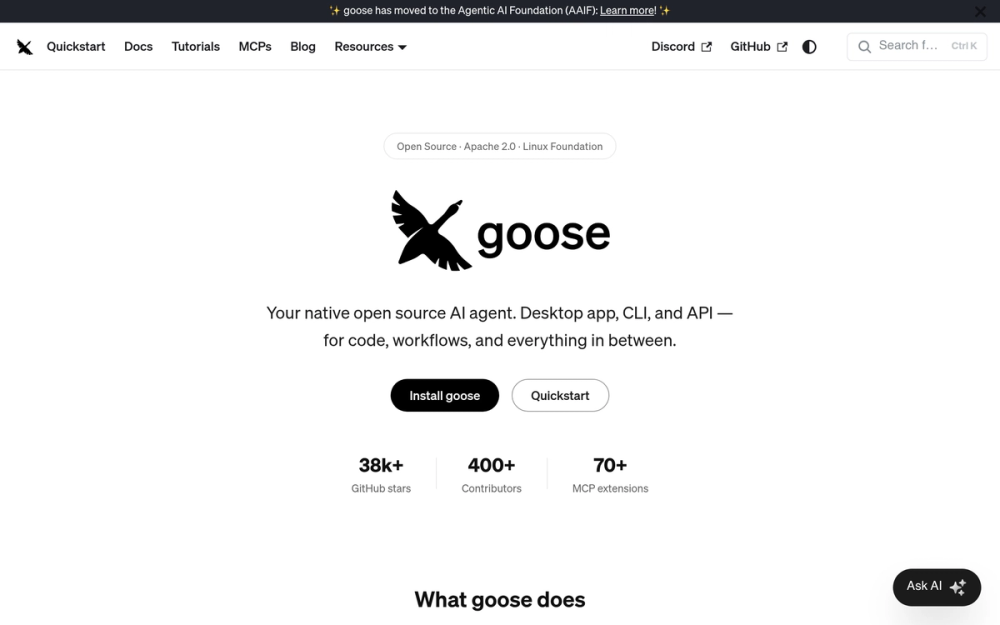
Goose documents ACP reuse of both existing Claude Code subscriptions and ChatGPT Plus/Pro subscriptions. No new API account is required for those paths. AGENTS.md loads by default, and CLAUDE.md can be added via CONTEXT_FILE_NAMES. Goose discovers .claude/skills and .claude/agents automatically. The tool runs locally as a CLI or desktop application, with ACP provider configuration documented for editor connections; no native Goose IDE client is documented.
Read moreShow lessKey Features · Pros · Cons · License & Hosting · Best For
Key Features
- ACP reuse of an existing Claude Code subscription; ChatGPT Plus/Pro via ACP, with no new API account required for those paths
- AGENTS.md loads by default; CLAUDE.md configurable via
CONTEXT_FILE_NAMES .claude/skillsand.claude/agentsdiscovered automatically- Subagents (sequential and parallel); MCP; lifecycle hooks under
.agents/plugins; recipes; headless JSON modes - Apache-2.0, maintained under AAIF
Pros
- If you have a Claude Code or ChatGPT Plus/Pro subscription, Goose can reuse it without separately metered provider API credentials for that path
.claude/skillsand.claude/agentsdiscovery means those artifacts travel without manual relocation- Recipes provide reusable multi-step workflows without a custom plugin, which can simplify routine automation
Cons
- ACP sessions do not support fork or resume; native Goose sessions do resume, so the limitation only applies to ACP-authenticated work
- CLAUDE.md is not the default instruction file; it requires adding it explicitly via
CONTEXT_FILE_NAMES - Direct project
.mcp.jsonimport not documented; recreate MCP configuration as Goose extensions - Built-in local Git commit/PR workflow is not documented
License & Hosting
- License: Apache-2.0, maintained under AAIF
- Where it runs: local-first; no server required for the core installation; local desktop, CLI, and API surfaces; no native IDE client or managed hosted tier documented
- Setup: shell installer with platform-specific paths; source: github.com/aaif-goose/goose
- Costs: provider API key or Claude/ChatGPT Plus/Pro subscription required; ACP subscription reuse is documented
Best For
I'd start with Goose specifically when the requirement is reusing an existing Claude Code or ChatGPT Plus/Pro subscription without opening a new API account. Keep the ACP session-resume limitation in mind before relying on it for long-running work; if session continuation matters, native Goose sessions are the right path, not ACP.

- 130.2K stars
- Apache-2.0
- Active this week
- Last commit 1 day ago
Codex is Apache-2.0 for its CLI, SDK, and App Server components. ChatGPT sign-in or plan access works for inference. The /import command maps supported Claude Code setup and project material, skills, hooks, MCP configuration, subagents, and up to 50 chats from the last 30 days. AGENTS.md is native; configurable fallback filenames can include CLAUDE.md. Local Ollama and LM Studio are available via --oss.
Read moreShow lessKey Features · Pros · Cons · License & Hosting · Best For
Key Features
- Apache-2.0 (CLI, SDK, App Server); IDE extension and Codex cloud are not open source
- ChatGPT sign-in or plan access; local Ollama and LM Studio via
--oss /importfrom Claude Code: supported setup/project material, skills, hooks, MCP, subagents, and up to 50 chats from last 30 days- AGENTS.md native; configurable fallback filenames can include CLAUDE.md
- Subagents, MCP, hooks, skills;
codex execheadless; JSON output modes
Pros
- First-party
/importis one of three structured documented paths for Claude Code handoff, alongside Kilo Code's/resume-claudeand Cline's SDK importer - ChatGPT plan reuse means no separate API account for existing subscribers
--ossbrings Ollama and LM Studio into the same terminal tool without switching clients
Cons
- IDE extension and Codex cloud are explicitly not Apache-2.0; open-source scope is CLI, SDK, and App Server only
- Claude subscription auth not documented; the documented subscription path is ChatGPT
/importhas restrictions: unavailable during active tasks, remote sessions, or daemon attachment; capped at 50 chats from the last 30 days- Desktop app licensing was not independently characterized beyond the official component table
License & Hosting
- License: Apache-2.0 (CLI, SDK, and App Server); the IDE extension and Codex cloud are explicitly not open source
- Where it runs: local-first; no server required for the open-source components; CLI on macOS, Linux, and Windows; Codex cloud is a separate hosted surface
- Setup: npm or standard install; source: github.com/openai/codex
- Costs: OpenAI API key or ChatGPT plan required; Codex cloud carries separate pricing
Best For
I'd start with Codex if you're already on a ChatGPT plan and want the most structured import of your recent Claude Code sessions. The 50-chat, 30-day cap means recent context moves but older history stays behind. Plan for the authentication review and tool permission checks that follow any import before enabling shell access.

- 116.7K stars
- MIT
- Active this week
- Last commit 1 day ago
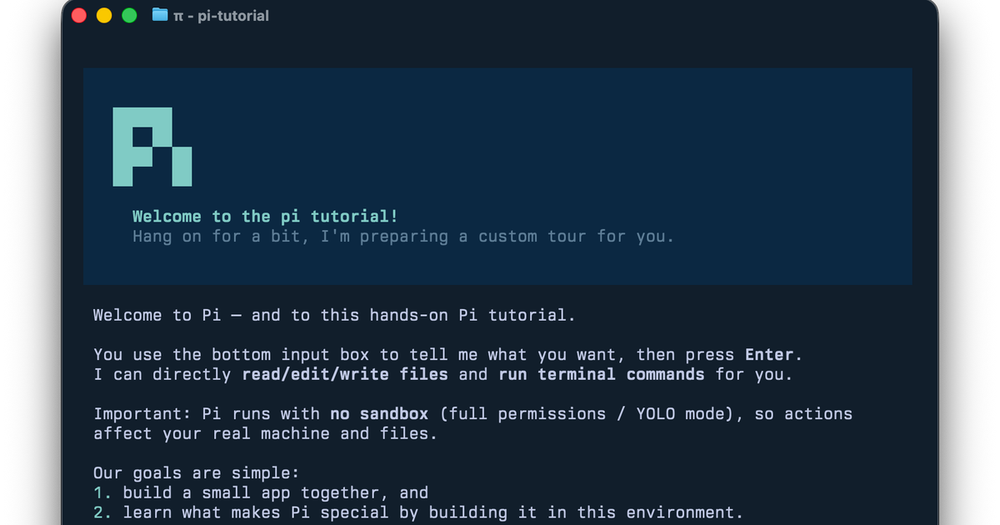
Pi is the minimal standalone coding agent in this set. Its own runtime drives any configured model using four default tools: read, write, edit, and bash. Eight built-ins are available across supported platforms: read, bash, powershell (Windows), edit, write, grep, find, and ls. MCP, subagents, permission prompts, plan mode, built-in to-dos, and background bash are deliberate omissions, not gaps the roadmap has not reached yet. Pi is the upstream core; oh-my-pi is its batteries-included downstream fork. Do not expect LSP/DAP, subagents, permissions, memory, or browser tools here: those belong to the fork.
Read moreShow lessKey Features · Pros · Cons · License & Hosting · Best For
Sessions are branchable trees: resume, branch, compact, or export to HTML or a gist. The print/JSON and RPC modes suit scripted pipelines and embedding. Agent Skills and extension events and commands let you add behaviour without forking. Context loads from AGENTS.override, AGENTS, and CLAUDE filenames in that priority order; CLAUDE.md project instructions are recognized. MCP configuration does not carry: Pi has no built-in MCP by design.
Claude Pro or Max subscription works through Anthropic OAuth. ChatGPT Plus/Pro subscription is also documented. A local llama.cpp route handles offline or cost-sensitive runs. Pi runs with the invoking user's filesystem, process, network, and credential authority; use a Docker container when a hard isolation boundary matters.
Key Features
- Four default tools: read, write, edit, bash (eight built-ins available across supported platforms: adds grep, find, ls, and powershell on Windows)
- Branchable tree sessions: resume, branch, compact, HTML or gist export
- Interactive TUI, print/JSON, and RPC modes; Agent Skills and extension events
- AGENTS.override/AGENTS/CLAUDE context filenames; CLAUDE.md recognized
- Claude Pro/Max (Anthropic OAuth/subscription login), ChatGPT Plus/Pro, and local llama.cpp
- MIT; npm, pnpm, Bun, official installer, or release binaries
Pros
- MIT repository; minimal footprint with no framework or permission layer to configure
- Branchable sessions suit both long-running interactive work and scripted one-shot runs
- RPC and SDK surfaces make Pi a composable core for embedding in a larger program
Cons
- No built-in MCP, subagents, permission popups, plan mode, built-in to-dos, or background bash; all are deliberate core omissions
- Runs with invoking-user authority by design; use a Docker container for a hard permission boundary
- Claude session history and MCP configuration do not carry across automatically
License & Hosting
- License: MIT (repository and coding-agent package)
- Where it runs: local-first; runs on your machine with invoking-user permissions; Docker container setup documented for isolation
- Setup: install via npm, pnpm, Bun, the official installer, or release binaries; source: github.com/earendil-works/pi
- Costs: provider API key required; no hosted tier documented
Best For
I'd start with Pi when you want the smallest possible open-source core to extend yourself. The RPC and SDK surfaces suit embedding and scripted pipelines. Skip Pi if you need built-in MCP, subagents, or per-action permission prompts: those are deliberate omissions. Use oh-my-pi if you want those features. Run Pi in a Docker container before granting write and shell access to real work.

Rank 7
Cline
Best for Agentic coding across the editor and terminal that reuses your Claude subscription, skills, and sessions; move CLAUDE.md by hand
- 70.8K stars
- Apache-2.0
- Active this week
- Last commit 2 days ago
Cline reuses your Claude Max or Pro subscription through its Claude Code provider, auto-discovers your .claude/skills, and imports Claude Code sessions through its SDK. The one gap: automatic CLAUDE.md loading is not documented; move that file by hand.
Read moreShow lessKey Features · Pros · Cons · License & Hosting · Best For
Key Features
- VS Code, JetBrains, CLI, desktop app, SDK, and Kanban;
npm install -g clineor a runtime-free packaged binary - Claude Code provider authenticates with Claude Max or Pro; Anthropic, OpenAI, Google, Ollama, LM Studio, and compatible local endpoints
- Auto-discovers
.claude/skills; MCP servers and hooks under.cline/hooks; experimental read-only subagents (cannot edit files, browse, or use MCP); SDK plugins - SDK session importer reads Claude Code history from
~/.claude/projects; Kanban companion documents Commit and Open PR
Pros
- It reuses the Claude subscription you already pay for through the Claude Code provider; a Claude Pro or Max plan drives it without a separate API key.
- Your
.claude/skillscome across automatically and your Claude Code sessions import through the SDK, so two of the pieces that usually need a manual rebuild move for you. - One tool spans the editor and the terminal, so a team split between VS Code and the shell shares one set of rules, servers, and skills instead of two.
Cons
- Automatic CLAUDE.md loading is not documented; you point Cline at
.clinerulesor.cline/rules, or move that file's content in by hand. - The CLI defaults to
--auto-approve true; pass--auto-approve falseif you want approval prompts before each tool call. Know which mode you are in before granting shell access. - Plugins are documented for the CLI, VS Code, JetBrains, Kanban, and SDK/custom hosts. The JetBrains plugin is not open source.
License & Hosting
- License: Apache-2.0
- Where it runs: local-first; installs and runs on your machine via global npm package or packaged binary; no separate runtime required
- Setup: npm install globally or download a packaged binary
- Costs: model inference billed by your provider or plan; vendor-hosted services are separate from the open-source client
Best For
I'd choose Cline when moving from an IDE-heavy Claude Code workflow and you want to keep a Claude Max/Pro subscription working. The session import and .claude/skills discovery cut the rebuild cost: skills come across automatically and Cline can discover and import selected Claude Code sessions from ~/.claude/projects. Skip it if automatic CLAUDE.md loading is a hard requirement; that gap is documented and remains. For that case, oh-my-pi reads CLAUDE.md directly; Kilo Code requires adding it to instructions or renaming it to AGENTS.md.

Rank 8
Aider
Best for Git-centric pair programming where each change is committed under the default auto-commit workflow and the last commit is undoable
- 49.2K stars
- Apache-2.0
- Updated this year
- Last commit 152 days ago
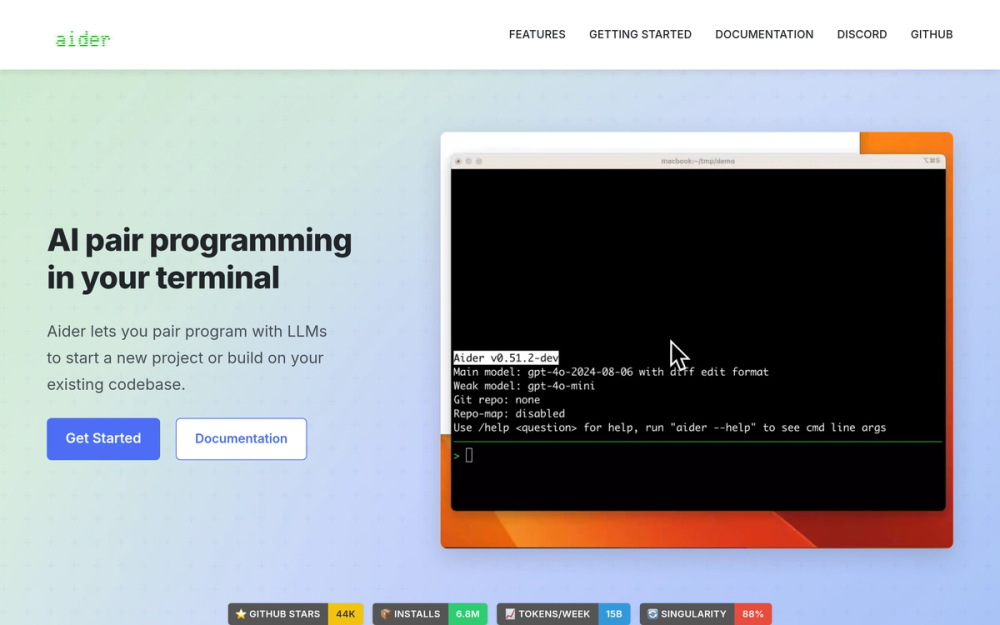
Aider commits automatically after every accepted change, with /undo and /diff available in the same session. Multi-file edits, /run, /test, and --yes for one-shot scripted tasks are all documented. It supports API-key cloud providers such as Anthropic, OpenAI, and Gemini plus local providers such as Ollama. It is deliberately narrower than the other tools on this shortlist.
Read moreShow lessKey Features · Pros · Cons · License & Hosting · Best For
Key Features
- Automatic commits,
/undo, and/diffafter every change - Multi-file edits;
/runand/testfor inline shell and test commands --messageand--yesfor scripted one-shot tasks- Anthropic, OpenAI, Gemini, Ollama, and other cloud/local providers
--restore-chat-historyfor own session;/savereconstructs file context- Apache-2.0; terminal-first with an optional browser GUI flag
Pros
- The commit-and-undo loop is the simplest documented Git workflow on this shortlist; each accepted change lands in history immediately
- Broad API-key cloud provider support plus local providers, with no subscription dependency
- Deliberate narrowness means less to configure and fewer surprises in a team setup
Cons
- The Aider docs do not describe MCP client support, subagents, or lifecycle hooks
- ChatGPT subscription explicitly does not include API access; the Aider docs say so
- Claude subscription login not documented; API key is the documented path
- Default-branch commit dated 2026-05-22 and latest release v0.86.0 from 2025-08-09; materially older maintenance dates than the rest of this shortlist
License & Hosting
- License: Apache-2.0, client code fully open; model compute is not included
- Where it runs: local-first; terminal client and optional browser GUI both install and run locally
- Setup: Python 3.8–3.13 required; install via pip, uv, pipx, or script; source: github.com/Aider-AI/aider
- Costs: hosted model API key billed separately by your provider; local models run on your own hardware; neither is included in the client license
Best For
I'd choose Aider when every change needs to be in Git and the commit-and-undo loop is the central workflow. It is deliberately simpler than the other tools here, and that simplicity is the point. Check the maintenance dates before building a team setup around it; the most recent activity is older than the rest of this shortlist, and that is worth knowing before you commit to it as a team standard.

Rank 9
OpenHands
Best for Server and cloud coding workflows with Claude-compatible hooks and SDK subagent delegation
- 91.4K stars
- MIT
- Active this week
- Last commit 1 day ago
OpenHands is MIT-licensed at its core and covers CLI, headless, web/server, SDK, cloud, and ACP-based IDE surfaces. TaskToolSet sub-agent calls are synchronous and block their parent until completion; multiple TaskToolSet calls can also run in parallel when an Agent is configured with tool_concurrency_limit greater than 1. Repository hooks at .openhands/hooks.json are documented as format-compatible with Claude Code hooks. AGENTS.md is recommended; CLAUDE.md is supported as optional permanent context. ChatGPT Plus/Pro subscription login is documented.
Read moreShow lessKey Features · Pros · Cons · License & Hosting · Best For
Key Features
- MIT core; CLI, headless, web/server, SDK, cloud, and ACP IDE surfaces (Zed, JetBrains, community VS Code extension)
- ChatGPT Plus/Pro subscription; provider-agnostic SDK with many LLMs and local model routes
- Subagents via SDK: TaskToolSet for sequential blocking delegation; parallel delegation also available when Agent
tool_concurrency_limitis greater than 1 - Claude-compatible hooks at
.openhands/hooks.json; plugins can bundle hooks, MCP, agents, skills, and commands - AGENTS.md recommended; CLAUDE.md supported as optional permanent context
- Cloud/GitHub PR integration; headless mode with JSONL output
Pros
- The SDK documents sequential delegation via TaskToolSet and parallel delegation by configuring Agent
tool_concurrency_limitgreater than 1, so multi-step work can be split without a custom orchestrator - Hook format is Claude-compatible, so existing hook logic can often move to
.openhands/hooks.jsonwith minimal rewriting - GitHub Cloud integration handles PR workflows, code review, and issue resolution without a separate automation script
Cons
- Claude subscription login not documented for the standard LLM path; the subscription guide says OpenAI is the current vendor
- Headless mode always approves actions; know this boundary before putting it in an automated pipeline
- Direct project
.mcp.jsonimport not documented; recreate MCP configuration or package it inside a reviewed plugin - The
OpenHands/enterpriserepository is PolyForm source-available, not MIT; keep it separate from core feature claims
License & Hosting
- License: MIT (core repository);
OpenHands/enterpriseis a separate PolyForm source-available repository - Where it runs: local, self-hosted, or OpenHands Cloud; use the main repository; the deprecated standalone OpenHands-CLI is no longer actively maintained
- Setup: install via uv on Python 3.12+, a binary installer, or Docker; source: github.com/OpenHands/OpenHands
- Costs: provider API key or Claude subscription required; OpenHands Cloud carries separate pricing
Best For
I'd choose OpenHands when the goal is a server-grade, SDK-driven pipeline or a cloud PR workflow rather than an interactive terminal session. The headless always-approve behavior is the main constraint to understand before scripting it. Use the current main repository, not the deprecated standalone OpenHands-CLI; and attribute MIT to the core, not to any enterprise features.

Rank 10
fx
Best for Tiny embeddable agent for shell pipelines, CI sandboxes, and embedding in a larger program, installed as one native binary
- 3.5K stars
- Apache-2.0
- Active this week
- Last commit 1 day ago
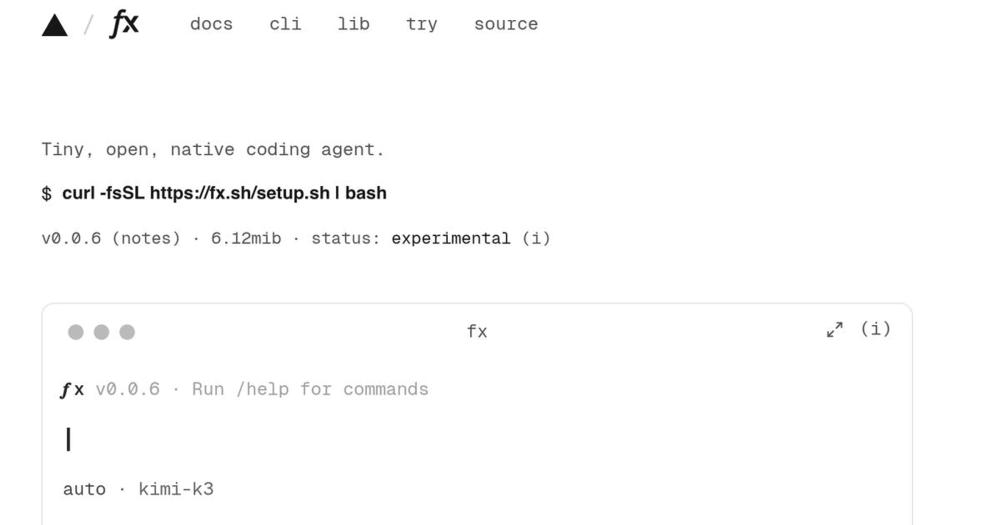
fx is a coding agent CLI from Vercel Labs written in Zig, a 6.17 MiB Apache-2.0 native binary with no runtime dependencies. Its interface stays closer to a Unix shell than an IDE in the terminal. It reads AGENTS.md project instructions, starts in an auto permission mode that reviews sensitive actions, saves and resumes sessions with fx -r and fx resume last, and supports skills, MCP servers, and subagents. fx ask runs one noninteractive request, and fx ask --json returns structured fields for scripting. The README labels the whole project experimental and says use at your own risk.
Read moreShow lessKey Features · Pros · Cons · License & Hosting · Best For
Key Features
- Single 6.17 MiB native binary; install with one curl command, no runtime, no container
- AGENTS.md project instructions, global and per-directory, with the narrowest scope winning
- Skills, MCP servers, and subagents; sessions with save, resume, recover, and compact
fx askandfx ask --jsonfor noninteractive and scripted usefx acpserves the Agent Client Protocol for editors; thelibfxnpm package embeds the agent core in Node or WebAssembly hosts- Auto and ask permission modes; file changes, commands, and external paths go through the permission policy
Pros
- A vendor-reported 6.17 MiB native binary with an explicit
libfxembedding surface for Node and WebAssembly hosts - Shell-shaped output that preserves scroll history composes naturally in pipelines and CI jobs
- Despite the small binary, fx supports skills, MCP servers, and subagents
Cons
- Experimental by the vendor's own label; the README says use at your own risk
- Vercel AI Gateway is the default documented provider, with ChatGPT and Grok subscription sign-in; compatible loopback endpoints and fully hermetic local inference are also documented
- Claude subscription login is not documented, and neither is CLAUDE.md; instructions live in AGENTS.md
- No documented hooks or Claude session import; migration means copying instructions into AGENTS.md and reviewing the existing Claude-compatible project
.mcp.json
License & Hosting
- License: Apache-2.0
- Where it runs: local-first; single native binary for macOS and Linux (x86_64/arm64); ACP server and libfx embedding modes run locally; hermetic local inference also documented
- Setup: install by script or build from source with Zig; source: github.com/vercel-labs/fx
- Costs: Vercel AI Gateway (default), ChatGPT or Grok subscription sign-in, or compatible loopback endpoint; each carries its own ongoing cost or local resource requirement
Best For
I'd pick fx to script an agent inside a pipeline, a CI sandbox, or another program, where a 6 MiB binary with a JSON output mode is exactly the right shape and none of the bigger tools fit. I would not choose fx as a daily driver replacement for Claude Code: it is experimental by its own README, and Claude subscription login is not documented.
Decision framework
How to choose
Use this section to narrow the Claude Code replacement by team size, hosting model, license, and migration difficulty.
The deciding question is what you most need to preserve: your Claude subscription, your configuration files, or your session history.
If you have an active Claude Pro or Max subscription and significant configuration on disk, I'd choose oh-my-pi. It auto-discovers CLAUDE.md, MCP servers, skills, hooks, and rules on first run, so you re-approve what already exists rather than converting it. Goose documents ACP reuse of a Claude Code subscription, but ACP sessions do not support fork/resume; check that limitation before committing to it for long-running work.
If you have no existing Claude config and want maximum provider freedom, OpenCode is the common-case pick. It covers 75+ providers plus local models and uses AGENTS.md for project instructions; rename CLAUDE.md to AGENTS.md when migrating. Most people starting from zero should start here.
If you're on a ChatGPT plan and want to bring recent Claude Code session history along, Codex has /import for that: the last 50 chats from 30 days, plus skills, hooks, and MCP configuration.
If you want the smallest open-source core to extend yourself, Pi is the minimal upstream: four default tools (read, write, edit, bash; grep, find, and ls are available), branchable sessions, and RPC/SDK embedding surfaces. MCP, subagents, and permission prompts are explicit omissions by design. Run Pi inside a Docker container for a hard permission boundary. Use oh-my-pi if you want those features on the same underlying runtime.
If you need the Claude transcript import path and want to move between IDE and terminal, Kilo Code covers both. The /resume-claude command imports Claude transcripts, and the VS Code, JetBrains, and CLI clients share one configuration.
If you want one agent across the editor and terminal that reuses your Claude subscription and carries your skills, Cline fits. It signs in with Claude Max or Pro through the Claude Code provider, auto-discovers .claude/skills, and imports sessions from ~/.claude/projects. Its one gap is CLAUDE.md, which it does not auto-load; oh-my-pi reads it directly, while Kilo Code requires adding it to instructions or renaming it to AGENTS.md.
For a minimal Git workflow with auto-commit and /undo, I'd pick Aider. Check its maintenance dates before building a team standard around it.
For server-grade pipelines, SDK-driven subagent delegation, or GitHub PR workflows, OpenHands is the strongest fit.
If you want a small agent to script in a pipeline or embed in another program, fx is a 6.17 MiB native binary with fx ask --json for structured output and ACP and WebAssembly embedding surfaces. Its README labels it experimental; I'd keep it for scripting rather than daily terminal work.
If your goal is managing multiple agents from one interface, Jean and T3 Code are orchestration complements worth looking at alongside this guide.
Complete directory list
All alternatives to Claude Code

Alternative to Claude Code
OpenCode is an open-source AI coding agent that assists developers in
- 218,637 GitHub stars
- Licence MIT

Alternative toClaude Code
OpenAI's terminal coding agent, Apache-2.0 licensed
- 130,162 GitHub stars
- Licence Apache-2.0


Alternative to Devin AI
Delegate scoped coding tasks in isolated, reviewable agent sessions
- 91,401 GitHub stars
- Licence MIT
- #AI Agents

Alternative to GitHub Copilot
VS Code AI agent that plans and edits across your entire project
- 70,766 GitHub stars
- Licence Apache-2.0

Alternative toClaude Code
Run repeatable multi-step coding workflows from CLI or desktop
- 55,465 GitHub stars
- Licence Apache-2.0
- #AI Agents

Alternative toClaude Code
Git-native terminal coding agent for multi-file edits and clean diffs
- 49,161 GitHub stars
- Licence Apache-2.0

Alternative toClaude Code
A coding agent that lives in your terminal.
- 41,099 GitHub stars
- Licence MIT
- #CLI


Alternative toClaude Code
Open-source AI coding agent you can leave running locally.
- 35,882 GitHub stars
- Licence MIT
- #AI Agents

Alternative to ContextPool
Persistent memory for AI coding agents
- 29,707 GitHub stars
- Licence Apache-2.0

Alternative to Conductor
Control your coding agents from one interface
- 28,821 GitHub stars
- Licence MIT

Alternative to Cursor
Open source AI coding agent. 500+ models at zero markup.
- 27,673 GitHub stars
- Licence MIT

Alternative toClaude Code
Next-gen coding agent harness for efficient workflows
- 21,057 GitHub stars
- Licence MIT
Migration
Migration notes for leaving Claude Code
I'd group the migration effort into three tiers. Direct/automatic: oh-my-pi discovers CLAUDE.md, .mcp.json, rules, skills, commands, hooks, and tool settings on first run. Partial/configured: OpenCode, Kilo Code, Goose, Codex, and Cline document compatibility for some files but need manual work for others. Manual rebuild: Pi, Aider, OpenHands, and fx have no automatic importer.
Before you start: keep a clean copy of the repository config. Remove API keys, machine-specific paths, and tokens before copying. Inspect every instruction file, MCP definition, skill, and hook as executable configuration before enabling it.
What moves by target:
oh-my-pi discovers CLAUDE.md, AGENTS.md, project .mcp.json, rules, skills, commands, hooks, and tool settings on first run.
OpenCode requires AGENTS.md for project instructions; move or rename CLAUDE.md to AGENTS.md. OpenCode recognizes .claude/skills. Translate MCP servers into OpenCode's config format and re-approve one at a time; rebuild Claude hooks as OpenCode plugins.
Kilo Code auto-loads AGENTS.md; add CLAUDE.md to the instructions configuration or copy/rename it to AGENTS.md. Kilo loads .claude/skills with compatibility enabled and imports transcripts via /resume-claude. Translate MCP servers into Kilo's format.
Goose loads AGENTS.md by default; add CLAUDE.md via CONTEXT_FILE_NAMES. Discovers .claude/skills and .claude/agents. No native MCP or hook import; recreate as Goose extensions.
Codex /import covers setup/projects/skills/hooks/MCP/subagents and up to 50 chats from 30 days. Unavailable during active tasks, remote sessions, or daemon attachment.
Cline auto-discovers .claude/skills and imports sessions from ~/.claude/projects via its SDK. CLAUDE.md is not auto-loaded; move it into .clinerules and recreate MCP servers and hooks under .cline/.
Pi is a new core, not a compatibility layer. CLAUDE.md is recognized under the CLAUDE filename; .mcp.json and hooks do not carry. Run Pi in Docker for a hard permission boundary.
Aider: supply a reviewed instruction file via its read flag. No migration path for MCP, hooks, skills, or subagents is documented.
OpenHands supports CLAUDE.md as optional permanent context. Hook format is Claude-compatible; use .openhands/hooks.json and review path differences. No .mcp.json importer.
fx reads AGENTS.md natively; move CLAUDE.md content there. Session import and hooks are not documented.
Staged move: start in read-only or ask mode, add one MCP server at a time, then run a disposable repository task before enabling write and shell access.
FAQ
Claude Code alternatives FAQ
Is there a free open-source alternative to Claude Code?
The client software for each of the ten tools in this guide is free to download and run. Inference may incur API or hosted-plan charges, by the token or by plan. The exception is if you already have a qualifying subscription: oh-my-pi documents Anthropic OAuth, Pi supports Claude Pro/Max subscriptions through Anthropic OAuth, Goose documents ACP reuse of an existing Claude Code subscription, and OpenCode, oh-my-pi, Pi, Kilo Code, Goose, Codex, Cline, and OpenHands all document ChatGPT Plus/Pro login, while fx documents ChatGPT and Grok subscription sign-in. Local model routes via Ollama or llama.cpp avoid provider per-token inference fees if you run the model yourself.
Can I use my existing Claude Pro or Max subscription with any of these tools?
oh-my-pi covers Anthropic OAuth/subscription login, so your Claude subscription works there without a separate API key. Pi supports Claude Pro or Max subscriptions through Anthropic OAuth. Goose documents ACP reuse of an existing Claude Code subscription, but ACP sessions do not support fork or resume the way native Goose sessions do. Cline documents reusing a Claude Max or Pro subscription through its Claude Code provider. OpenHands can use a Claude subscription through an authenticated Claude Code ACP agent, not as native OpenHands model authentication. No other ranked tool in this guide documents Claude subscription authentication. Most accept a Claude API key as an alternative.
What is the open-source equivalent of Codex CLI for ChatGPT users?
Codex CLI is Apache-2.0, runs locally on macOS, Linux, and Windows, and accepts ChatGPT sign-in or a plan subscription. It follows AGENTS.md conventions with configurable fallback filenames, supports MCP, subagents, hooks, and skills, and documents /import from Claude Code covering supported setup/project material and up to 50 recent chats from the last 30 days. The IDE extension and Codex cloud are not open source; the open-source scope is the CLI, SDK, and App Server.
Which tools run with local models?
OpenCode supports 75+ providers plus local models. oh-my-pi documents many providers including Ollama. Kilo Code supports Ollama, LM Studio, and OpenAI-compatible endpoints. Cline supports Ollama, LM Studio, and OpenAI-compatible endpoints. Goose supports Ollama and other providers. Codex CLI uses --oss for local Ollama and LM Studio. Pi documents a local llama.cpp route. Aider documents API-key cloud providers such as Anthropic, OpenAI, and Gemini plus local providers such as Ollama. OpenHands supports provider-agnostic model selection with local routes documented as having limited functionality in some configurations. fx documents compatible loopback endpoints and fully hermetic local inference.
Which Claude Code configuration files can I bring to another tool?
I'd start with CLAUDE.md and the MCP config in .mcp.json because those carry the most workflow context. oh-my-pi discovers both automatically on first run. For other tools, copy the files for review after removing any API keys, machine-specific paths, and tokens, translate them into the target's configuration format where required, then re-approve each MCP server before enabling shell access. Skills and hooks need target-specific review because path conventions and event schemas differ between tools.
Is Claude Code still the best coding agent for Anthropic models?
I'd keep Claude Code if you specifically need Anthropic's model quality and the Pro or Max plan makes economic sense for your usage. The ten open-source tools in this guide give you provider freedom and an MIT or Apache-2.0 codebase, but none are Anthropic-specific. If your team uses shared billing on a Team plan, or you depend on IDE and desktop surfaces you haven't found satisfying replacements for, staying put is a reasonable choice.
Can I import my Claude Code session history?
Codex CLI's /import covers supported setup and project material plus up to 50 chats from the last 30 days from Claude Code. The import is unavailable during active tasks, remote sessions, or daemon attachment. Kilo Code's /resume-claude imports Claude Code transcripts from ~/.claude/projects/ and reports skipped outputs. Cline's SDK imports Claude Code session history from the same ~/.claude/projects/ location. The other seven tools in this guide do not document Claude Code session import.
What is the difference between Pi and oh-my-pi?
Pi is the minimal upstream coding agent: four default tools (read, write, edit, bash; grep, find, and ls are also available), branchable tree sessions, extension events and commands, and no built-in MCP, subagents, or permission prompts. Claude Pro/Max subscription is documented through Anthropic OAuth. oh-my-pi is the batteries-included downstream fork built on Pi: it adds LSP/DAP, subagents, permissions, memory, browser/desktop tools, Git operations, and Claude configuration auto-discovery. Both are MIT-licensed.
By category
Open source tools in these categories


AI & Machine Learning
freeCodeCamp, OpenClaw, REA (Reverse Engineer Anything)460

Developer Tools
REA (Reverse Engineer Anything), superpowers, Skills for Real Engineers101


LLMOps & AI Tooling
Hermes Agent, OpenCode, MarkItDown196
Web Development
superpowers, freeCodeCamp, Skills for Real Engineers67


Backend Development
dify, graphify, Rust85


DevOps & CI/CD
Nvm, Uptime Kuma, NetdataKeep reading
Related articles
Open Source Coding Agent: 10 Tools Compared
I compared 10 open source coding agents, from OpenCode and Cline to fx, to find which fits your terminal, IDE, or team pipeline in 2026.
Best Open Source AI Video Generators in 2026: 8 Compared
I compared 8 open source AI video generators, from raw model weights in ComfyUI and Wan2.2 to finished-short pipelines in MoneyPrinterTurbo.
Best Open Source CRM Software in 2026
Salesforce costs $175/user/month. These 7 self-hosted open source CRMs give you full pipeline control: your data, your servers, zero per-seat pricing.


