
Open Source Alternatives
  • Alternatives
  • Categories
    Categories by size881 projects
    • Developer Tools460
    • AI & Machine Learning404
    • Web Development196
    • Business & Productivity191
    • Communication & Collaboration126
    • Security & Monitoring126
    • IT Management123
    • Product & Project Management106
    • Cloud & Hosting104
    • Data & Analytics104
    Browse all 21 categoriesLLMOps & AI Tooling, Design & Creative and 9 more
  • Blog
  • Advertise
SearchNotion, Slack, password manager.../
Submit
Open Source Alternatives
  • Alternatives
    • Developer Tools460
    • AI & Machine Learning404
    • Web Development196
    • Business & Productivity191
    • Communication & Collaboration126
    • Security & Monitoring126
    • Browse all 21 categories
  • Blog
  • Advertise
Submit your project

New open source projects by email

The projects we add and every new guide. Free, unsubscribe any time.

Open Source Alternatives LogoOpen Source Alternatives

Handpicked Open Source Alternatives to Paid Softwares

Product

  • Categories
  • Tag
  • Advertise

Resources

  • Blog
  • Collection
  • Submit

Company

  • Privacy Policy
  • Terms of Service
  • Refund Policy
  • Sitemap

Alternatives

  • Claude Code
  • Jira
  • Notion
  • Slack
  • Linear
  • Wispr Flow
  • All alternatives
© 2026 Open Source Alternatives. All rights reserved.
Open SourceAlternatives
Home/Categories/Developer Tools/oh-my-pi
icon of oh-my-pi

oh-my-pi

Open source alternative to Claude Code

  • 36K stars
  • MIT
  • Active this week
  • Last commit 1 day ago

Last verified Oct 20, 2026

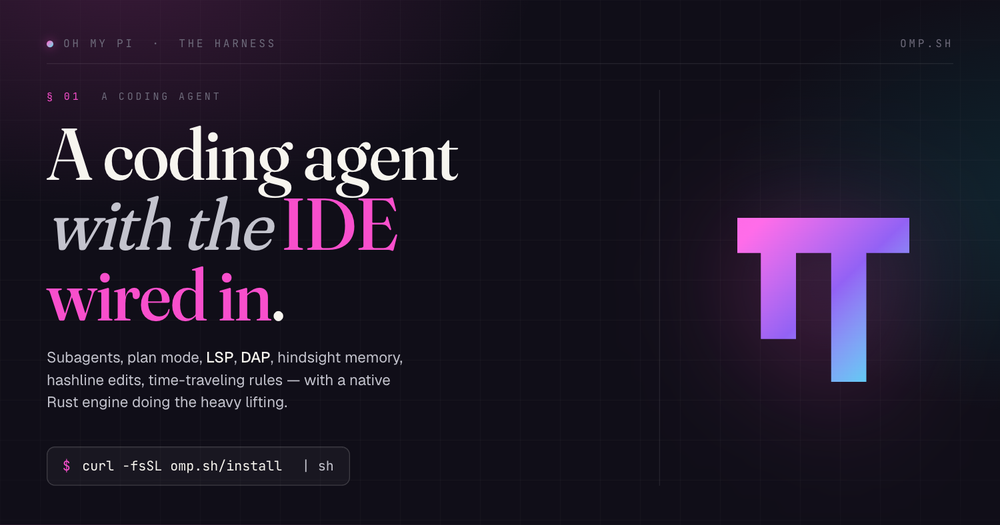
Run an AI coding agent in the terminal with IDE-aware tools. MIT licensed, installs by shell script, npm, Bun, or PowerShell.

Visit websiteGitHub36K stars
image of oh-my-pi
TL;DR

oh-my-pi Run an AI coding agent in the terminal with IDE-aware tools. MIT licensed, installs by shell script, npm, Bun, or PowerShell. oh-my-pi is best for developers who want an open terminal AI coding agent with deeper IDE-style tools than a basic model wrapper. It fits advanced users who are comfortable configuring CLI tooling and want control over models, memory, and execution surfaces.

Read the full breakdownHide the full breakdownWho it is for, how it works, trade-offs, the quick start and the FAQ
who it's for

Who oh-my-pi is for#

Best fit

oh-my-pi is best for developers who want an open terminal AI coding agent with deeper IDE-style tools than a basic model wrapper. It fits advanced users who are comfortable configuring CLI tooling and want control over models, memory, and execution surfaces.

Consider alternatives when

Adopt it when terminal speed and tool depth matter more than a gentle graphical onboarding path. It is probably too much for teams that only need occasional inline autocomplete.

the problem

The problem it solves#

Many terminal coding agents can read files and call a model, but they lack the editor-grade context that makes changes land cleanly. Without LSP, debugger, structured search, and safer edit primitives, the agent burns time on retries or asks the developer to repair avoidable mistakes.

Teams also face deployment and infrastructure friction when the best agent experience lives inside a proprietary IDE. If the coding workflow must run in a terminal, on remote machines, or across mixed models, a closed editor surface may not fit.

how oh-my-pi solves it

How it solves it#

LSP-backed operations let the agent rename

LSP-backed operations let the agent rename symbols and understand references like an editor.

Debugger integration helps agents inspect native

Debugger integration helps agents inspect native, Go, and Python failures without print-only loops.

Subagents can split larger tasks into

Subagents can split larger tasks into isolated worktrees and return structured findings.

Hash-anchored edits reduce fragile patch attempts

Hash-anchored edits reduce fragile patch attempts and protect against stale context.

Terminal-first deployment works across local and

Terminal-first deployment works across local and remote development environments.

strengths · trade-offs

Strengths and trade-offs#

Strengths

  • oh-my-pi, also called omp, packages aoh-my-pi, also called omp, packages a terminal coding agent with a Rust core, TypeScript tooling, built-in search, LSP operations, debugger support, subagents, and memory.
  • The project is MIT licensed andThe project is MIT licensed and can be installed through the official shell script, npm package, Bun, PowerShell, or mise.
  • This approach sits in the DeveloperThis approach sits in the Developer Tools category because it gives developers a full agent harness rather than a narrow chat wrapper.

Trade-offs

  • -When to choose another pathAdopt it when terminal speed and tool depth matter more than a gentle graphical onboarding path. It is probably too much for teams that only need occasional inline autocomplete.
versus alternatives

oh-my-pi vs alternatives#

Unlike Cursor's proprietary IDE agent experience, oh-my-pi keeps the coding agent in an open terminal workflow with local tool orchestration and model choice. Compared to paid commercial tools in this category, oh-my-pi is better for terminal-native teams that want agent internals exposed.

install · quick start

Quick start#

bash
Install oh-my-pi with the official shell installer when you want the source-preferred setup path from the README.

```bash
curl -fsSL https://omp.sh/install | sh
```

If your environment blocks shell-pipe installers, use the README-listed npm path instead.

```bash
npm install -g @oh-my-pi/pi-coding-agent
```
tech stack · detected from GitHub

What it's built on#

Languages
PythonRustTypeScript
Runtimes
Bun
frequently asked

FAQ#

What is oh-my-pi best for?

oh-my-pi is best for developers who want an open terminal AI coding agent with deeper IDE-style tools than a basic model wrapper. It fits advanced users who are comfortable configuring CLI tooling and want control over models, memory, and execution surfaces.

How does oh-my-pi compare to paid tools?

Unlike Cursor's proprietary IDE agent experience, oh-my-pi keeps the coding agent in an open terminal workflow with local tool orchestration and model choice. Compared to paid commercial tools in this category, oh-my-pi is better for terminal-native teams that want agent internals exposed.

How do I install oh-my-pi?

Install oh-my-pi with the official shell installer when you want the source-preferred setup path from the README. curl -fsSL https://omp.sh/install | sh

Looking for more

Other ways to replace Claude Code#

OpenCode

#1 in the Claude Code guide

Broad provider and model choice in a terminal-first client, MIT-licensed with AGENTS.md instructions

218,637 GitHub stars

kilocode

#3 in the Claude Code guide

Documented Claude transcript import with IDE and CLI surfaces

27,673 GitHub stars

Goose

#4 in the Claude Code guide

ACP subscription bridge that reuses an existing Claude Code or ChatGPT subscription

55,465 GitHub stars

codex

#5 in the Claude Code guide

ChatGPT-plan access with first-party Claude Code session import

130,162 GitHub stars
All 22 Claude Code alternatives10 open source Claude Code alternatives, ranked
by category

Open source tools in these categories#

460

Developer Tools

REA (Reverse Engineer Anything), superpowers, Skills for Real Engineers
404

AI & Machine Learning

freeCodeCamp, OpenClaw, REA (Reverse Engineer Anything)
196

Web Development

superpowers, freeCodeCamp, Skills for Real Engineers

Featured

Omnara

Alternative toCClaude Managed Agents

Open-source agent deployment API. Self-host or use Omnara Cloud.

  • 2,957 GitHub stars
  • Apache-2.0Licence Apache-2.0
  • #AI Agents

Inbox Zero

Alternative toSuperhuman

AI email assistant that drafts replies and clears your inbox

  • 12,712 GitHub stars
  • AGPL-3.0Licence AGPL-3.0
  • #Email

rakazo

Alternative toGrok Bot

AI teammates you own: your keys, your model, your machine.

  • 4,904 GitHub stars
  • Apache-2.0Licence Apache-2.0
  • #AI Agents
Feature your project

New open source projects by email

The projects we add and every new guide. Free, unsubscribe any time.

Find open source alternatives to paid software

/
  • Claude Code to OpenCode
  • Jira to Windshift
  • Notion to AppFlowy
  • Slack to Mattermost
  • Linear to GitLab
  • Wispr Flow to Handy
  • CapCut to Concat
  • Grok Bot to rakazo
  • Superhuman to Inbox Zero
  • Airtable to AITable
  • Muse to OpenClaw
  • GitHub Copilot to Cline
  • Datadog to Netdata
  • Microsoft Teams to Rocket.Chat
  • Pinecone to Qdrant
  • Zapier to n8n
  • Devin AI to OpenHands
  • Firebase to Supabase
  • 1Password to KeePassXC
  • Confluence to Docmost
  • Contentful to Strapi
  • Adobe Premiere Pro to Shotcut
  • ChatGPT to AnythingLLM
  • LangSmith to Langfuse
  • Claude Code to OpenCode
  • Jira to Windshift
  • Notion to AppFlowy
  • Slack to Mattermost
  • Linear to GitLab
  • Wispr Flow to Handy
  • CapCut to Concat
  • Grok Bot to rakazo
  • Superhuman to Inbox Zero
  • Airtable to AITable
  • Muse to OpenClaw
  • GitHub Copilot to Cline
  • Datadog to Netdata
  • Microsoft Teams to Rocket.Chat
  • Pinecone to Qdrant
  • Zapier to n8n
  • Devin AI to OpenHands
  • Firebase to Supabase
  • 1Password to KeePassXC
  • Confluence to Docmost
  • Contentful to Strapi
  • Adobe Premiere Pro to Shotcut
  • ChatGPT to AnythingLLM
  • LangSmith to Langfuse