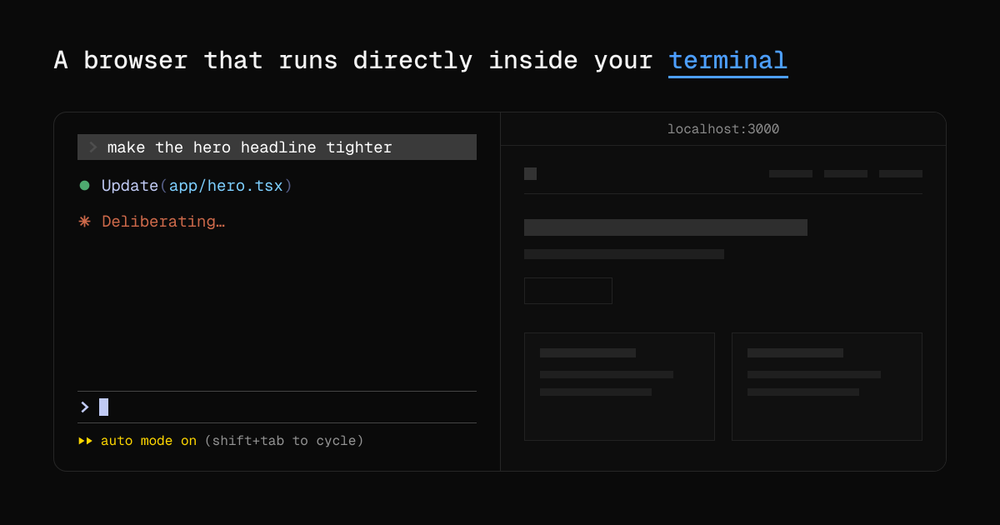
terminal-browser vs GitHub Codespaces
GitHub Codespaces is a cloud-hosted development environment that runs VS Code in a browser and provides a browser preview panel for running apps. terminal-browser solves the same problem (seeing a browser alongside your code) from the opposite direction: it brings the browser into your local terminal rather than moving your terminal into a browser.
| Feature | terminal-browser | GitHub Codespaces |
|---|
| License | MIT | Proprietary |
| Hosting | Local install | GitHub-hosted only |
| Browser engine | Chromium (full) | Preview panel |
| SSH support | Yes, native | Not applicable |
| Agent CLI | Yes | No |
| Cost | Free | $0.18/core-hour and up |
terminal-browser is the better choice when you want an AI agent and browser together in one local terminal tab, when you are working over SSH on a remote server, or when you need the full Chromium feature set without a subscription. GitHub Codespaces is the better fit when your team needs a pre-configured cloud dev environment shared across collaborators, or when your machine cannot run Chromium locally.
terminal-browser vs Gitpod
Gitpod is a cloud-hosted development environment with a built-in browser preview for running web servers. Like Codespaces, it is vendor-hosted and accessed through a browser rather than a local terminal. terminal-browser is a local install that adds a browser layer to your existing terminal workflow without requiring a cloud account.
| Feature | terminal-browser | Gitpod |
|---|
| License | MIT | Proprietary |
| Hosting | Local | Cloud (or self-hosted enterprise) |
| Cost | Free | Free tier, then $9/month and up |
| Agent CLI | Yes | No |
terminal-browser is the better choice when you want to stay in your local environment, keep costs at zero, and give AI agents direct browser access in the same terminal tab. Gitpod is worth considering when your team needs ephemeral dev environments spun up from a git repo without any local machine setup.