Open Source Alternatives
  • Alternatives
  • Categories
    Categories by size882 projects
    • Developer Tools461
    • AI & Machine Learning404
    • Web Development196
    • Business & Productivity191
    • Communication & Collaboration126
    • Security & Monitoring126
    • IT Management123
    • Product & Project Management106
    • Cloud & Hosting105
    • Data & Analytics104
    Browse all 21 categoriesLLMOps & AI Tooling, Design & Creative and 9 more
  • Blog
  • Advertise
SearchNotion, Slack, password manager.../
Submit
Open Source Alternatives
  • Alternatives
    • Developer Tools461
    • AI & Machine Learning404
    • Web Development196
    • Business & Productivity191
    • Communication & Collaboration126
    • Security & Monitoring126
    • Browse all 21 categories
  • Blog
  • Advertise
Submit your project

New open source projects by email

The projects we add and every new guide. Free, unsubscribe any time.

Open Source Alternatives LogoOpen Source Alternatives

Handpicked Open Source Alternatives to Paid Softwares

Product

  • Categories
  • Tag
  • Advertise

Resources

  • Blog
  • Collection
  • Submit

Company

  • Privacy Policy
  • Terms of Service
  • Refund Policy
  • Sitemap

Alternatives

  • Claude Code
  • Jira
  • Notion
  • Slack
  • Linear
  • Wispr Flow
  • All alternatives
© 2026 Open Source Alternatives. All rights reserved.
Open SourceAlternatives
Home/Categories/AI & Machine Learning/Cloudflare Os
icon of Cloudflare Os

Cloudflare Os

Open source alternative to Dust, Retool and Glean

  • 11.5K stars
  • Apache-2.0
  • Active this week
  • Last commit today

Last verified Oct 22, 2026

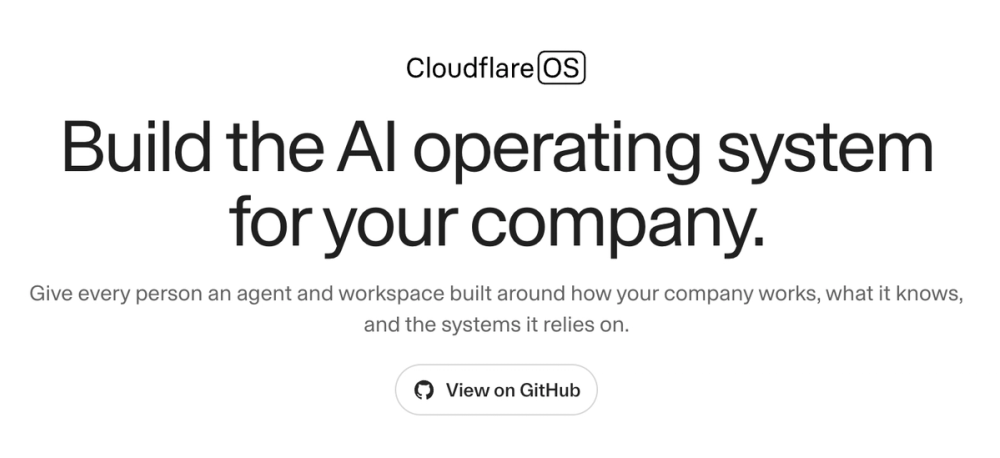
Build private AI-powered apps for your company with a sandboxed workspace that runs on Cloudflare Workers and keeps every gadget isolated.

Visit websiteGitHub11.5K stars
image of Cloudflare Os
TL;DR

Cloudflare Os is an open source AI productivity workspace built at Cloudflare, licensed under Apache-2.0. Each employee gets their own sandboxed environment for building AI-powered apps called gadgets, rather than sharing one centralized cloud instance as with Microsoft 365 Copilot or similar enterprise AI services. A security framework called Gatekeepers wraps every external service connection, logs all agent actions, and enables asynchronous human approval of side effects. Best for companies that need to run AI tools on their own infrastructure with strict data controls, and are comfortable with early-access software as of August 2026.

Read the full breakdownHide the full breakdownWho it is for, how it works, trade-offs, the quick start and the FAQ
who it's for

Who Cloudflare Os is for#

IT and security teams deploying AI for the whole company

Cloudflare OS was designed to let non-technical employees use AI safely without requiring the security team to grant broad API permissions. The Gatekeeper framework enforces narrow access per session, logs all agent actions, and requires explicit human approval for any action with side effects.

Skip if:

If your organization needs an AI workspace with a polished user interface and production-grade support SLAs today, Cloudflare OS's early-access status and the undocumented self-hosted server path make it a poor fit without a dedicated engineering team.

Engineering teams building internal productivity tools

The AI coding agent builds, tests, and debugs custom gadgets on demand. Instead of maintaining shared SaaS tools, each engineer gets their own copy of any tool they need. Blueprints let teams distribute internal tools like mobile apps, with each recipient modifying their own instance using AI.

Skip if:

If your team needs collaborative tools where multiple users edit simultaneously against shared state rather than private instances, review the gadget sharing and multiplayer model carefully before assuming it maps to your workflow.

Companies under compliance restrictions on external AI services

Because every gadget runs in an isolated sandbox with no internet access by default, and each agent session gets only the permissions explicitly granted for that session, the architecture is auditable. Companies that cannot route employee data through third-party AI infrastructure have a credible self-hostable path here.

Skip if:

If compliance requires on-premises deployment with no cloud dependency, the workerd self-managed path is not yet documented. Verify its status before planning deployment.

the problem

The problem it solves#

Enterprise AI productivity today means giving a vendor's cloud service access to your employees' work. When your team uses a hosted AI workspace, every document, query, and agent action flows through infrastructure the vendor controls. For companies under compliance requirements or with strict data-handling policies, that model either fails security review or requires expensive contractual arrangements that still leave the fundamental control problem in place.

The problem compounds when teams want to build custom tools. Traditional SaaS software runs one shared instance, and adding a feature means filing a request and waiting. Agents that access external systems, like GitHub or Google Drive, typically get broad ambient access configured once upfront, meaning every agent session runs with more permission than it needs. When agents act on the user's behalf, there is no standard mechanism to review those actions before they complete.

how Cloudflare Os solves it

How it solves it#

Sandboxed gadgets per user

Each app a user creates in Cloudflare OS is a private instance called a gadget, running in its own Dynamic Worker sandbox. The sandbox blocks all internet access by default; external services must be explicitly connected. This means a security bug in one user's gadget cannot affect another user's data.

AI coding agent that builds and tests apps

The built-in agent writes, tests, and debugs gadget code on demand. It uses Code Mode, writing and executing snippets immediately rather than generating code for a human to paste. Users can pick from multiple AI model providers or self-hosted models. Because the platform is purpose-built, the agent typically needs fewer tokens than a general-purpose coding agent on the same task.

Gatekeepers: asynchronous human-in-the-loop

When an agent takes an action with side effects, such as modifying a GitHub issue or updating a Google Doc, the Gatekeeper simulates the outcome locally and lets the agent proceed. The user reviews and approves or rejects actions in bulk afterward, not synchronously. This avoids the pattern where users give in and set agents to auto-approve everything.

Blueprint sharing without data sharing

Users can share the code for a gadget, called a Blueprint, without sharing their actual data. Recipients create their own private copy of the app and can modify it with AI. This is closer to distributing a mobile app than hosting a shared web service.

Real-time multiplayer via Durable Objects

Gadgets support live collaboration the same way an online office suite does. Each gadget is backed by a Cloudflare Durable Object, which makes real-time multiplayer a default capability. The AI coding agent generates multiplayer support automatically without being explicitly asked.

Capability-based access, not ambient permissions

Agents and gadgets start with access to nothing. Access to external services requires an explicit introduction for each session, either by the user pasting a link or selecting a resource in the UI. This contrasts with MCP-style configurations where broad service access is set up once and available to every agent session.

strengths · trade-offs

Strengths and trade-offs#

Strengths

  • Built and battle-tested inside CloudflareCloudflare OS was developed for internal use at Cloudflare, where a large portion of the workforce from engineering to sales uses it daily. It is not a speculative product; the team building it uses the Workers Runtime and created Dynamic Workers and Facets specifically to support it.
  • Apache-2.0 license with no restrictions on commercial useApache-2.0 allows any company to run, modify, and deploy Cloudflare OS commercially without licensing fees or usage-based charges. Unlike proprietary AI workspace tools, there is no per-seat pricing and no vendor lock-in on the infrastructure side.
  • Runs fully on open source workerd runtimeBecause Cloudflare Workers Runtime (workerd) is itself open source, Cloudflare OS can run entirely on your own servers. Deployment is not tied to the Cloudflare platform, though tooling for fully self-managed server deployment is documented as coming soon.
  • Security architecture prevents cross-user data leakageEach gadget runs in a separate sandbox that cannot communicate with other gadgets. The client-side code runs in a sandboxed iframe behind Content-Security-Policy restrictions. These are structural guarantees, not configuration options.

Trade-offs

  • -Early access with rough edges as of August 2026The README describes version 2 as a complete rewrite with 'many rough edges.' The project is under heavy development. Teams that need production-ready stability should monitor the roadmap before committing infrastructure to it.
  • -Self-managed server deployment is not yet documentedThe option to run Cloudflare OS on your own servers using workerd is marked as 'COMING SOON' in the README. The current production path requires a Cloudflare account. Teams that need fully self-managed deployment without any Cloudflare dependency should wait for this path to be documented.
  • -Gatekeeper OAuth setup requires developer effortEach Gatekeeper that connects to an external service, such as GitHub or Google, requires OAuth client credentials that service providers do not make easy to obtain. Non-developer teams configuring integrations will need engineering support.
versus alternatives

Cloudflare Os vs alternatives#

Cloudflare OS vs Microsoft 365 Copilot

Both tools bring AI into employee workflows, but they represent opposite architectural choices. Microsoft 365 Copilot runs as a centralized service on Microsoft's cloud infrastructure; Cloudflare OS gives each organization a self-hosted workspace where every user's apps run in isolated sandboxes.

FeatureCloudflare OSMicrosoft 365 Copilot
LicenseApache-2.0Proprietary
Self-hostingYes (Cloudflare account; self-managed coming soon)No
Per-user pricingNone~$30/user/month
App isolationPer-user sandboxed gadgetsShared service
Agent securityCapability-based GatekeepersRole-based permissions
StatusEarly access (v2, Aug 2026)Generally available

Cloudflare OS is the better fit when you need full control over where company data goes and want to run the workspace on infrastructure you own. The per-user sandbox model means a security bug in one user's app cannot affect another's, which is a structural guarantee that centralized services cannot match. The Apache-2.0 license removes per-seat costs entirely for self-hosted deployments.

Microsoft 365 Copilot is the better choice for organizations already on Microsoft 365 that need a production-ready, fully managed service today. Cloudflare OS is in early access with rough edges as of August 2026, and the fully self-managed server deployment path is not yet documented.

Cloudflare OS vs GitHub Copilot Workspace

GitHub Copilot Workspace is focused on software development tasks inside GitHub repositories, while Cloudflare OS is a broader company-wide AI workspace that includes a coding agent as one capability. Both let users build and run code with AI assistance.

FeatureCloudflare OSGitHub Copilot Workspace
LicenseApache-2.0Proprietary
Self-hostingYesNo
ScopeCompany-wide productivity and app buildingSoftware development in GitHub repos
App distributionBlueprints (per-user copies)Not applicable
Agent securityGatekeepers with action approvalGitHub-level permissions

For teams that want AI tooling beyond code, such as slide decks, dashboards, and custom internal apps, Cloudflare OS covers a broader scope. For teams whose AI needs center on GitHub-based code tasks with deep pull request and issue integration, GitHub Copilot Workspace is more focused on that workflow.

install · quick start

Quick start#

bash
Clone the repository and run locally with pnpm. Alternatively, deploy to your own Cloudflare account through the hosted deploy flow at os.cloudflare.app/deploy.
```bash
git clone https://github.com/cloudflare/cloudflare-os.git
cd cloudflare-os
pnpm install
pnpm run-local
```
tech stack · detected from GitHub

What it's built on#

Languages
TypeScript
Tooling
esbuild
frequently asked

FAQ#

Is Cloudflare OS free to use and self-host?

Yes. Cloudflare OS is licensed under Apache-2.0, which means you can run it, modify it, and use it commercially at no cost. The current deployment path requires a Cloudflare account; a fully self-managed server option using the open source workerd runtime is listed as coming soon in the README.

Does Cloudflare OS require a Cloudflare account to run?

Currently, yes. The documented production path deploys to your Cloudflare account via the deploy flow at os.cloudflare.app/deploy. Running on your own servers using workerd is planned but not yet documented. Local development works without a Cloudflare account using pnpm run-local.

What AI models does Cloudflare OS support?

Cloudflare OS works with multiple major AI model providers and supports self-hosted models, with more providers being added over time. Users can choose their LLM; the specific provider list is not enumerated in the README but the architecture does not lock you to a single vendor.

What are Gatekeepers and how do they protect agent actions?

Gatekeepers are per-service security wrappers that control how agents and gadgets access external resources. Each Gatekeeper handles OAuth authorization, enforces narrow access to only the specific resource a user selected, logs every agent action, and requires human approval for any action with side effects. Approvals happen asynchronously; the agent simulates and queues actions while the user reviews them later.

What is the difference between a Gadget and a Blueprint?

A Gadget is your private running instance of an app, built by the AI coding agent for your specific needs. A Blueprint is the shareable code behind a Gadget. When you share a Blueprint, recipients get their own private copy of the app; they are not connecting to your instance or your data.

also worth a look

Similar open-source tools#

WeKnora

Alternative toGlean

Self-hosted knowledge base with RAG search, AI agent, and wiki

  • 34,874 GitHub stars
  • MITLicence MIT

OpenBot

Alternative toGrok Bot

AI coworkers you can trust with real work

  • 6,875 GitHub stars
  • MITLicence MIT

hister

Alternative toGlean

Private full-text search for your pages and files

  • 6,092 GitHub stars
  • AGPL-3.0Licence AGPL-3.0

NocoDB

Alternative toAirtable

Turn any database into a no-code spreadsheet. Self-hostable.

  • 65,308 GitHub stars

Windmill

Alternative toRetool

Developer platform for scripts, automations, and internal tools

  • 18,229 GitHub stars
  • AGPL-3.0Licence AGPL-3.0

AnythingLLM

Alternative toChatGPT

Chat with your documents using any LLM, private and self-hosted

  • 67,351 GitHub stars
  • MITLicence MIT
by category

Open source tools in these categories#

404

AI & Machine Learning

freeCodeCamp, OpenClaw, REA (Reverse Engineer Anything)
105

Cloud & Hosting

dify, RuView, rtk
461

Developer Tools

REA (Reverse Engineer Anything), superpowers, Skills for Real Engineers
196

Web Development

superpowers, freeCodeCamp, Skills for Real Engineers
123

IT Management

RustDesk, Immich, Stirling PDF

Featured

Omnara

Alternative toCClaude Managed Agents

Open-source agent deployment API. Self-host or use Omnara Cloud.

  • 2,957 GitHub stars
  • Apache-2.0Licence Apache-2.0
  • #AI Agents

Inbox Zero

Alternative toSuperhuman

AI email assistant that drafts replies and clears your inbox

  • 12,712 GitHub stars
  • AGPL-3.0Licence AGPL-3.0
  • #Email

rakazo

Alternative toGrok Bot

AI teammates you own: your keys, your model, your machine.

  • 4,904 GitHub stars
  • Apache-2.0Licence Apache-2.0
  • #AI Agents
Feature your project

New open source projects by email

The projects we add and every new guide. Free, unsubscribe any time.

Find open source alternatives to paid software

/
  • Claude Code to OpenCode
  • Jira to Windshift
  • Notion to AppFlowy
  • Slack to Mattermost
  • Linear to GitLab
  • Wispr Flow to Handy
  • CapCut to Concat
  • Grok Bot to rakazo
  • Superhuman to Inbox Zero
  • Airtable to AITable
  • Muse to OpenClaw
  • GitHub Copilot to Cline
  • Datadog to Netdata
  • Microsoft Teams to Rocket.Chat
  • Pinecone to Qdrant
  • Zapier to n8n
  • Devin AI to OpenHands
  • Firebase to Supabase
  • 1Password to KeePassXC
  • Confluence to Docmost
  • Contentful to Strapi
  • Adobe Premiere Pro to Shotcut
  • ChatGPT to AnythingLLM
  • LangSmith to Langfuse
  • Claude Code to OpenCode
  • Jira to Windshift
  • Notion to AppFlowy
  • Slack to Mattermost
  • Linear to GitLab
  • Wispr Flow to Handy
  • CapCut to Concat
  • Grok Bot to rakazo
  • Superhuman to Inbox Zero
  • Airtable to AITable
  • Muse to OpenClaw
  • GitHub Copilot to Cline
  • Datadog to Netdata
  • Microsoft Teams to Rocket.Chat
  • Pinecone to Qdrant
  • Zapier to n8n
  • Devin AI to OpenHands
  • Firebase to Supabase
  • 1Password to KeePassXC
  • Confluence to Docmost
  • Contentful to Strapi
  • Adobe Premiere Pro to Shotcut
  • ChatGPT to AnythingLLM
  • LangSmith to Langfuse