Open Source Alternatives
  • Alternatives
  • Categories
    Categories by size882 projects
    • Developer Tools461
    • AI & Machine Learning404
    • Web Development196
    • Business & Productivity191
    • Communication & Collaboration126
    • Security & Monitoring126
    • IT Management123
    • Product & Project Management106
    • Cloud & Hosting105
    • Data & Analytics104
    Browse all 21 categoriesLLMOps & AI Tooling, Design & Creative and 9 more
  • Blog
  • Advertise
SearchNotion, Slack, password manager.../
Submit
Open Source Alternatives
  • Alternatives
    • Developer Tools461
    • AI & Machine Learning404
    • Web Development196
    • Business & Productivity191
    • Communication & Collaboration126
    • Security & Monitoring126
    • Browse all 21 categories
  • Blog
  • Advertise
Submit your project

New open source projects by email

The projects we add and every new guide. Free, unsubscribe any time.

Open Source Alternatives LogoOpen Source Alternatives

Handpicked Open Source Alternatives to Paid Softwares

Product

  • Categories
  • Tag
  • Advertise

Resources

  • Blog
  • Collection
  • Submit

Company

  • Privacy Policy
  • Terms of Service
  • Refund Policy
  • Sitemap

Alternatives

  • Claude Code
  • Jira
  • Notion
  • Slack
  • Linear
  • Wispr Flow
  • All alternatives
© 2026 Open Source Alternatives. All rights reserved.
Open SourceAlternatives
Home/Categories/Web Development/JellyBoxPlayer
icon of JellyBoxPlayer

JellyBoxPlayer

Open source alternative to Symfonium and Plexamp

  • 750 stars
  • AGPL-3.0
  • Active this week
  • Last commit 1 day ago

Last verified Oct 20, 2026

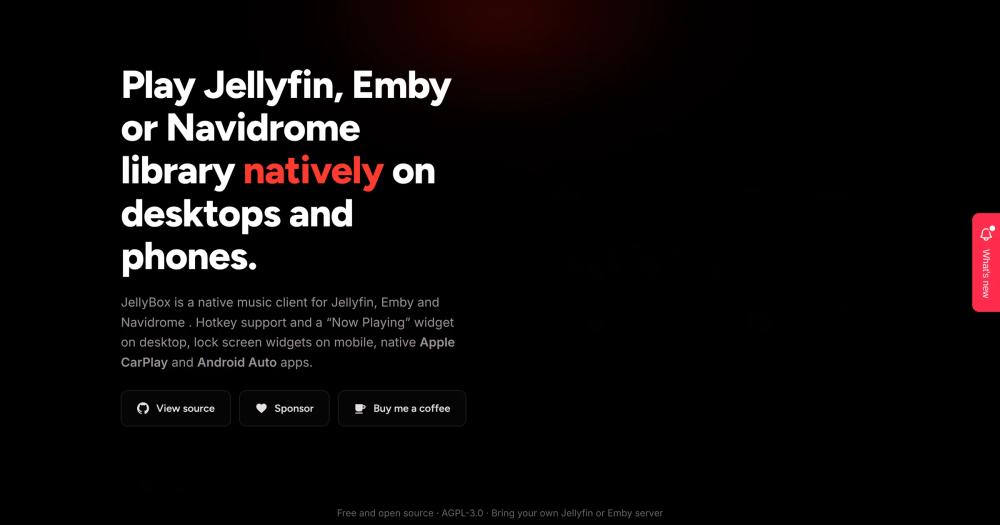
Browse your self-hosted Jellyfin or Emby music library with a native client for macOS, Windows, Linux, iOS, and Android.

Visit websiteGitHub750 starsDeploy on Hostinger
image of JellyBoxPlayer
TL;DR

JellyBoxPlayer is a native, cross-platform music client for Jellyfin and Emby servers, available on macOS, Windows, Linux, iOS, and Android. It fills the role that Plexamp fills for Plex, bringing time-synced lyrics, offline downloads, artwork-driven color theming, and Apple CarPlay support to Jellyfin and Emby users with no subscription cost. Licensed AGPL-3.0. Best for self-hosters who want a polished dedicated music player for their existing Jellyfin or Emby library.

Read the full breakdownHide the full breakdownWho it is for, how it works, trade-offs, the quick start and the FAQ
who it's for

Who JellyBoxPlayer is for#

Self-hosters with an existing Jellyfin or Emby music library

Listeners who have already deployed Jellyfin or Emby gain a dedicated native client with offline mode, time-synced lyrics, and system integrations that the web interface cannot provide.

Skip if:

JellyBoxPlayer has no built-in server. It cannot play music without a running Jellyfin or Emby instance. It does not support Plex or direct file path playback.

iOS and macOS users who want Apple CarPlay

JellyBoxPlayer includes Apple CarPlay support in beta, making it an open source option for Jellyfin and Emby users who want in-car listening controls. The iOS and iPadOS version is available through the App Store.

Skip if:

CarPlay is in beta. Skip if CarPlay stability is critical; other Jellyfin clients may offer a more complete feature set for in-car use currently.

Linux desktop users who want MPRIS integration

MPRIS integration connects JellyBoxPlayer to GNOME and KDE media panel widgets and the playerctl command-line controller. AppImage, .deb, .rpm, and .tar.gz packages are available for x64 and arm64.

Skip if:

The Linux build requires several shared libraries (libmpv, libsecret, libsqlite3, and others) installed as system packages. Skip if your environment restricts system-level package installation.

Audiophiles monitoring lossless playback quality

The audio quality badge shows in real time whether JellyBoxPlayer is streaming the original lossless file or a transcoded version. Per-connection streaming profiles let you configure codec handling and quality per server.

Skip if:

JellyBoxPlayer only connects to Jellyfin and Emby servers. It has no integration with streaming services or direct local file playback without a server.

the problem

The problem it solves#

Running a self-hosted music library through Jellyfin or Emby solves the server side: your files are indexed, streamed, and accessible from anywhere. The client side is harder. Most Jellyfin and Emby clients are general-purpose media players built for video first, with music browsing that feels secondary. Listening through the web interface means no system media key support, no offline playback, and none of the platform integrations listeners expect from a music app: no Apple CarPlay, no Linux MPRIS, no AirPlay routing.

For anyone who has invested time in a curated local library, the experience gap between a commercial music streaming app and a self-hosted Jellyfin or Emby setup is significant. Plexamp showed what a dedicated music client for a media server could look like, but it requires Plex and a paid Plex Pass subscription. Jellyfin and Emby users had no equivalent native music client before JellyBoxPlayer.

how JellyBoxPlayer solves it

How it solves it#

Cross-platform native apps

Available as a native app on macOS, Windows, Linux, iOS, and Android, with a platform-specific layout on each rather than a single stretched design. Download formats include the App Store for iOS and macOS, and GitHub releases with .dmg, .exe, .AppImage, .deb, .rpm, and .apk for other platforms.

Time-synced lyrics overlay

Displays lyrics synchronized to playback position, overlaid on the now-playing view. Lyrics are fetched from your Jellyfin or Emby server rather than a third-party lyrics service, so they work for any track your library has tagged.

Offline downloads

Download individual tracks or full albums for offline listening. A full offline mode allows access to your downloaded library with no network connection, including when traveling or on a plane.

Artwork-driven theming and Studio Mode

The player generates a color scheme from the current album artwork automatically. Studio Mode adds a full-screen animated playback view for aesthetic presentation during active listening or on a dedicated display.

Platform system integration

Includes Apple CarPlay on iOS (in beta), MPRIS on Linux for GNOME and KDE media widgets and playerctl, AirPlay and audio output routing on macOS and iOS, global media keys on desktop, and lock screen and notification controls on iOS and Android.

Per-connection streaming profiles with transcoding

Configure codec handling and quality per server connection. JellyBoxPlayer transcodes automatically when the device codec does not support the file format natively, and shows an audio quality badge so you can verify whether you are playing the original file or a transcoded copy.

strengths · trade-offs

Strengths and trade-offs#

Strengths

  • No subscription or recurring costJellyfin and Emby are both free and open source server platforms. JellyBoxPlayer adds a dedicated native music client at no additional cost, with no subscription fee and no recurring charges on top of what you already run.
  • Works with both Jellyfin and EmbyJellyBoxPlayer connects to Jellyfin servers, Emby servers, or both, within the same app. It switches between multiple server connections without signing out, which suits users running a home server and a remote server simultaneously.
  • Genuine native layout per platformBuilt with Flutter, JellyBoxPlayer implements platform-appropriate layouts for each target rather than adapting a single view. Desktop, mobile, and tablet interfaces each follow the layout conventions of their platform.
  • CI-tested with signed release buildsThe repository runs tests and static analysis on every push via CI. macOS and iOS releases are signed and notarized through the App Store. Linux builds are provided in multiple formats: AppImage, .deb, .rpm, and .tar.gz for x64 and arm64.

Trade-offs

  • -Requires an existing Jellyfin or Emby serverJellyBoxPlayer is a client, not a media server. It cannot index or stream music on its own. A running Jellyfin or Emby instance with a music library is a prerequisite, and setting up that server is a separate step not covered by the client.
  • -Android requires APK sideloadingAndroid builds are distributed as APK files from the GitHub releases page. Installing them requires enabling sideloading from your browser or file manager. Google Play distribution is listed as planned in the README but was not yet available at time of writing.
  • -Windows installer triggers SmartScreen warningThe Windows installer is unsigned. SmartScreen displays a security warning on first launch, requiring users to choose 'More info' and 'Run anyway' to proceed. The portable .zip build bypasses the installer but carries the same unsigned status.
  • -AGPL-3.0 copyleft restriction for service operatorsJellyBoxPlayer is licensed AGPL-3.0. Running the unmodified client for personal or team use carries no restrictions. Developers who modify the source and deploy their modified version as a network service must release their changes under the same license.
versus alternatives

JellyBoxPlayer vs alternatives#

JellyBoxPlayer vs Plexamp

JellyBoxPlayer and Plexamp occupy the same niche: a dedicated music player for a self-hosted media server, designed to feel like a commercial streaming app. The key difference is server ecosystem. Plexamp runs on Plex; JellyBoxPlayer runs on Jellyfin and Emby.

FeatureJellyBoxPlayerPlexamp
LicenseAGPL-3.0Proprietary
Server compatibilityJellyfin and EmbyPlex only
Subscription requiredNoPlex Pass required
PlatformsmacOS, Windows, Linux, iOS, AndroidmacOS, Windows, Linux, iOS, Android
Apple CarPlayYes (beta)No
Linux MPRISYesNo
Offline downloadsYesYes
Time-synced lyricsYesYes
Source availableYes (AGPL-3.0)No

JellyBoxPlayer is the better choice for anyone already using Jellyfin or Emby. The full server and client stack are open source, subscription-free, and self-hosted. Features like Apple CarPlay and MPRIS on Linux are areas where JellyBoxPlayer holds a specific advantage over Plexamp for users on those platforms.

Plexamp is worth considering when your library is already on Plex with a Plex Pass subscription in place. Migrating a large music library from Plex to Jellyfin or Emby requires meaningful effort, and Plexamp's maturity within the Plex ecosystem is an asset for existing Plex users. If you are starting a self-hosted music setup from scratch, Jellyfin with JellyBoxPlayer is a fully open stack at no recurring cost.

install · quick start

Quick start#

bash
Install Linux system dependencies before running JellyBoxPlayer, or build the app from source with Flutter.
```bash
# Linux (Debian/Ubuntu): runtime dependencies
sudo apt-get install libmpv-dev mpv libsecret-1-dev libsqlite3-dev libjsoncpp-dev libcurl4-openssl-dev libdbus-1-dev

# Build from source (all platforms, requires Flutter with Dart SDK 3.8+)
git clone https://github.com/avdept/JellyBoxPlayer.git
cd JellyBoxPlayer
flutter pub get
dart run build_runner build --delete-conflicting-outputs
flutter run
```
tech stack · detected from GitHub

What it's built on#

Languages
C++DartKotlinRubySwift
frequently asked

FAQ#

Is JellyBoxPlayer free to use?

Yes. JellyBoxPlayer is free and open source under the AGPL-3.0 license. There is no subscription, no premium tier, and no in-app purchase. The Jellyfin server it connects to is also free and open source. If you use an Emby server, Emby's own server licensing terms apply to the server side, but the JellyBoxPlayer client costs nothing.

Does JellyBoxPlayer work with Plex?

No. JellyBoxPlayer connects to Jellyfin and Emby servers only. Plex uses a different API and is not supported. If your library is on Plex, Plexamp is the equivalent dedicated music client for that ecosystem.

Do I need a self-hosted server to use JellyBoxPlayer?

Yes. JellyBoxPlayer is a client that requires a running Jellyfin or Emby server with a music library indexed on it. The app does not host or stream music itself. Setting up Jellyfin is free and documented on the Jellyfin project site; Emby offers a free server tier with optional paid server features.

Is JellyBoxPlayer available on iPhone and iPad?

Yes. JellyBoxPlayer is on the App Store for iOS and iPadOS. It also supports Apple CarPlay for in-car listening, though CarPlay integration is currently in beta. The same App Store listing covers macOS.

Does JellyBoxPlayer support lossless audio formats like FLAC?

Yes. JellyBoxPlayer plays back whatever format your Jellyfin or Emby server streams. FLAC and other lossless formats work when the device codec supports direct play. The audio quality badge in the player confirms whether you are receiving the original file or a server-transcoded version.

also worth a look

Similar open-source tools#

FckSignups

InCustomer Support

Open-source tools that work instantly, no signup required

  • 4,511 GitHub stars
  • GPL-3.0Licence GPL-3.0

Cloudflare Os

Alternative toDust

Open source AI workspace with sandboxed apps and Gatekeeper security

  • 11,537 GitHub stars
  • Apache-2.0Licence Apache-2.0

Firebase Ios Sdk

Alternative toAWS Amplify

Open source Apple SDK for Firebase auth, data, push and crashes

  • 6,974 GitHub stars
  • Apache-2.0Licence Apache-2.0

opendisplay

Alternative toDuet Display

Turn any iPhone, iPad, or spare Mac into a free second Mac monitor

  • 5,812 GitHub stars
  • GPL-3.0Licence GPL-3.0

stremio-web

Alternative toPlex

Open source web UI for media streaming, powered by community addons.

  • 14,704 GitHub stars
  • GPL-2.0Licence GPL-2.0

kilocode

Alternative toCursor

Open source AI coding agent. 500+ models at zero markup.

  • 27,673 GitHub stars
  • MITLicence MIT
by category

Open source tools in these categories#

196

Web Development

freeCodeCamp, superpowers, Skills for Real Engineers
105

Cloud & Hosting

dify, RuView, rtk
404

AI & Machine Learning

OpenClaw, freeCodeCamp, REA (Reverse Engineer Anything)
461

Developer Tools

REA (Reverse Engineer Anything), superpowers, Skills for Real Engineers
191

Business & Productivity

Excalidraw, OpenClaw, RustDesk
Hostinger

Run JellyBoxPlayer on your own server

Self-host JellyBoxPlayer on a Hostinger VPS.

Deploy on Hostinger

Featured

Inbox Zero

Alternative toSuperhuman

AI email assistant that drafts replies and clears your inbox

  • 12,712 GitHub stars
  • AGPL-3.0Licence AGPL-3.0
  • #Email

rakazo

Alternative toGrok Bot

AI teammates you own: your keys, your model, your machine.

  • 4,904 GitHub stars
  • Apache-2.0Licence Apache-2.0
  • #AI Agents

Omnara

Alternative toCClaude Managed Agents

Open-source agent deployment API. Self-host or use Omnara Cloud.

  • 2,957 GitHub stars
  • Apache-2.0Licence Apache-2.0
  • #AI Agents
Feature your project

New open source projects by email

The projects we add and every new guide. Free, unsubscribe any time.

Find open source alternatives to paid software

/
  • Claude Code to OpenCode
  • Jira to Windshift
  • Notion to AppFlowy
  • Slack to Mattermost
  • Linear to GitLab
  • Wispr Flow to Handy
  • CapCut to Concat
  • Grok Bot to rakazo
  • Superhuman to Inbox Zero
  • Airtable to AITable
  • Muse to OpenClaw
  • GitHub Copilot to Cline
  • Datadog to Netdata
  • Microsoft Teams to Rocket.Chat
  • Pinecone to Qdrant
  • Zapier to n8n
  • Devin AI to OpenHands
  • Firebase to Supabase
  • 1Password to KeePassXC
  • Confluence to Docmost
  • Contentful to Strapi
  • Adobe Premiere Pro to Shotcut
  • ChatGPT to AnythingLLM
  • LangSmith to Langfuse
  • Claude Code to OpenCode
  • Jira to Windshift
  • Notion to AppFlowy
  • Slack to Mattermost
  • Linear to GitLab
  • Wispr Flow to Handy
  • CapCut to Concat
  • Grok Bot to rakazo
  • Superhuman to Inbox Zero
  • Airtable to AITable
  • Muse to OpenClaw
  • GitHub Copilot to Cline
  • Datadog to Netdata
  • Microsoft Teams to Rocket.Chat
  • Pinecone to Qdrant
  • Zapier to n8n
  • Devin AI to OpenHands
  • Firebase to Supabase
  • 1Password to KeePassXC
  • Confluence to Docmost
  • Contentful to Strapi
  • Adobe Premiere Pro to Shotcut
  • ChatGPT to AnythingLLM
  • LangSmith to Langfuse