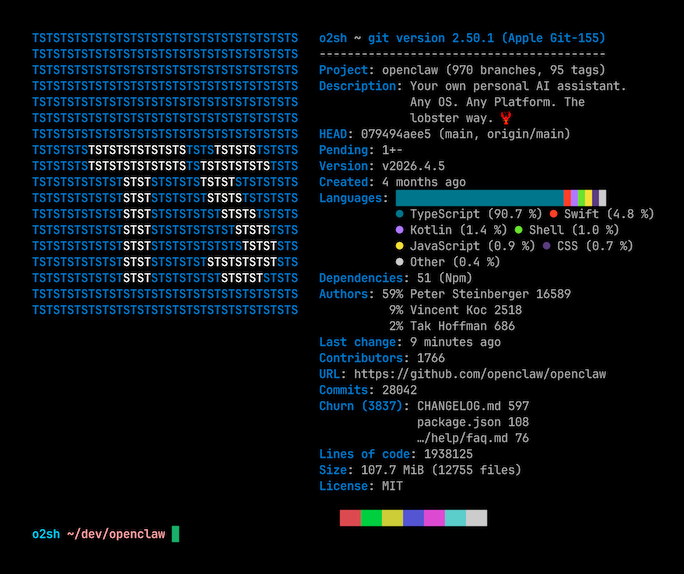
Onefetch vs GitHub Repository Insights
GitHub's built-in Insights tab shows commit activity, contributor breakdowns, traffic, and language composition for repositories hosted on GitHub. For developers already using GitHub, it requires no installation and the interface includes charts and graphs.
| Feature | Onefetch | GitHub Insights |
|---|
| License | MIT | Proprietary (GitHub product) |
| Works offline | Yes | No |
| Works on local-only repos | Yes | No |
| Installation | Package manager binary | No install required |
| Output formats | Terminal, JSON, YAML | Web interface only |
| Private repo access | Any local repo | Requires GitHub account and push |
Onefetch is the better choice when you need stats for a repository that is not on GitHub, or when you are in an environment without internet access. It also fits terminal-centric workflows where opening a browser is friction. GitHub Insights is the better fit when you want historical commit graphs, traffic data, or the polished visual charts that a web interface provides.
Onefetch vs GitLens Pro
GitLens is a VS Code extension that adds git history visualization and code authorship features. The free tier covers blame annotations and basic history; GitLens Pro adds team-level insights, workspace views, and organization-level analytics.
| Feature | Onefetch | GitLens Pro |
|---|
| License | MIT | Proprietary (paid tiers) |
| Works outside an IDE | Yes (terminal) | No (VS Code only) |
| Installation | Single binary | VS Code extension |
| Offline capability | Full | Partial (some features need network) |
| Language breakdown | Yes | No |
| Cost | Free | Free tier + paid Pro tier |
Onefetch is the better choice when you work outside VS Code, need a quick terminal summary without opening an IDE, or want language composition data. GitLens Pro is the better fit when you want inline blame annotations, a visual file history, or team-level analytics integrated directly into your editor.