Open Source Alternatives
  • Alternatives
  • Categories
    Categories by size882 projects
    • Developer Tools461
    • AI & Machine Learning404
    • Web Development196
    • Business & Productivity191
    • Communication & Collaboration126
    • Security & Monitoring126
    • IT Management123
    • Product & Project Management106
    • Cloud & Hosting105
    • Data & Analytics104
    Browse all 21 categoriesLLMOps & AI Tooling, Design & Creative and 9 more
  • Blog
  • Advertise
SearchNotion, Slack, password manager.../
Submit
Open Source Alternatives
  • Alternatives
    • Developer Tools461
    • AI & Machine Learning404
    • Web Development196
    • Business & Productivity191
    • Communication & Collaboration126
    • Security & Monitoring126
    • Browse all 21 categories
  • Blog
  • Advertise
Submit your project

New open source projects by email

The projects we add and every new guide. Free, unsubscribe any time.

Open Source Alternatives LogoOpen Source Alternatives

Handpicked Open Source Alternatives to Paid Softwares

Product

  • Categories
  • Tag
  • Advertise

Resources

  • Blog
  • Collection
  • Submit

Company

  • Privacy Policy
  • Terms of Service
  • Refund Policy
  • Sitemap

Alternatives

  • Claude Code
  • Jira
  • Notion
  • Slack
  • Linear
  • Wispr Flow
  • All alternatives
© 2026 Open Source Alternatives. All rights reserved.
Open SourceAlternatives
Home/Categories/IT Management/Whatsapp Backup Tools
icon of Whatsapp Backup Tools

Whatsapp Backup Tools

Open source alternative to iMyfone ChatsBack

  • 191 stars
  • GPL-3.0
  • Active this month
  • Last commit 8 days ago

Last verified Oct 20, 2026

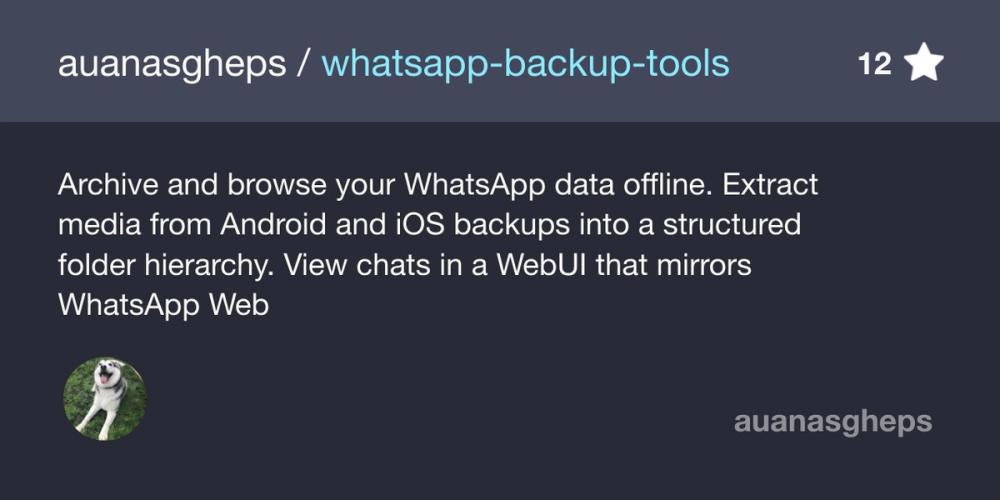
Manage WhatsApp backups by sorting media into a folder tree and browsing chats offline in a local web viewer that mirrors WhatsApp Web.

Visit websiteGitHub191 stars
image of Whatsapp Backup Tools
TL;DR

Whatsapp Backup Tools is a GPL-3.0 Python suite that turns an Android or iOS WhatsApp backup into a structured media archive (wab-archiver) and a local web viewer that mirrors WhatsApp Web (wab-viewer). Everything runs on your own machine with no cloud step. It suits people who want a permanent, searchable archive and are comfortable with the command line. It is not a recovery tool for deleted messages, and it does not yet render stickers, call history, or polls.

Read the full breakdownHide the full breakdownWho it is for, how it works, trade-offs, the quick start and the FAQ
who it's for

Who Whatsapp Backup Tools is for#

Keep a permanent archive when changing phones

Run the archiver on a backup copy before you wipe the old phone, then keep the folder tree and browse the chats later in the viewer.

Skip if:

You want to recover messages you already deleted from a device.

Find an old attachment by contact and year

The Contacts and Groups folders sorted by year and direction make it quick to locate one file, and the viewer's search finds the surrounding conversation.

Skip if:

You only need to export a single chat as text, where the in-app export is enough.

Build a recurring local backup routine

Use a config.toml file and safe incremental runs to add new media to the same archive over time, merging several backup roots when needed.

Skip if:

You do not want to run command-line tools or manage backup files.

the problem

The problem it solves#

WhatsApp stores chats in a database and media in flat folders with generic file names. After a few years the data is large, hard to search outside the app, and tied to one phone. Exporting a single chat gives you a text file at best. People who want to keep their history, find an old attachment by contact and year, or read chats on a computer have no good built-in option, and paid recovery software means handing a copy of private conversations to a commercial tool.

how Whatsapp Backup Tools solves it

How it solves it#

Structured media archive

wab-archiver sorts media into Contacts and Groups folders, then by year and Sent or Received. Files keep their original names, and modified dates are set to the original WhatsApp timestamps.

Local WhatsApp Web style viewer

wab-viewer shows chats in a layout that replicates WhatsApp Web, with dark and light themes, adjustable font size, regional date formats, reactions, quoted replies, and delivery and read receipts.

Full-text search and date jump

Search across every chat or inside one conversation, jump to a match, or pick a date to land on that day in a long thread.

Safe, incremental re-runs

The archiver skips identical files, never overwrites existing media, renames conflicting files with a numeric suffix, and writes CSV reports for duplicate and missing media.

Android and iOS support

Android works without root using an end-to-end encrypted backup and its 64-digit key. iOS works from a local device backup made with Finder, Apple Devices, or iTunes.

strengths · trade-offs

Strengths and trade-offs#

Strengths

  • Data stays on your machineThe README states that both tools run locally and no data leaves your computer. The archiver also works on a copy of your data, not the live device files.
  • Tracks renamed contacts and changed numbersThe archiver detects contact renames, phone number migrations, and groups with identical names across runs, and renames the matching folder so the archive stays consolidated.
  • Wide media coverageImages, videos, audio, voice notes, video messages, animated GIFs, and documents are archived, and the viewer can stream video and voice notes with seeking.

Trade-offs

  • -Gaps in what it handlesStickers are not archived, and the viewer does not yet render call history, poll interactions, or stickers in the chat timeline.
  • -Manual setup on your phone dataYou must extract the database and media yourself. Android needs end-to-end encrypted backup turned on, iOS needs it turned off, and both need Python 3.11 or later and some command-line work.
  • -Young project with limited track recordThe repository was created in May 2026 and has 132 stars. The README says iOS restore mode is unsupported and iOS number change tracking is best-effort for contacts missing from the address book.
  • -Archives only, no recoveryIt organises data that exists in a backup you provide. Nothing in the README describes recovering deleted messages or scanning a device for lost data.
versus alternatives

Whatsapp Backup Tools vs alternatives#

Scope

iMyfone ChatsBack is a paid commercial product built for WhatsApp data recovery. WhatsApp Backup Tools is a free GPL-3.0 project built for archiving and browsing a backup you already have. If your goal is to get back messages that are gone, the commercial product targets that job and this project does not. If your goal is a permanent, searchable copy of existing chats and media, this project covers it.

Cost and licensing

WhatsApp Backup Tools has no licence fee and publishes its source under GPL-3.0. A paid product like iMyfone ChatsBack is closed software sold under commercial terms; check its current pricing on the vendor's site.

Privacy

The README states that both programs run locally and that no data leaves your machine. Check the vendor's documentation for how iMyfone ChatsBack handles your data before you compare on privacy.

Effort

Setup here is manual. You install with pip, extract the WhatsApp database and media from Android or iOS, and run command-line steps, with a config file for repeat runs. Expect more hands-on work than a packaged commercial tool.

Best fit

Choose WhatsApp Backup Tools when you want an archive you control and can inspect. Choose a paid recovery product when you need to retrieve deleted data.

install · quick start

Quick start#

bash
Install with pip on Python 3.11 or later, then run the archiver and viewer against a copy of your backup.
```bash
pip install "git+https://github.com/auanasgheps/whatsapp-backup-tools.git"
wab-archiver archive --ios-backup /path/to/Backup/UDID --output /path/to/my-archive --dry-run
wab-viewer /path/to/my-archive
```
tech stack · detected from GitHub

What it's built on#

Languages
JavaScriptPython
Frameworks
Flask
frequently asked

FAQ#

What license does WhatsApp Backup Tools use?

It is released under GPL-3.0, according to the GitHub metadata. The source is open for you to read, run, and modify under that license.

Does it send my chats to any server?

No. The README says everything is processed locally on your computer and no data leaves your machine. The viewer runs a local web server that you open at http://127.0.0.1:5000.

Which platforms and phones does it support?

The tools run on Windows, Linux, and macOS with Python 3.11 or later. They read Android backups (no root needed, with end-to-end encrypted backup enabled) and iOS device backups (with in-app encrypted backup disabled).

Can it recover deleted WhatsApp messages?

The README describes archiving and viewing data from a backup you provide. It does not describe recovering deleted messages, so use a dedicated recovery tool for that job.

also worth a look

Similar open-source tools#

FckSignups

InCustomer Support

Open-source tools that work instantly, no signup required

  • 4,511 GitHub stars
  • GPL-3.0Licence GPL-3.0

Syncthing

Alternative toResilio Connect

Decentralized continuous file sync with no central server

  • 89,563 GitHub stars
  • MPL-2.0Licence MPL-2.0

Buzz

Featured

Alternative toSlack

Self-hosted team chat where people and AI agents work together

  • 36,174 GitHub stars
  • Apache-2.0Licence Apache-2.0

Mole

Alternative toCleanMyMac X

Mac cleaner, app uninstaller, disk analyzer, and system monitor

  • 72,205 GitHub stars
  • GPL-3.0Licence GPL-3.0

Oxynote

Alternative toNotion

Technical wiki with live metrics, draft reviews, and real-time editing

  • 244 GitHub stars
  • Apache-2.0Licence Apache-2.0

WeKnora

Alternative toGlean

Self-hosted knowledge base with RAG search, AI agent, and wiki

  • 34,874 GitHub stars
  • MITLicence MIT
by category

Open source tools in these categories#

123

IT Management

RustDesk, Immich, Stirling PDF
461

Developer Tools

REA (Reverse Engineer Anything), superpowers, Skills for Real Engineers
104

Data & Analytics

Firecrawl, ragflow, Worldmonitor
126

Communication & Collaboration

freeCodeCamp, iptv, Excalidraw

Featured

rakazo

Alternative toGrok Bot

AI teammates you own: your keys, your model, your machine.

  • 4,904 GitHub stars
  • Apache-2.0Licence Apache-2.0
  • #AI Agents

Omnara

Alternative toCClaude Managed Agents

Open-source agent deployment API. Self-host or use Omnara Cloud.

  • 2,957 GitHub stars
  • Apache-2.0Licence Apache-2.0
  • #AI Agents

Inbox Zero

Alternative toSuperhuman

AI email assistant that drafts replies and clears your inbox

  • 12,712 GitHub stars
  • AGPL-3.0Licence AGPL-3.0
  • #Email
Feature your project

New open source projects by email

The projects we add and every new guide. Free, unsubscribe any time.

Find open source alternatives to paid software

/
  • Claude Code to OpenCode
  • Jira to Windshift
  • Notion to AppFlowy
  • Slack to Mattermost
  • Linear to GitLab
  • Wispr Flow to Handy
  • CapCut to Concat
  • Grok Bot to rakazo
  • Superhuman to Inbox Zero
  • Airtable to AITable
  • Muse to OpenClaw
  • GitHub Copilot to Cline
  • Datadog to Netdata
  • Microsoft Teams to Rocket.Chat
  • Pinecone to Qdrant
  • Zapier to n8n
  • Devin AI to OpenHands
  • Firebase to Supabase
  • 1Password to KeePassXC
  • Confluence to Docmost
  • Contentful to Strapi
  • Adobe Premiere Pro to Shotcut
  • ChatGPT to AnythingLLM
  • LangSmith to Langfuse
  • Claude Code to OpenCode
  • Jira to Windshift
  • Notion to AppFlowy
  • Slack to Mattermost
  • Linear to GitLab
  • Wispr Flow to Handy
  • CapCut to Concat
  • Grok Bot to rakazo
  • Superhuman to Inbox Zero
  • Airtable to AITable
  • Muse to OpenClaw
  • GitHub Copilot to Cline
  • Datadog to Netdata
  • Microsoft Teams to Rocket.Chat
  • Pinecone to Qdrant
  • Zapier to n8n
  • Devin AI to OpenHands
  • Firebase to Supabase
  • 1Password to KeePassXC
  • Confluence to Docmost
  • Contentful to Strapi
  • Adobe Premiere Pro to Shotcut
  • ChatGPT to AnythingLLM
  • LangSmith to Langfuse