Open Source Alternatives
  • Alternatives
  • Categories
    Categories by size882 projects
    • Developer Tools461
    • AI & Machine Learning404
    • Web Development196
    • Business & Productivity191
    • Communication & Collaboration126
    • Security & Monitoring126
    • IT Management123
    • Product & Project Management106
    • Cloud & Hosting105
    • Data & Analytics104
    Browse all 21 categoriesLLMOps & AI Tooling, Design & Creative and 9 more
  • Blog
  • Advertise
SearchNotion, Slack, password manager.../
Submit
Open Source Alternatives
  • Alternatives
    • Developer Tools461
    • AI & Machine Learning404
    • Web Development196
    • Business & Productivity191
    • Communication & Collaboration126
    • Security & Monitoring126
    • Browse all 21 categories
  • Blog
  • Advertise
Submit your project

New open source projects by email

The projects we add and every new guide. Free, unsubscribe any time.

Open Source Alternatives LogoOpen Source Alternatives

Handpicked Open Source Alternatives to Paid Softwares

Product

  • Categories
  • Tag
  • Advertise

Resources

  • Blog
  • Collection
  • Submit

Company

  • Privacy Policy
  • Terms of Service
  • Refund Policy
  • Sitemap

Alternatives

  • Claude Code
  • Jira
  • Notion
  • Slack
  • Linear
  • Wispr Flow
  • All alternatives
© 2026 Open Source Alternatives. All rights reserved.
Open SourceAlternatives
Home/Categories/Web Development/Typemill
icon of Typemill

Typemill

Open source alternative to Document360, Confluence and Notion

  • 2 stars
  • MIT
  • Active recently
  • Last commit 62 days ago

Last verified Oct 19, 2026

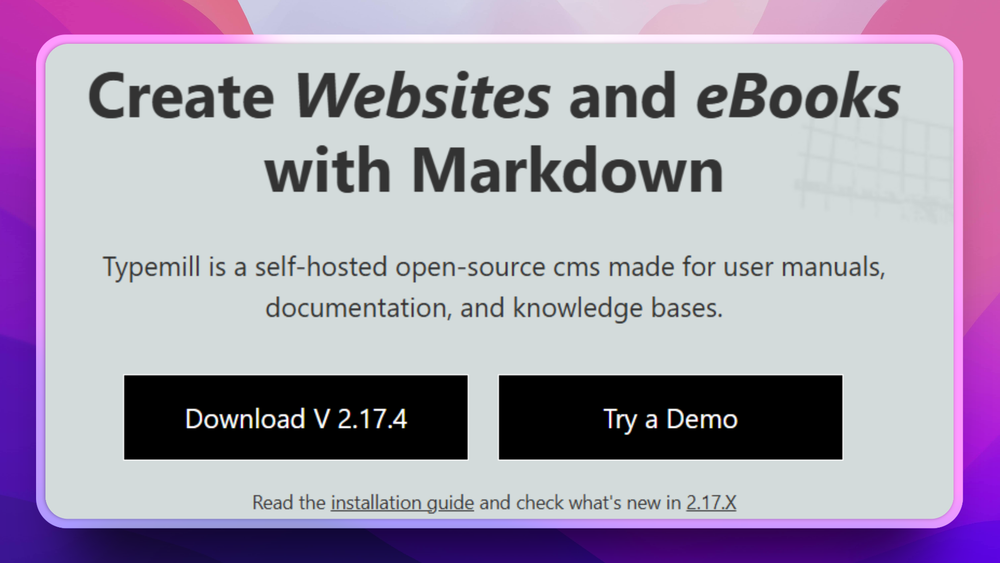
Build documentation sites and user manuals from Markdown with Typemill, an MIT-licensed flat-file CMS that runs on any PHP server without a database.

Visit websiteGitHub2 starsDeploy on Hostinger
image of Typemill
TL;DR

Typemill is an MIT-licensed flat-file Markdown CMS for documentation sites, manuals, handbooks, and text-heavy websites. The linked dev edition gives theme and plugin developers a local Typemill environment with a Dev Theme, Demo Plugin, Twig templates, YAML configuration examples, and Composer-based setup.

Read the full breakdownHide the full breakdownWho it is for, how it works, trade-offs and the FAQ
who it's for

Who Typemill is for#

Documentation and handbook sites

Typemill fits teams that want a self-hosted CMS for manuals, product docs, knowledge bases, or handbooks written in Markdown.

Skip if:

You need a hosted workspace with real-time collaborative editing and per-user billing.

Theme development for Typemill

The Dev Theme gives frontend developers a working place to study Typemill template structure, Twig views, and YAML configuration.

Skip if:

You only need to author pages and do not plan to modify themes.

Plugin development for Typemill

The Demo Plugin helps PHP developers inspect Typemill plugin configuration, event hooks, and editor integration patterns before building their own extension.

Skip if:

Your CMS extension needs a large marketplace or enterprise plugin framework.

the problem

The problem it solves#

Documentation sites often start small and become hard to maintain when the content lives in a database-backed CMS that does not match the writing workflow. Teams that write in Markdown want readable files, simple versioning, and a site structure that mirrors the content tree instead of a heavy publishing stack.

Developers extending a CMS face a second problem: themes, templates, plugin hooks, and editor integrations are easier to learn by changing a working project than by reading reference pages alone. Without a development starter, theme and plugin work becomes trial and error across unclear folders and configuration files.

how Typemill solves it

How it solves it#

Flat-file Markdown publishing

Typemill is built around Markdown content for documentation, manuals, handbooks, and other text-driven websites, which keeps source content portable and easy to inspect.

Developer starter environment

The typemill/dev repository packages a working Typemill setup with a Dev Theme and Demo Plugin, so developers can learn by editing real theme and plugin files.

Theme guide tied to actual files

The README says each Theme Guide article corresponds to a file in the theme folder, giving developers context for Twig templates such as file, folder, and home views.

Plugin architecture examples

The Demo Plugin shows configuration, event hooks, and editor interface integration, which helps developers understand how Typemill extensions fit into the CMS.

PHP and Composer stack

The repository uses PHP, Composer, Slim, Twig, Symfony components, Parsedown, and a standard local server workflow, making it familiar for PHP teams.

strengths · trade-offs

Strengths and trade-offs#

Strengths

  • Strong fit for text-first sitesTypemill focuses on manuals, documentation, handbooks, and other structured writing rather than broad website building, which makes its positioning clearer than a general CMS.
  • Readable source contentMarkdown-based content is easier to review, back up, and move between tools than content trapped only in a hosted editor or proprietary database.
  • Practical extension pathThe dev edition gives theme and plugin builders a concrete project to inspect, with references to official theme and plugin developer documentation.
  • Permissive licenseThe GitHub repository and Composer metadata both report MIT licensing, which keeps self-hosted and commercial extension work straightforward.

Trade-offs

  • -Linked repository is a developer editionThe audited GitHub repo is a Typemill development starter, not a broad product README for every end-user CMS feature. Public copy should avoid claims that are not grounded in the dev repository, homepage, or official docs.
  • -PHP hosting knowledge still mattersThe README expects a local server, Composer, folder write permissions, and first-user setup through /tm/login, so Typemill is not a zero-ops hosted documentation service.
  • -Documentation focus may be too narrowTeams looking for ecommerce, complex workflows, or broad no-code site building may outgrow a Markdown-first CMS built around manuals and documentation.
tech stack · detected from GitHub

What it's built on#

Languages
JavaScriptPHP
frequently asked

FAQ#

What is Typemill?

Typemill is an open-source Markdown CMS for documentation, manuals, handbooks, and other text-driven websites. It is built for teams that want self-hosted publishing around readable content files.

What is the typemill/dev repository for?

The typemill/dev repository is a Typemill developer edition with a Dev Theme and Demo Plugin. It helps theme and plugin developers learn Typemill by working inside a local project.

What license does Typemill use?

GitHub metadata and the repository Composer file report the typemill/dev project as MIT licensed.

How do you run the Typemill developer edition locally?

The README says to clone the repository, run composer update, set write permissions on runtime folders, run it on a local server, and create the first user at /tm/login.

Looking for more

Other ways to replace Document360, Confluence and Notion#

AppFlowy

#1 in the Notion guide

Full Notion replacement for small teams

77,613 GitHub stars

AFFiNE

#2 in the Notion guide

Docs, whiteboards, and databases in one workspace

73,684 GitHub stars

Outline

#3 in the Notion guide

Polished team wiki and internal knowledge base

40,988 GitHub stars

Macro Docs

#4 in the Notion guide

Markdown-native docs that agents and teammates edit together

4,782 GitHub stars
All 21 Notion alternatives9 open source Notion alternatives, ranked
by category

Open source tools in these categories#

196

Web Development

freeCodeCamp, superpowers, Skills for Real Engineers
123

IT Management

RustDesk, Immich, Stirling PDF
106

Product & Project Management

agency-agents, freeCodeCamp, Gstack
Hostinger

Run Typemill on your own server

Self-host Typemill on a Hostinger VPS.

Deploy on Hostinger

Featured

Omnara

Alternative toCClaude Managed Agents

Open-source agent deployment API. Self-host or use Omnara Cloud.

  • 2,957 GitHub stars
  • Apache-2.0Licence Apache-2.0
  • #AI Agents

rakazo

Alternative toGrok Bot

AI teammates you own: your keys, your model, your machine.

  • 4,904 GitHub stars
  • Apache-2.0Licence Apache-2.0
  • #AI Agents

Inbox Zero

Alternative toSuperhuman

AI email assistant that drafts replies and clears your inbox

  • 12,712 GitHub stars
  • AGPL-3.0Licence AGPL-3.0
  • #Email
Feature your project

New open source projects by email

The projects we add and every new guide. Free, unsubscribe any time.

Find open source alternatives to paid software

/
  • Claude Code to OpenCode
  • Jira to Windshift
  • Notion to AppFlowy
  • Slack to Mattermost
  • Linear to GitLab
  • Wispr Flow to Handy
  • CapCut to Concat
  • Grok Bot to rakazo
  • Superhuman to Inbox Zero
  • Airtable to AITable
  • Muse to OpenClaw
  • GitHub Copilot to Cline
  • Datadog to Netdata
  • Microsoft Teams to Rocket.Chat
  • Pinecone to Qdrant
  • Zapier to n8n
  • Devin AI to OpenHands
  • Firebase to Supabase
  • 1Password to KeePassXC
  • Confluence to Docmost
  • Contentful to Strapi
  • Adobe Premiere Pro to Shotcut
  • ChatGPT to AnythingLLM
  • LangSmith to Langfuse
  • Claude Code to OpenCode
  • Jira to Windshift
  • Notion to AppFlowy
  • Slack to Mattermost
  • Linear to GitLab
  • Wispr Flow to Handy
  • CapCut to Concat
  • Grok Bot to rakazo
  • Superhuman to Inbox Zero
  • Airtable to AITable
  • Muse to OpenClaw
  • GitHub Copilot to Cline
  • Datadog to Netdata
  • Microsoft Teams to Rocket.Chat
  • Pinecone to Qdrant
  • Zapier to n8n
  • Devin AI to OpenHands
  • Firebase to Supabase
  • 1Password to KeePassXC
  • Confluence to Docmost
  • Contentful to Strapi
  • Adobe Premiere Pro to Shotcut
  • ChatGPT to AnythingLLM
  • LangSmith to Langfuse