Open Source Alternatives
  • Alternatives
  • Categories
    Categories by size881 projects
    • Developer Tools460
    • AI & Machine Learning404
    • Web Development196
    • Business & Productivity191
    • Communication & Collaboration126
    • Security & Monitoring126
    • IT Management123
    • Product & Project Management106
    • Cloud & Hosting104
    • Data & Analytics104
    Browse all 21 categoriesLLMOps & AI Tooling, Design & Creative and 9 more
  • Blog
  • Advertise
SearchNotion, Slack, password manager.../
Submit
Open Source Alternatives
  • Alternatives
    • Developer Tools460
    • AI & Machine Learning404
    • Web Development196
    • Business & Productivity191
    • Communication & Collaboration126
    • Security & Monitoring126
    • Browse all 21 categories
  • Blog
  • Advertise
Submit your project

New open source projects by email

The projects we add and every new guide. Free, unsubscribe any time.

Open Source Alternatives LogoOpen Source Alternatives

Handpicked Open Source Alternatives to Paid Softwares

Product

  • Categories
  • Tag
  • Advertise

Resources

  • Blog
  • Collection
  • Submit

Company

  • Privacy Policy
  • Terms of Service
  • Refund Policy
  • Sitemap

Alternatives

  • Claude Code
  • Jira
  • Notion
  • Slack
  • Linear
  • Wispr Flow
  • All alternatives
© 2026 Open Source Alternatives. All rights reserved.
Open SourceAlternatives
Home/Categories/Product & Project Management/AppFlowy
icon of AppFlowy

AppFlowy

Open source alternative to Notion, Coda and Confluence

  • 77.6K stars
  • AGPL-3.0
  • Active this week
  • Last commit 2 days ago

Last verified Oct 20, 2026

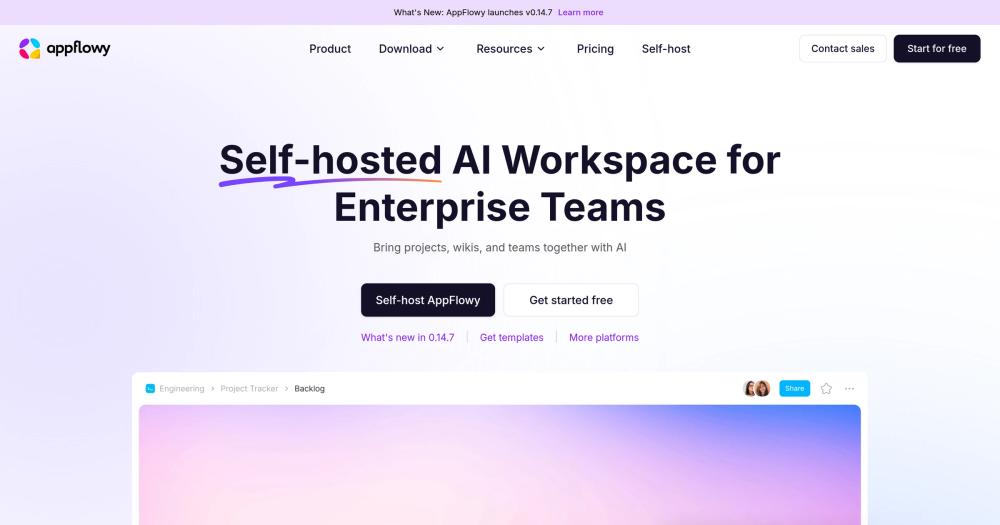
AI collaborative workspace that helps teams manage projects, wikis, and tasks while maintaining control over their data.

Visit websiteGitHub77.6K stars1-click deploy on Hostinger
image of AppFlowy
TL;DR

AppFlowy is an AGPL-licensed Notion alternative for notes, wikis, tasks, and databases, built for teams that need self-hosting and offline work.

Read the full breakdownHide the full breakdownWho it is for, how it works, trade-offs, the quick start and the FAQ
who it's for

Who AppFlowy is for#

Founders replacing Notion for an internal operating system

Use AppFlowy to keep product plans, wikis, tasks, and lightweight databases in a workspace your team can self-host as it grows. The combination of docs, databases, and AI makes it a practical Notion replacement for ownership-focused teams.

Skip if:

You need every Notion database feature, integration, and design polish today.

Privacy-sensitive teams building a knowledge base

Use AppFlowy when customer notes, operating docs, or client project details should stay under your infrastructure or local device control. Offline mode and self-hosting reduce dependence on a proprietary workspace vendor.

Skip if:

Your team does not want to maintain Docker services or internal workspace infrastructure.

Personal knowledge workers who want local-first notes

Use AppFlowy as a desktop and mobile workspace for notes, tasks, and documents that can work offline. Local AI support is useful when you want AI help without defaulting every prompt to a hosted workspace.

Skip if:

You only need a simple markdown editor or plain local files.

Technical teams customizing workspace behavior

Use AppFlowy when the ability to inspect, fork, and adapt a Flutter and Rust codebase matters more than polished SaaS convenience. The project fits teams that want building blocks, not only a finished hosted app.

Skip if:

You want a no-maintenance hosted workspace with vendor-managed integrations.

the problem

The problem it solves#

Teams often build their operating system inside Notion, then discover that their project plans, wikis, tasks, and AI-assisted notes live inside a proprietary workspace they cannot fully control. That creates real friction for privacy-sensitive teams, founders managing client data, and builders who want local access when the network or vendor account is not available.

The pain is not just cost. It is the tradeoff between convenience and ownership: hosted workspaces make collaboration easy, but they limit self-hosting, offline-first workflows, source-level customization, and control over how AI touches private notes and documents.

how AppFlowy solves it

How it solves it#

AI workspace for projects and wikis

Combines docs, wikis, tasks, databases, and AI assistance in one workspace. The product site highlights AI chat, writing help, table autofill, contextual answers across pages, and project/wiki collaboration.

Self-hosting with AppFlowy Cloud

Supports running AppFlowy Cloud on your own server with Docker-based deployment. The official deployment docs describe a single-machine setup that exposes HTTP or HTTPS and routes /api, /ws, /web, /pgadmin, /minio, and /portainer.

Offline-first desktop workflow

The product site states that AppFlowy has a 100% offline mode and can remain local, then sync as required. That matters for users who want access to notes and tasks without depending on a hosted workspace connection.

Local and hosted AI model options

AppFlowy advertises local model support for privacy-focused AI work, along with cloud model choices. That gives teams more control over whether workspace context stays on-device or goes through an external AI provider.

Native apps across devices

The README links desktop downloads for macOS, Windows, and Linux, mobile apps for iPhone and Android, and alternate desktop distribution channels including Flathub and Snapcraft.

strengths · trade-offs

Strengths and trade-offs#

Strengths

  • Data ownership is the core betAppFlowy was built because the team saw data security and one-size-fits-all limits in Notion-style workspaces. Unlike Notion, AppFlowy gives technical teams a self-hosting path and source code access under AGPLv3.
  • Better fit for private AI workflowsThe product site emphasizes on-device AI, local models, and contextual AI across workspace pages. That makes AppFlowy stronger than a hosted-only workspace when sensitive notes, tasks, or project docs should stay closer to the user.
  • Works as a personal app and team workspaceAppFlowy covers local desktop use, mobile access, and self-hosted collaboration through AppFlowy Cloud. Teams can start with the app experience and move toward hosted collaboration when they are ready to operate the server side.
  • Honest scope versus NotionThe README explicitly says AppFlowy does not claim to outperform Notion in functionality and design today. That clarity helps users evaluate it as an ownership-first alternative, not a perfect clone.

Trade-offs

  • -Not full Notion parityThe AppFlowy team says it does not claim to outperform Notion in functionality or design today. Choose it for ownership, privacy, and self-hosting first, not because every mature Notion workflow will transfer unchanged.
  • -Self-hosting takes real operations workAppFlowy Cloud deployment depends on Docker and multiple services behind HTTP, WebSocket, auth, storage, admin, and database routes. Small teams without basic server administration skills should expect setup and maintenance work.
  • -AGPLv3 affects modified network servicesAppFlowy is distributed under AGPLv3. That license is friendly for self-hosting and internal use, but teams modifying and offering the software over a network need to understand the source-sharing obligations.
  • -AI privacy depends on model choiceLocal AI keeps more context on the user's machine, while cloud AI providers can send workspace context outside local infrastructure. Teams should choose model settings based on their own privacy requirements.
versus alternatives

AppFlowy vs alternatives#

AppFlowy vs Notion

AppFlowy and Notion both organize docs, wikis, tasks, and project data in a shared workspace. The main difference is ownership: Notion is a polished proprietary SaaS product, while AppFlowy is AGPL-licensed software with offline use, local AI options, and a self-hosting path through AppFlowy Cloud.

AppFlowy is the better choice when data ownership, local work, self-hosting, and source-level control matter more than maximum feature maturity. It fits technical teams that want a Notion-like workspace without giving a vendor full control over workspace data.

Notion is still the safer choice when a team needs the most mature hosted product experience today. The AppFlowy README is clear that AppFlowy does not yet claim to beat Notion on functionality or design, so teams with complex existing Notion databases, deep integrations, or low tolerance for self-hosting work should test migration carefully before switching.

install · quick start

Quick start#

bash
# Run the AppFlowy desktop client with Docker
docker run --rm \
  -v $HOME/.Xauthority:/root/.Xauthority:rw \
  -v /tmp/.X11-unix:/tmp/.X11-unix \
  -v /dev/dri:/dev/dri \
  -v /var/run/dbus/system_bus_socket:/var/run/dbus/system_bus_socket \
  -v appflowy-data:/home/appflowy \
  -e DISPLAY=${DISPLAY} \
  appflowyio/appflowy_client:main
tech stack · detected from GitHub

What it's built on#

Languages
C++DartRust
Frameworks
Flutter
frequently asked

FAQ#

Is AppFlowy open source?

Yes. The main AppFlowy repository is distributed under AGPLv3, and the README links the license directly. AGPLv3 is a copyleft license, so teams that modify and run AppFlowy as a network service should review the source-sharing requirements before shipping changes.

Can AppFlowy replace Notion?

AppFlowy can replace Notion for notes, wikis, tasks, databases, and privacy-focused team workspaces. It is not a perfect one-for-one clone, and the AppFlowy README states that the project does not claim to outperform Notion in functionality or design today.

Can I self-host AppFlowy?

Yes. The README links an official self-hosting path, and the AppFlowy Cloud deployment docs describe Docker-based deployment on a server. Expect to operate several services, including the backend, WebSocket route, auth, storage, admin UI, and database tooling.

Does AppFlowy work offline?

Yes. The product site states that AppFlowy supports a 100% offline mode and can remain local, then sync as required. That makes it useful for personal notes and workspace data that must remain available without a live hosted connection.

What AI options does AppFlowy support?

AppFlowy supports AI features for chat, writing, tables, and contextual answers across pages. The product site highlights both local models and cloud model choices, so teams can choose between convenience and stricter local control.

Looking for more

Other ways to replace Notion, Coda and Confluence#

AFFiNE

#2 in the Notion guide

Docs, whiteboards, and databases in one workspace

73,684 GitHub stars

Outline

#3 in the Notion guide

Polished team wiki and internal knowledge base

40,988 GitHub stars

Macro Docs

#4 in the Notion guide

Markdown-native docs that agents and teammates edit together

4,782 GitHub stars

Docmost

#5 in the Notion guide

Simple self-hosted team documentation

22,041 GitHub stars
All 21 Notion alternatives9 open source Notion alternatives, ranked
by category

Open source tools in these categories#

106

Product & Project Management

freeCodeCamp, agency-agents, Gstack
126

Communication & Collaboration

iptv, freeCodeCamp, Excalidraw
404

AI & Machine Learning

OpenClaw, freeCodeCamp, REA (Reverse Engineer Anything)
Hostinger

Run AppFlowy on your own server

Hostinger sets AppFlowy up as a one-click app on a VPS.

Deploy on Hostinger

Featured

Inbox Zero

Alternative toSuperhuman

AI email assistant that drafts replies and clears your inbox

  • 12,712 GitHub stars
  • AGPL-3.0Licence AGPL-3.0
  • #Email

Omnara

Alternative toCClaude Managed Agents

Open-source agent deployment API. Self-host or use Omnara Cloud.

  • 2,957 GitHub stars
  • Apache-2.0Licence Apache-2.0
  • #AI Agents

rakazo

Alternative toGrok Bot

AI teammates you own: your keys, your model, your machine.

  • 4,904 GitHub stars
  • Apache-2.0Licence Apache-2.0
  • #AI Agents
Feature your project

New open source projects by email

The projects we add and every new guide. Free, unsubscribe any time.

Find open source alternatives to paid software

/
  • Claude Code to OpenCode
  • Jira to Windshift
  • Notion to AppFlowy
  • Slack to Mattermost
  • Linear to GitLab
  • Wispr Flow to Handy
  • CapCut to Concat
  • Grok Bot to rakazo
  • Superhuman to Inbox Zero
  • Airtable to AITable
  • Muse to OpenClaw
  • GitHub Copilot to Cline
  • Datadog to Netdata
  • Microsoft Teams to Rocket.Chat
  • Pinecone to Qdrant
  • Zapier to n8n
  • Devin AI to OpenHands
  • Firebase to Supabase
  • 1Password to KeePassXC
  • Confluence to Docmost
  • Contentful to Strapi
  • Adobe Premiere Pro to Shotcut
  • ChatGPT to AnythingLLM
  • LangSmith to Langfuse
  • Claude Code to OpenCode
  • Jira to Windshift
  • Notion to AppFlowy
  • Slack to Mattermost
  • Linear to GitLab
  • Wispr Flow to Handy
  • CapCut to Concat
  • Grok Bot to rakazo
  • Superhuman to Inbox Zero
  • Airtable to AITable
  • Muse to OpenClaw
  • GitHub Copilot to Cline
  • Datadog to Netdata
  • Microsoft Teams to Rocket.Chat
  • Pinecone to Qdrant
  • Zapier to n8n
  • Devin AI to OpenHands
  • Firebase to Supabase
  • 1Password to KeePassXC
  • Confluence to Docmost
  • Contentful to Strapi
  • Adobe Premiere Pro to Shotcut
  • ChatGPT to AnythingLLM
  • LangSmith to Langfuse