Open Source Alternatives
  • Alternatives
  • Categories
    Categories by size882 projects
    • Developer Tools461
    • AI & Machine Learning404
    • Web Development196
    • Business & Productivity191
    • Communication & Collaboration126
    • Security & Monitoring126
    • IT Management123
    • Product & Project Management106
    • Cloud & Hosting105
    • Data & Analytics104
    Browse all 21 categoriesLLMOps & AI Tooling, Design & Creative and 9 more
  • Blog
  • Advertise
SearchNotion, Slack, password manager.../
Submit
Open Source Alternatives
  • Alternatives
    • Developer Tools461
    • AI & Machine Learning404
    • Web Development196
    • Business & Productivity191
    • Communication & Collaboration126
    • Security & Monitoring126
    • Browse all 21 categories
  • Blog
  • Advertise
Submit your project

New open source projects by email

The projects we add and every new guide. Free, unsubscribe any time.

Open Source Alternatives LogoOpen Source Alternatives

Handpicked Open Source Alternatives to Paid Softwares

Product

  • Categories
  • Tag
  • Advertise

Resources

  • Blog
  • Collection
  • Submit

Company

  • Privacy Policy
  • Terms of Service
  • Refund Policy
  • Sitemap

Alternatives

  • Claude Code
  • Jira
  • Notion
  • Slack
  • Linear
  • Wispr Flow
  • All alternatives
© 2026 Open Source Alternatives. All rights reserved.
Open SourceAlternatives
Home/Categories/Business & Productivity/Stirling PDF
icon of Stirling PDF

Stirling PDF

Open source alternative to Adobe Acrobat, Foxit PDF Editor and Nitro PDF

  • 94.6K stars
  • MIT
  • Active this week
  • Last commit 1 day ago

Last verified Oct 20, 2026

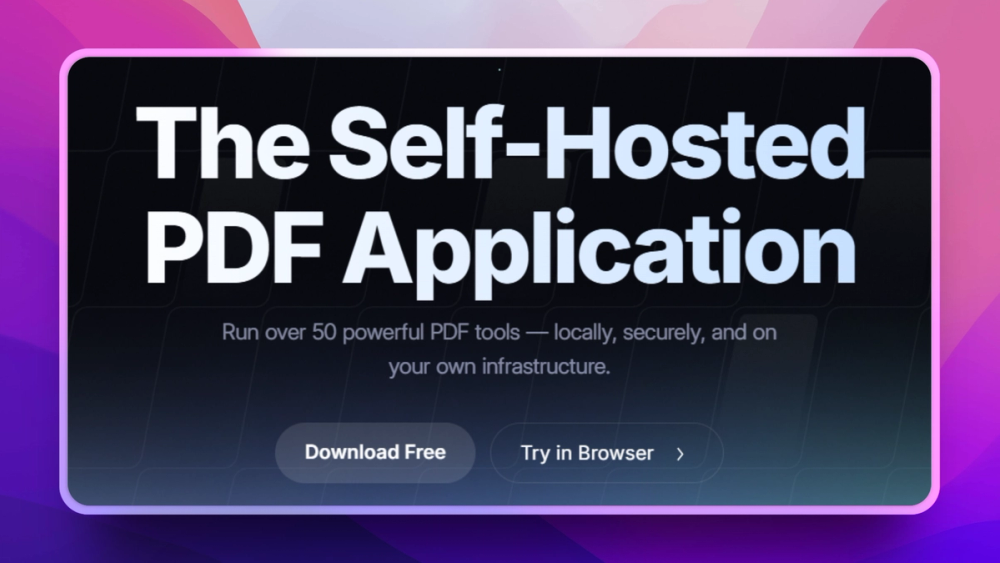
A self-hosted, open-source PDF editor offering over 50 tools for secure, local PDF manipulation and automation.

Visit websiteGitHub94.6K stars1-click deploy on Hostinger
image of Stirling PDF
TL;DR

Stirling PDF is a self-hosted PDF platform replacing Adobe Acrobat Pro for editing, signing, redaction, OCR, and conversion while keeping processing, files, and metadata under your control.

Read the full breakdownHide the full breakdownWho it is for, how it works, trade-offs, the quick start and the FAQ
who it's for

Who Stirling PDF is for#

Operations teams processing contracts and approvals

Use Stirling PDF to centralize document preparation, add signatures, and apply redaction or conversion rules before records move into internal systems.

Skip if:

You need a prebuilt signature policy engine with built-in legal audit trails as a managed enterprise product and cannot run or maintain open-source infrastructure.

Product teams building document workflows

Connect Stirling PDF API calls to form pipelines and automation triggers to reduce manual document cleanup and keep conversion quality consistent across teams.

Skip if:

Your team needs deep machine learning extraction features that are only available through a specialized API-focused platform.

Developers requiring local testing for PDFs

Use local instances for repeatable testing of PDF transformations and UI automation around signing, compressing, or splitting documents before publishing to production services.

Skip if:

You only need a basic viewer with no editing, signing, or workflow automation requirements.

the problem

The problem it solves#

Teams that process PDFs in growth systems often move sensitive files through external SaaS tools and lose control over retention, access, and routing. That creates risk, unpredictable pricing, and extra admin overhead when simple operations like merge, redaction, OCR, or e-signing need to run across multiple apps. Stirling PDF addresses that gap by combining editing tools, conversion features, and automation hooks in one self-hosted stack.

how Stirling PDF solves it

How it solves it#

Full PDF tool set in one interface

Stirling PDF groups edit, split, merge, rotate, convert, sign, redact, and compress workflows behind one web UI, so teams avoid juggling separate tools for core document handling tasks.

No-code automation for document pipelines

Workflows in Stirling PDF let operators build repeatable document jobs and route files through chained actions, reducing manual handoffs and enabling repeatable operations for onboarding, QA, and compliance checks.

REST APIs for system integration

A REST API layer covers the same operations as the UI, which helps teams embed PDF actions into existing services without custom screen automation.

Multi-form factor deployment

The README shows desktop, browser, and server deployment options with a private API path, useful for teams that need local workstations for some staff and centralized deployment for others.

Multi-language and enterprise controls

The platform advertises global language coverage and enterprise-grade controls including SSO and auditing, which supports distributed teams using standardized operating procedures.

strengths · trade-offs

Strengths and trade-offs#

Strengths

  • Privacy-first processing pathFiles can be processed in your private environment instead of being sent to a separate commercial PDF SaaS, which aligns with teams that need tighter privacy posture and predictable storage governance.
  • Open-core code base with MIT baseThe project is open source with a mixed license model; core areas are MIT licensed while some optional directories may carry stricter terms. This lets teams build and extend without being locked to a single binary.
  • Broad use case coverageCore PDF editing and automation features are broad enough for operations teams, legal workflows, and product teams that do both manual edits and scripted document jobs.
  • Self-hosted API pathThe private API and container-first install path simplify secure integration into internal infrastructure and reduce reliance on per-document API metering.

Trade-offs

  • -Mixed licensing surfaceThe repository marks some directories as non-MIT, so teams that depend on those optional modules should review included components and confirm license fit before shipping internal commercial offerings.
  • -OCR and heavy transformations need resourcesPDF rendering, OCR, and large conversion jobs can add CPU and memory load. Under-provisioned hosts can slow large batches, so sizing matters more than a standard office add-on tool.
  • -Community support versus paid support modelFaster issue response depends on community and maintainer activity, which may lag enterprise support contracts if your team requires strict SLA coverage for every production use.
versus alternatives

Stirling PDF vs alternatives#

Stirling PDF vs Adobe Acrobat Pro and PDF-XChange Editor

Adobe Acrobat Pro and PDF-XChange Editor are strong desktop-first PDF choices when teams want long-standing enterprise UI polish and mature support channels. Acrobat Pro has a commercial model with built-in service reliability and premium signing and review features. PDF-XChange is also polished for annotating and desktop workflows with a broad plugin history in many regulated environments.

Stirling PDF is the better fit when you need to keep PDF processing inside your own perimeter and combine document editing with self-hosted automation through a private API. If your team already routes high-volume filings through internal systems, this control model lowers recurring SaaS cost and avoids sending every file to a third-party processor.

Adobe Acrobat Pro can still win in teams that prioritize a single packaged commercial support path and feature parity across niche desktop-only edge cases. Choose PDF-XChange when your workflow depends on legacy templates and desktop ergonomics with stable IT approval patterns. For teams moving toward API-driven operations and stronger data residency controls, Stirling PDF usually gives a cleaner path.

install · quick start

Quick start#

bash
# Run Stirling PDF locally
docker run -p 8080:8080 docker.stirlingpdf.com/stirlingtools/stirling-pdf
tech stack · detected from GitHub

What it's built on#

Languages
JavaJavaScriptPythonRustTypeScript
Frameworks
React
Infrastructure
Docker
frequently asked

FAQ#

Does Stirling PDF run without a remote SaaS subscription?

Yes, Stirling PDF can run as a self-hosted service in your own environment and process files through a local web UI or private API. If you need zero third-party PDF handling for regulated workflows, this deployment path is the key advantage.

Can I automate PDF tasks with APIs?

Yes. Stirling PDF exposes API support for core PDF operations, which enables scripted batch jobs for merge, split, convert, and related actions. You can pair it with your own queue and monitoring stack for repeatable workflows.

What is the canonical install command?

You can start a local container with the published Docker image using docker run -p 8080:8080 docker.stirlingpdf.com/stirlingtools/stirling-pdf, then open http://localhost:8080.

Does Stirling PDF replace Adobe Acrobat Pro workflows?

It covers core editing, signing, redaction, OCR, and conversion workflows for many teams, especially those prioritizing self-hosting. Acrobat Pro may still fit better if you need specific legacy enterprise plugins, advanced template-heavy forms, or a long-established compliance product line.

also worth a look

Similar open-source tools#

Okular

Alternative toAdobe Acrobat

Multi-platform document viewer supporting PDF, EPUB, and more

  • 1,547 GitHub stars

PDF4QT

Alternative toAdobe Acrobat

Open source PDF editor and viewer for Windows and Linux

  • 1,503 GitHub stars
  • MITLicence MIT

OCRmyPDF

Alternative toABBYY FineReader PDF

Make scanned PDFs searchable and copy-pasteable in one command.

  • 35,105 GitHub stars
  • MPL-2.0Licence MPL-2.0

PDFsam Basic

Alternative toAdobe Acrobat

Split, merge, rotate, and extract PDF pages for free

  • 4,632 GitHub stars
  • AGPL-3.0Licence AGPL-3.0

Mole

Alternative toCleanMyMac X

Mac cleaner, app uninstaller, disk analyzer, and system monitor

  • 72,205 GitHub stars
  • GPL-3.0Licence GPL-3.0

Vorssaint Utils

Alternative toiStat Menus

One menu bar icon replacing a dozen paid macOS apps

  • 28,363 GitHub stars
  • GPL-3.0Licence GPL-3.0
by category

Open source tools in these categories#

191

Business & Productivity

OpenClaw, Excalidraw, RustDesk
123

IT Management

RustDesk, Immich, Stirling PDF
461

Developer Tools

REA (Reverse Engineer Anything), superpowers, Skills for Real Engineers
Hostinger

Run Stirling PDF on your own server

Hostinger sets Stirling PDF up as a one-click app on a VPS.

Deploy on Hostinger

Featured

rakazo

Alternative toGrok Bot

AI teammates you own: your keys, your model, your machine.

  • 4,904 GitHub stars
  • Apache-2.0Licence Apache-2.0
  • #AI Agents

Omnara

Alternative toCClaude Managed Agents

Open-source agent deployment API. Self-host or use Omnara Cloud.

  • 2,957 GitHub stars
  • Apache-2.0Licence Apache-2.0
  • #AI Agents

Inbox Zero

Alternative toSuperhuman

AI email assistant that drafts replies and clears your inbox

  • 12,712 GitHub stars
  • AGPL-3.0Licence AGPL-3.0
  • #Email
Feature your project

New open source projects by email

The projects we add and every new guide. Free, unsubscribe any time.

Find open source alternatives to paid software

/
  • Claude Code to OpenCode
  • Jira to Windshift
  • Notion to AppFlowy
  • Slack to Mattermost
  • Linear to GitLab
  • Wispr Flow to Handy
  • CapCut to Concat
  • Grok Bot to rakazo
  • Superhuman to Inbox Zero
  • Airtable to AITable
  • Muse to OpenClaw
  • GitHub Copilot to Cline
  • Datadog to Netdata
  • Microsoft Teams to Rocket.Chat
  • Pinecone to Qdrant
  • Zapier to n8n
  • Devin AI to OpenHands
  • Firebase to Supabase
  • 1Password to KeePassXC
  • Confluence to Docmost
  • Contentful to Strapi
  • Adobe Premiere Pro to Shotcut
  • ChatGPT to AnythingLLM
  • LangSmith to Langfuse
  • Claude Code to OpenCode
  • Jira to Windshift
  • Notion to AppFlowy
  • Slack to Mattermost
  • Linear to GitLab
  • Wispr Flow to Handy
  • CapCut to Concat
  • Grok Bot to rakazo
  • Superhuman to Inbox Zero
  • Airtable to AITable
  • Muse to OpenClaw
  • GitHub Copilot to Cline
  • Datadog to Netdata
  • Microsoft Teams to Rocket.Chat
  • Pinecone to Qdrant
  • Zapier to n8n
  • Devin AI to OpenHands
  • Firebase to Supabase
  • 1Password to KeePassXC
  • Confluence to Docmost
  • Contentful to Strapi
  • Adobe Premiere Pro to Shotcut
  • ChatGPT to AnythingLLM
  • LangSmith to Langfuse