
Researchers annotating documents locally
Use Okular to read and mark up PDFs and related document formats without relying on a proprietary cloud viewer.
Skip if:
Your workflow requires collaborative web review and shared comments.

Open source alternative to Adobe Acrobat, Foxit PDF Editor and Nitro PDF
Last verified
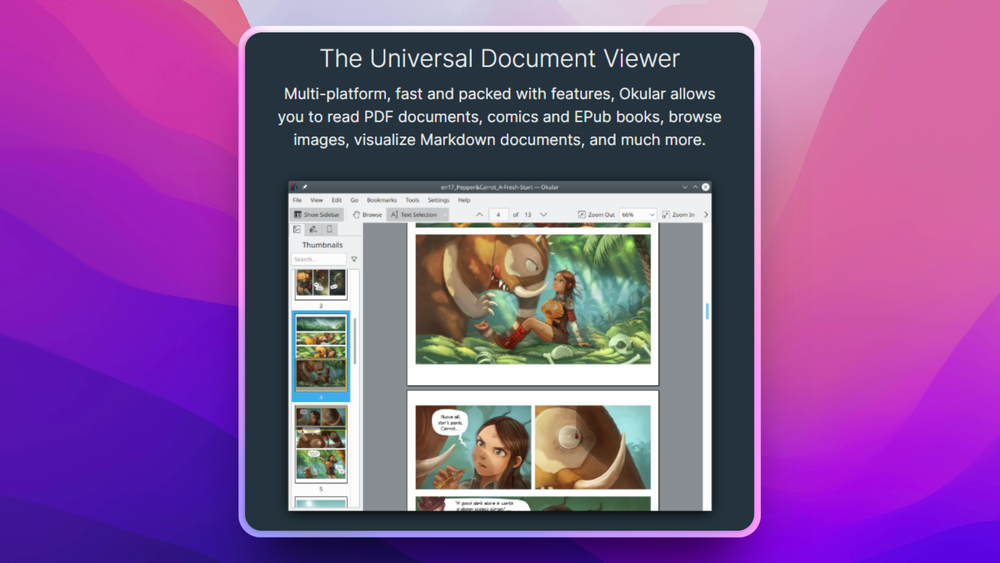
Render PDFs, EPUBs, comics, and Markdown files with a cross-platform open source document viewer from KDE.
Use Okular to read and mark up PDFs and related document formats without relying on a proprietary cloud viewer.
Your workflow requires collaborative web review and shared comments.
Use Okular as a broad document viewer for PDFs, PostScript, comics, images, and annotated files.
You need a specialized editor for rewriting PDF text or performing OCR.
Many document viewers are either narrow PDF readers or commercial editors with features most readers do not need. Users working across PDFs, books, comics, and image-based documents can end up juggling multiple apps.
Annotations add another layer of friction. Students, researchers, and knowledge workers need highlights, notes, forms, and signatures without turning every document into a cloud workflow.
Views and annotates formats including PDF, PostScript, comic book formats, and image formats, so one app can cover several reading workflows.
Supports native PDF annotations, giving users local tools for highlights, notes, and review workflows.
Comes from the KDE ecosystem, making it a natural document viewer for Linux desktop users while also offering broader platform availability.
Okular is used to view and annotate documents such as PDFs, PostScript files, comic books, and image-based documents.
Yes. Okular supports native PDF annotations for local document review workflows.
Okular is primarily a document viewer and annotation tool. It is not a full PDF editor for OCR, redaction, or layout rewriting.

Alternative to Adobe Acrobat
Self-hosted PDF editor with 50+ tools for every PDF task

Alternative toAdobe Acrobat
Open source PDF editor and viewer for Windows and Linux

Alternative to ABBYY FineReader PDF
Make scanned PDFs searchable and copy-pasteable in one command.

Alternative toAdobe Acrobat
Split, merge, rotate, and extract PDF pages for free

Alternative to Muse
Muse
Self-hosted AI assistant for WhatsApp, Telegram, and more

Alternative to Superhuman
AI email assistant that drafts replies and clears your inbox
Featured

Alternative toClaude Managed Agents
Open-source agent deployment API. Self-host or use Omnara Cloud.

Alternative to Grok Bot
AI teammates you own: your keys, your model, your machine.
Alternative toSuperhuman
AI email assistant that drafts replies and clears your inbox
The projects we add and every new guide. Free, unsubscribe any time.
 Claude Code to
  OpenCode
 Jira to
  Windshift
 Notion to
  AppFlowy
 Slack to
  Mattermost
 Linear to
  GitLab
 Wispr Flow to
  Handy
Handy CapCut to
  Concat
 Grok Bot to
  rakazo
 Superhuman to
  Inbox Zero
 Airtable to
  AITable
 Muse to
  OpenClaw
 GitHub Copilot to
  Cline
Cline Datadog to
  Netdata
 Microsoft Teams to
  Rocket.Chat
 Pinecone to
  Qdrant
 Zapier to
  n8n
n8n Devin AI to
  OpenHands
 Firebase to
  Supabase
 1Password to
  KeePassXCConfluence to
  Docmost
 Contentful to
  Strapi
 Adobe Premiere Pro to
  Shotcut
 ChatGPT to
  AnythingLLM
 LangSmith to
  Langfuse


