
Open Source Alternatives
  • Alternatives
  • Categories
    Categories by size882 projects
    • Developer Tools461
    • AI & Machine Learning404
    • Web Development196
    • Business & Productivity191
    • Communication & Collaboration126
    • Security & Monitoring126
    • IT Management123
    • Product & Project Management106
    • Cloud & Hosting105
    • Data & Analytics104
    Browse all 21 categoriesLLMOps & AI Tooling, Design & Creative and 9 more
  • Blog
  • Advertise
SearchNotion, Slack, password manager.../
Submit
Open Source Alternatives
  • Alternatives
    • Developer Tools461
    • AI & Machine Learning404
    • Web Development196
    • Business & Productivity191
    • Communication & Collaboration126
    • Security & Monitoring126
    • Browse all 21 categories
  • Blog
  • Advertise
Submit your project

New open source projects by email

The projects we add and every new guide. Free, unsubscribe any time.

Open Source Alternatives LogoOpen Source Alternatives

Handpicked Open Source Alternatives to Paid Softwares

Product

  • Categories
  • Tag
  • Advertise

Resources

  • Blog
  • Collection
  • Submit

Company

  • Privacy Policy
  • Terms of Service
  • Refund Policy
  • Sitemap

Alternatives

  • Claude Code
  • Jira
  • Notion
  • Slack
  • Linear
  • Wispr Flow
  • All alternatives
© 2026 Open Source Alternatives. All rights reserved.
Open SourceAlternatives
Home/Categories/Security & Monitoring/Passwordcockpit
icon of Passwordcockpit

Passwordcockpit

Open source alternative to 1Password, Dashlane and Keeper

  • 136 stars
  • BSD-3-Clause
  • Updated this year
  • Last commit 267 days ago

Last verified Oct 13, 2026

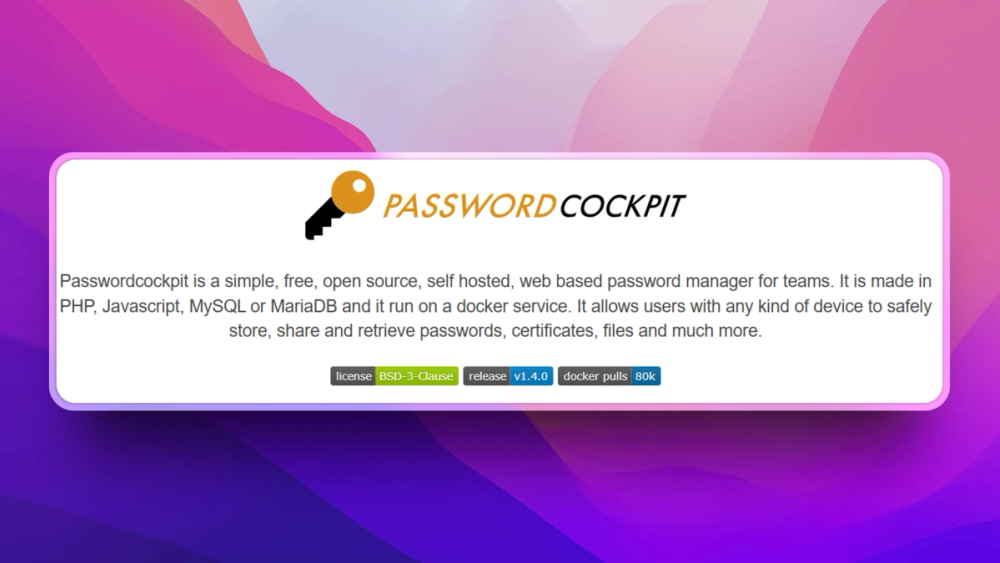
Manage team passwords, certificates, and files in a self-hosted web vault with folder permissions, LDAP support, and Docker deployment.

Visit websiteGitHub136 starsDeploy on Hostinger
image of Passwordcockpit
TL;DR

Passwordcockpit is a self-hosted web password manager for teams. It replaces shared spreadsheets and closed password vaults for groups that need browser-based storage, sharing, permissions, LDAP support, and Docker deployment. BSD-3-Clause licensed.

Read the full breakdownHide the full breakdownWho it is for, how it works, trade-offs and the FAQ
who it's for

Who Passwordcockpit is for#

Small IT teams replacing shared credentials

Passwordcockpit fits teams that need a web-based vault for passwords, certificates, files, and permissions without using a closed SaaS vault.

Skip if:

You need vendor-managed enterprise compliance, advanced device policies, or a large commercial support contract.

Organizations standardizing shared secret access

LDAP and permissions support help organizations centralize who can access team credentials.

Skip if:

Your organization already uses a managed password platform integrated across all devices and identity systems.

the problem

The problem it solves#

Team credentials often spread across spreadsheets, chat messages, browser profiles, and individual password managers. That makes access hard to revoke, shared secrets hard to rotate, and auditability weak.

A team password manager needs more than encrypted storage. It needs folders, permissions, authentication options, and deployment that small IT teams can run without buying a large enterprise vault.

how Passwordcockpit solves it

How it solves it#

Team password vault

Passwordcockpit stores and shares passwords, certificates, files, and related secrets through a web app for teams.

Folder and global permissions

The README documents global permissions and folder permissions, which helps teams separate shared credentials by role or group.

Docker-based deployment

The repository description says Passwordcockpit runs on a Docker service with PHP, JavaScript, and MySQL or MariaDB components.

strengths · trade-offs

Strengths and trade-offs#

Strengths

  • Self-hosted team controlPasswordcockpit gives teams a way to keep shared credential management under their own hosting and database policies.
  • Practical access managementPermissions and LDAP documentation make the project more relevant for teams than a single-user password database.

Trade-offs

  • -Security operations stay with the teamA self-hosted password manager is sensitive infrastructure. Teams must handle patching, backups, TLS, access review, and incident response themselves.
tech stack · detected from GitHub

What it's built on#

Languages
PHP
Frameworks
Ember.jsLaminasMezzio
Databases
MySQL
Infrastructure
Docker
frequently asked

FAQ#

What is Passwordcockpit used for?

Passwordcockpit stores, shares, and retrieves passwords, certificates, files, and related secrets for teams.

Is Passwordcockpit self-hosted?

Yes. The README describes Passwordcockpit as self-hosted and Docker-based.

What database does Passwordcockpit use?

The README says Passwordcockpit uses MySQL or MariaDB.

also worth a look

Similar open-source tools#

Bitwarden

Alternative to1Password

Open source password manager with end-to-end encryption and self-hosting.

  • 20,427 GitHub stars
  • AGPL-3.0Licence AGPL-3.0

KeePassXC

Alternative to1Password

Cross-platform open source password manager with browser plugin

  • 29,338 GitHub stars

Passbolt

Alternative to1Password

Open source team password manager with sharing and audit

  • 6,180 GitHub stars
  • AGPL-3.0Licence AGPL-3.0

Psono

Alternative to1Password

Self-hosted password manager for teams with enterprise SSO

  • 110 GitHub stars

Password Safe

Alternative to1Password

Store passwords in an encrypted local database, no cloud account

  • 884 GitHub stars
  • Artistic-2.0Licence Artistic-2.0

Vaultwarden

Alternative toBitwarden

Lightweight self-hosted password manager server, Bitwarden compatible

  • 69,337 GitHub stars
  • AGPL-3.0Licence AGPL-3.0
by category

Open source tools in these categories#

126

Security & Monitoring

REA (Reverse Engineer Anything), RustDesk, Uptime Kuma
123

IT Management

RustDesk, Immich, Stirling PDF
196

Web Development

freeCodeCamp, superpowers, Skills for Real Engineers
Hostinger

Run Passwordcockpit on your own server

Self-host Passwordcockpit on a Hostinger VPS.

Deploy on Hostinger

Featured

rakazo

Alternative toGrok Bot

AI teammates you own: your keys, your model, your machine.

  • 4,904 GitHub stars
  • Apache-2.0Licence Apache-2.0
  • #AI Agents

Inbox Zero

Alternative toSuperhuman

AI email assistant that drafts replies and clears your inbox

  • 12,712 GitHub stars
  • AGPL-3.0Licence AGPL-3.0
  • #Email

Omnara

Alternative toCClaude Managed Agents

Open-source agent deployment API. Self-host or use Omnara Cloud.

  • 2,957 GitHub stars
  • Apache-2.0Licence Apache-2.0
  • #AI Agents
Feature your project

New open source projects by email

The projects we add and every new guide. Free, unsubscribe any time.

Find open source alternatives to paid software

/
  • Claude Code to OpenCode
  • Jira to Windshift
  • Notion to AppFlowy
  • Slack to Mattermost
  • Linear to GitLab
  • Wispr Flow to Handy
  • CapCut to Concat
  • Grok Bot to rakazo
  • Superhuman to Inbox Zero
  • Airtable to AITable
  • Muse to OpenClaw
  • GitHub Copilot to Cline
  • Datadog to Netdata
  • Microsoft Teams to Rocket.Chat
  • Pinecone to Qdrant
  • Zapier to n8n
  • Devin AI to OpenHands
  • Firebase to Supabase
  • 1Password to KeePassXC
  • Confluence to Docmost
  • Contentful to Strapi
  • Adobe Premiere Pro to Shotcut
  • ChatGPT to AnythingLLM
  • LangSmith to Langfuse
  • Claude Code to OpenCode
  • Jira to Windshift
  • Notion to AppFlowy
  • Slack to Mattermost
  • Linear to GitLab
  • Wispr Flow to Handy
  • CapCut to Concat
  • Grok Bot to rakazo
  • Superhuman to Inbox Zero
  • Airtable to AITable
  • Muse to OpenClaw
  • GitHub Copilot to Cline
  • Datadog to Netdata
  • Microsoft Teams to Rocket.Chat
  • Pinecone to Qdrant
  • Zapier to n8n
  • Devin AI to OpenHands
  • Firebase to Supabase
  • 1Password to KeePassXC
  • Confluence to Docmost
  • Contentful to Strapi
  • Adobe Premiere Pro to Shotcut
  • ChatGPT to AnythingLLM
  • LangSmith to Langfuse