Open Source Alternatives
  • Alternatives
  • Categories
    Categories by size882 projects
    • Developer Tools461
    • AI & Machine Learning404
    • Web Development196
    • Business & Productivity191
    • Communication & Collaboration126
    • Security & Monitoring126
    • IT Management123
    • Product & Project Management106
    • Cloud & Hosting105
    • Data & Analytics104
    Browse all 21 categoriesLLMOps & AI Tooling, Design & Creative and 9 more
  • Blog
  • Advertise
SearchNotion, Slack, password manager.../
Submit
Open Source Alternatives
  • Alternatives
    • Developer Tools461
    • AI & Machine Learning404
    • Web Development196
    • Business & Productivity191
    • Communication & Collaboration126
    • Security & Monitoring126
    • Browse all 21 categories
  • Blog
  • Advertise
Submit your project

New open source projects by email

The projects we add and every new guide. Free, unsubscribe any time.

Open Source Alternatives LogoOpen Source Alternatives

Handpicked Open Source Alternatives to Paid Softwares

Product

  • Categories
  • Tag
  • Advertise

Resources

  • Blog
  • Collection
  • Submit

Company

  • Privacy Policy
  • Terms of Service
  • Refund Policy
  • Sitemap

Alternatives

  • Claude Code
  • Jira
  • Notion
  • Slack
  • Linear
  • Wispr Flow
  • All alternatives
© 2026 Open Source Alternatives. All rights reserved.
Open SourceAlternatives
Home/Categories/AI & Machine Learning/LifeOS
icon of LifeOS

LifeOS

Open source alternative to Muse, Copilot for Microsoft 365 and Notion

  • 19.5K stars
  • MIT
  • Active recently
  • Last commit 48 days ago

Last verified Oct 19, 2026

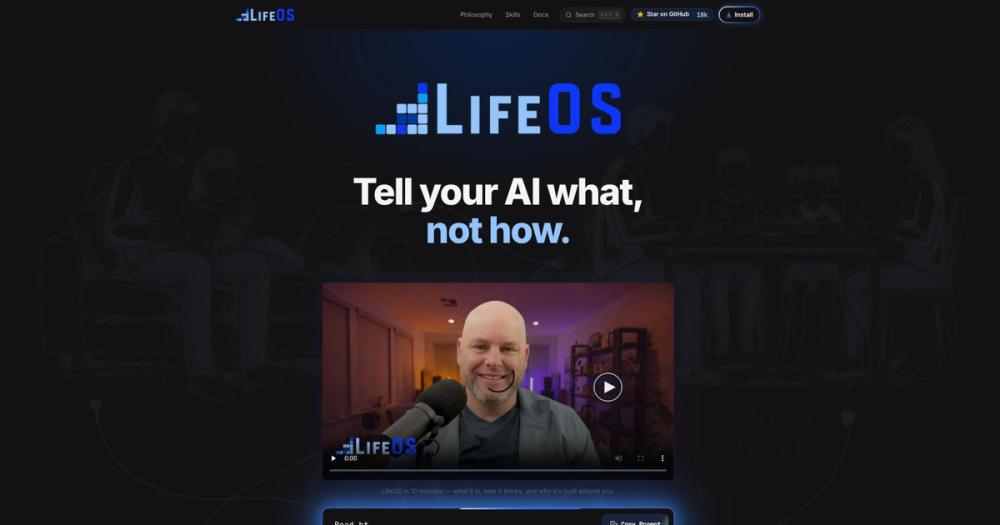
Manage life and work with an AI harness moving you from current to ideal state. MIT licensed, runs on Claude Code or Cursor.

Visit websiteGitHub19.5K stars
image of LifeOS
TL;DR

LifeOS is an AI harness that moves you from your current state to your ideal state by capturing your goals, memory, and context, then conveying that intent to your AI on every task. It replaces fragmented AI conversations and proprietary productivity platforms like Notion AI with a self-hosted, MIT-licensed system that runs on Claude Code, Cursor, or similar AI coding harnesses. Best for developers and knowledge workers managing complex life or work goals who need their AI to remember them across sessions.

Read the full breakdownHide the full breakdownWho it is for, how it works, trade-offs, the quick start and the FAQ
who it's for

Who LifeOS is for#

Developers Building Applications with AI Harnesses

LifeOS captures your project goals, tech stack preferences, and past architectural decisions, so your AI coding harness can make context-aware suggestions without re-explaining every session. The Skill System automates repetitive workflows (testing, deployment, code review) and the memory system ensures continuity across multi-day builds.

Skip if:

You work on short, isolated coding tasks with no need for cross-session memory or goal tracking. A bare AI harness without the LifeOS layer is simpler for one-off scripts or debugging.

Product Builders Shipping Startups

The TELOS interview captures your mission, target user, and constraints, then the Algorithm reasons against them on every product decision. Synapse routes feature ideas, bug reports, and user feedback to the right workflow automatically, and Cortex remembers past pivots so you do not repeat failed experiments.

Skip if:

Your startup is pre-idea or still validating the problem. LifeOS shines when you have a clear mission and need execution support, not when you are still searching for product-market fit through rapid iteration.

Knowledge Workers Managing Complex Life Goals

LifeOS handles non-coding goals (creative projects, learning paths, habit tracking) using the same current-to-ideal-state framework. Voice notifications keep you in flow, Pulse gives you a live dashboard of progress, and the Learning system reflects on every run to improve future results.

Skip if:

Your goals are simple enough to track in a todo app or spreadsheet. LifeOS adds overhead for straightforward task lists: it is built for multi-dimensional goals with dependencies, tradeoffs, and long time horizons.

the problem

The problem it solves#

Using AI for life and work goals suffers from fragmentation: your AI has no memory of past sessions, no understanding of your mission, and no way to verify results against what you ultimately wanted. You repeat context every conversation, lose continuity between tasks, and spend more time re-explaining than executing. The harder problem is intent conveyance: modern AI models are extraordinary at execution but almost never receive clear direction on what to achieve, only how to do individual tasks. Without persistent memory, goal tracking, and a unified thinking system, your AI is a powerful tool that forgets you the moment the session ends.

how LifeOS solves it

How it solves it#

TELOS: Your Mission and Goals System

Captures your mission, goals, beliefs, and challenges through an interview process, then reasons against them on every task. Your AI knows what you are ultimately trying to achieve and can make judgment calls aligned with your priorities instead of executing blindly.

Cortex: Persistent Memory Across Sessions

Everything LifeOS knows compounds across sessions in a memory system that survives restarts. Past decisions, learnings, and context remain available without re-explaining, so your AI builds on prior work instead of starting from zero.

The Algorithm: Unified Thinking System

Turns vague asks into testable specs and climbs toward them using general hill climbing. Every goal becomes a measurable gap between current state and ideal state, and the system picks the next move that closes that gap.

Synapse: Intelligent Input Router

Catches anything you throw at it, grades the input, routes it to the right workflow, and keeps it forever. No manual workflow selection: tell the system what you want, and it triggers the appropriate skill or pipeline automatically.

The Skill System: Self-Activating Expertise

A growing library of composable units of expertise (research, security, writing, art) that activate automatically when the task matches. Skills are context-aware and compound over time as the system learns.

Arbol: Composable Execution Layer

Built from small Unix-like units: Actions do one thing, Pipelines compose them, and Flows put them on a schedule. This gives you deterministic, testable automation instead of prompt-based hope.

strengths · trade-offs

Strengths and trade-offs#

Strengths

  • MIT License with Full Self-HostingThe entire system is MIT licensed, so you can fork it, modify it, and use it commercially with no restrictions. Unlike Notion AI or ChatGPT Plus with memory (subscription-based, data locked in their cloud), you run LifeOS on your infrastructure and pay only for your AI API costs.
  • Harness-Agnostic DesignBuilt on universal primitives (hooks, skills, context files, agentic routing) that work with any capable AI coding harness, not locked to one vendor. Most tested on Claude Code, but the TypeScript and Bash codebase ports to Cursor, Codex, or similar tools.
  • Strong Community and Active Development18,359 GitHub stars, 2,391 forks, and recent commits as of August 2026. The contributor graph shows 28+ active committers, and the project has a Discord community, GitHub Discussions, and regular releases with a documented roadmap.
  • Euphoric Surprise MetricEvery response aims for the 9 or 10 out of 10 moment, the outcome that makes you say it is brilliant. This is not a feature list: it is a quality bar baked into the Algorithm's evaluation logic, pushing the system to exceed expectations instead of merely completing tasks.

Trade-offs

  • -Requires a Capable AI Coding HarnessLifeOS is not a standalone app: it runs on top of Claude Code, Cursor, or a similar AI coding harness. If you do not already use one of these tools, you need to install and configure it first. Paid platforms like Notion AI work out of the box with no harness dependency.
  • -Setup Through AI-Driven InstallInstallation happens by pasting a prompt into your AI or running a curl command that your AI executes. This is elegant for AI harness users but unintuitive for people expecting a traditional installer. The setup asks for permissions during the process, and misunderstanding the flow can lead to partial installs.
  • -Learning Curve for the Component ModelLifeOS introduces 20+ named components (TELOS, Cortex, Synapse, Arbol, Bunker, ISA System, Atlas, Ledger, Pulse, Voice, etc.), each with a specific role. Understanding how they fit together takes time, especially for users new to the intent engineering or general hill climbing concepts.
versus alternatives

LifeOS vs alternatives#

LifeOS vs Notion AI

Notion AI adds AI features to Notion's workspace but locks your context into their proprietary platform with subscription pricing. LifeOS runs on your AI coding harness with full self-hosting and MIT licensing.

FeatureLifeOSNotion AI
LicenseMITProprietary
Self-hostingYesNo
Persistent memoryYes (Cortex)Limited (workspace-scoped)
Goal trackingYes (TELOS)No
PricingFree (self-hosted)$10/user/month add-on
Vendor lock-inNoneFull

LifeOS is the better choice when you need full data ownership, cross-tool memory (not just workspace-scoped), and goal-driven AI that reasons against your mission on every task. Notion AI is worth considering if you already live in Notion for docs and wikis and want basic AI features without leaving that environment.

LifeOS vs ChatGPT Plus with Memory

ChatGPT Plus offers persistent memory across conversations, but it is API-only with no self-hosting and limited customization. LifeOS gives you the same memory capabilities plus goal tracking, skill composition, and intelligent routing.

FeatureLifeOSChatGPT Plus
LicenseMITProprietary
Self-hostingYesNo
Memory systemYes (Cortex, compounds)Yes (limited)
Goal frameworkYes (TELOS, ISA)No
Skill libraryYes (composable)Limited (GPTs)
PricingFree (self-hosted)$20/month

Choose LifeOS when you need your AI to work within a goal framework, accumulate skills over time, and run on your infrastructure. ChatGPT Plus is simpler for casual use with no setup: you get memory and GPT access immediately, but you sacrifice data ownership, skill composition, and the ability to integrate with your local development environment.

LifeOS vs Proprietary Productivity Platforms

Paid productivity platforms (Notion, Asana, monday.com) add AI features as upsells but keep your data in their cloud with per-seat billing. LifeOS replaces the AI layer with a self-hosted harness that works across tools.

LifeOS wins when you need cross-platform memory (not siloed per-tool), full data ownership, and no subscription costs that scale with team size. Paid platforms are worth considering when you want zero setup and are comfortable with vendor lock-in: they work out of the box with no AI harness dependency, while LifeOS requires Claude Code, Cursor, or similar tooling to run.

install · quick start

Quick start#

bash
LifeOS installs via an AI prompt or a curl command for Claude Code users.

```bash
curl -fsSL https://ourlifeos.ai/install.sh | bash
```

Alternatively, paste this prompt into your AI coding harness (Claude Code, Cursor, Codex):

```
Read https://ourlifeos.ai/install and install LifeOS for me.
```
tech stack · detected from GitHub

What it's built on#

Languages
PythonTypeScript
frequently asked

FAQ#

Is LifeOS free to use?

Yes, LifeOS is MIT licensed and free to run on your infrastructure. You pay only for your AI API costs (Claude, OpenAI, or similar) and the compute to run your AI coding harness. There are no subscription fees, no per-seat pricing, and no vendor lock-in.

How is LifeOS different from using Claude Code or Cursor on its own?

Your harness gives you raw AI capability. LifeOS is the layer that makes it yours: persistent memory so your AI remembers past sessions, custom skills for the things you do most, TELOS for your goals and context, and intelligent routing so saying "research this" triggers the right workflow automatically. Your harness is the engine; LifeOS is everything else that makes it your car.

Can I self-host LifeOS?

Yes, self-hosting is the default. LifeOS installs locally on your machine via an AI prompt or a one-line curl command for Claude Code on macOS and Linux. All memory, skills, and context live in ~/.claude/ as TypeScript and Bash files. No cloud dependencies, no separate servers.

What if I already use Fabric for AI prompts?

Fabric and LifeOS are complementary. Fabric is a collection of AI prompts (patterns) for specific tasks, focused on what to ask AI. LifeOS is infrastructure for how your AI operates: memory, skills, routing, context, and self-improvement. Many LifeOS users integrate Fabric patterns into their skills library.

What happens if I break something during setup or upgrades?

Recovery is straightforward: back up ~/.claude/ before upgrades with cp -r ~/.claude ~/.claude-backup-$(date +%Y%m%d). Your customizations in USER/ are never touched by the installer. Settings merge instead of overwriting, so your hooks and config survive. The whole system is git-backed, and your AI can help repair it since it helped build it. Re-running the installer detects existing installations and merges intelligently.

Looking for more

Other ways to replace Muse, Copilot for Microsoft 365 and Notion#

OpenClaw

#1 in the Muse guide

Multi-channel personal agent across 29 surfaces

392,969 GitHub stars

Hermes Agent

#2 in the Muse guide

Persistent memory and scheduled tasks across 7 platforms

255,514 GitHub stars

Khoj

#4 in the Muse guide

Research and personal knowledge agent you host yourself

37,768 GitHub stars

Leon

#5 in the Muse guide

MIT-licensed personal assistant built on a skills architecture

17,595 GitHub stars
All 10 Muse alternatives5 open source Muse alternatives, ranked
by category

Open source tools in these categories#

404

AI & Machine Learning

freeCodeCamp, OpenClaw, REA (Reverse Engineer Anything)
106

Product & Project Management

agency-agents, freeCodeCamp, Gstack
191

Business & Productivity

OpenClaw, Excalidraw, RustDesk

Featured

Omnara

Alternative toCClaude Managed Agents

Open-source agent deployment API. Self-host or use Omnara Cloud.

  • 2,957 GitHub stars
  • Apache-2.0Licence Apache-2.0
  • #AI Agents

Inbox Zero

Alternative toSuperhuman

AI email assistant that drafts replies and clears your inbox

  • 12,712 GitHub stars
  • AGPL-3.0Licence AGPL-3.0
  • #Email

rakazo

Alternative toGrok Bot

AI teammates you own: your keys, your model, your machine.

  • 4,904 GitHub stars
  • Apache-2.0Licence Apache-2.0
  • #AI Agents
Feature your project

New open source projects by email

The projects we add and every new guide. Free, unsubscribe any time.

Find open source alternatives to paid software

/
  • Claude Code to OpenCode
  • Jira to Windshift
  • Notion to AppFlowy
  • Slack to Mattermost
  • Linear to GitLab
  • Wispr Flow to Handy
  • CapCut to Concat
  • Grok Bot to rakazo
  • Superhuman to Inbox Zero
  • Airtable to AITable
  • Muse to OpenClaw
  • GitHub Copilot to Cline
  • Datadog to Netdata
  • Microsoft Teams to Rocket.Chat
  • Pinecone to Qdrant
  • Zapier to n8n
  • Devin AI to OpenHands
  • Firebase to Supabase
  • 1Password to KeePassXC
  • Confluence to Docmost
  • Contentful to Strapi
  • Adobe Premiere Pro to Shotcut
  • ChatGPT to AnythingLLM
  • LangSmith to Langfuse
  • Claude Code to OpenCode
  • Jira to Windshift
  • Notion to AppFlowy
  • Slack to Mattermost
  • Linear to GitLab
  • Wispr Flow to Handy
  • CapCut to Concat
  • Grok Bot to rakazo
  • Superhuman to Inbox Zero
  • Airtable to AITable
  • Muse to OpenClaw
  • GitHub Copilot to Cline
  • Datadog to Netdata
  • Microsoft Teams to Rocket.Chat
  • Pinecone to Qdrant
  • Zapier to n8n
  • Devin AI to OpenHands
  • Firebase to Supabase
  • 1Password to KeePassXC
  • Confluence to Docmost
  • Contentful to Strapi
  • Adobe Premiere Pro to Shotcut
  • ChatGPT to AnythingLLM
  • LangSmith to Langfuse