

Individuals avoiding cloud password vaults
KeePass fits users who want an encrypted local database instead of a hosted password manager account.
Skip if:
You need managed family or enterprise sharing out of the box.
Last verified
KeePass is a free, open source password manager that stores all credentials in a locally encrypted database protected by a master password. GPL-2.0 licensed, offline-first, no cloud account required.
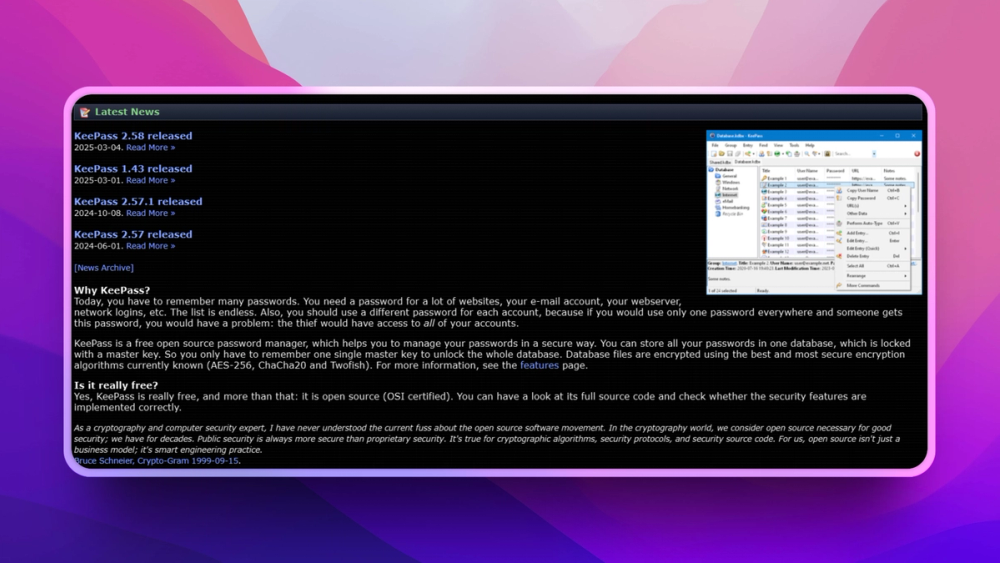
KeePass fits users who want an encrypted local database instead of a hosted password manager account.
You need managed family or enterprise sharing out of the box.
Teams can use KeePass-style databases for sensitive credentials that should not depend on external service availability.
You cannot maintain secure backup and recovery procedures.
Hosted password managers are convenient, but they require trust in a vendor's infrastructure, pricing, breach response, and account recovery model. Some users prefer a password vault that is just an encrypted file they control.
KeePass solves that with a local database protected by a master password and optional key material. The tradeoff is clear: users gain ownership and portability, while taking responsibility for backup and sync.
KeePass stores credentials in an encrypted database file rather than requiring a hosted account.
The .kdbx-style vault workflow lets users control where the database lives and how it is backed up.
Users can manage credentials without depending on a cloud password service being available.
KeePass is a free open-source password manager that stores credentials in an encrypted local database.
No. KeePass works with local encrypted vault files, though users may choose their own sync method.
KeePass is best for users who want password data ownership and are comfortable managing backups.

Alternative to Bitwarden
Lightweight self-hosted password manager server, Bitwarden compatible

Alternative to 1Password
Open source password manager with end-to-end encryption and self-hosting.

Alternative to1Password
Cross-platform open source password manager with browser plugin

Alternative to1Password
Open source team password manager with sharing and audit

Alternative to1Password
Self-hosted password manager for teams with enterprise SSO

Alternative to LastPass
Self-hosted team password manager with web-based access control
Run KeePass on your own server
Self-host KeePass on a Hostinger VPS.
Deploy on HostingerFeatured

Alternative to Grok Bot
AI teammates you own: your keys, your model, your machine.

Alternative to Superhuman
AI email assistant that drafts replies and clears your inbox

Alternative toClaude Managed Agents
Open-source agent deployment API. Self-host or use Omnara Cloud.
The projects we add and every new guide. Free, unsubscribe any time.
 Claude Code to
  OpenCode
 Jira to
  Windshift
 Notion to
  AppFlowy
 Slack to
  Mattermost
 Linear to
  GitLab
 Wispr Flow to
  Handy
Handy CapCut to
  Concat
 Grok Bot to
  rakazo
 Superhuman to
  Inbox Zero
 Airtable to
  AITable
 Muse to
  OpenClaw
 GitHub Copilot to
  Cline
Cline Datadog to
  Netdata
 Microsoft Teams to
  Rocket.Chat
 Pinecone to
  Qdrant
 Zapier to
  n8n
n8n Devin AI to
  OpenHands
 Firebase to
  Supabase
 1Password to
  KeePassXCConfluence to
  Docmost
 Contentful to
  Strapi
 Adobe Premiere Pro to
  Shotcut
 ChatGPT to
  AnythingLLM
 LangSmith to
  Langfuse


