Open Source Alternatives
  • Alternatives
  • Categories
    Categories by size882 projects
    • Developer Tools461
    • AI & Machine Learning404
    • Web Development196
    • Business & Productivity191
    • Communication & Collaboration126
    • Security & Monitoring126
    • IT Management123
    • Product & Project Management106
    • Cloud & Hosting105
    • Data & Analytics104
    Browse all 21 categoriesLLMOps & AI Tooling, Design & Creative and 9 more
  • Blog
  • Advertise
SearchNotion, Slack, password manager.../
Submit
Open Source Alternatives
  • Alternatives
    • Developer Tools461
    • AI & Machine Learning404
    • Web Development196
    • Business & Productivity191
    • Communication & Collaboration126
    • Security & Monitoring126
    • Browse all 21 categories
  • Blog
  • Advertise
Submit your project

New open source projects by email

The projects we add and every new guide. Free, unsubscribe any time.

Open Source Alternatives LogoOpen Source Alternatives

Handpicked Open Source Alternatives to Paid Softwares

Product

  • Categories
  • Tag
  • Advertise

Resources

  • Blog
  • Collection
  • Submit

Company

  • Privacy Policy
  • Terms of Service
  • Refund Policy
  • Sitemap

Alternatives

  • Claude Code
  • Jira
  • Notion
  • Slack
  • Linear
  • Wispr Flow
  • All alternatives
© 2026 Open Source Alternatives. All rights reserved.
Open SourceAlternatives
Home/Categories/Design & Creative/Inkscape
icon of Inkscape

Inkscape

Open source alternative to Adobe Illustrator, CorelDRAW Graphics Suite and Affinity Designer

  • 3.5K stars
  • GPL-2.0-or-later
  • Last commit 1693 days ago

Last verified Oct 2, 2026

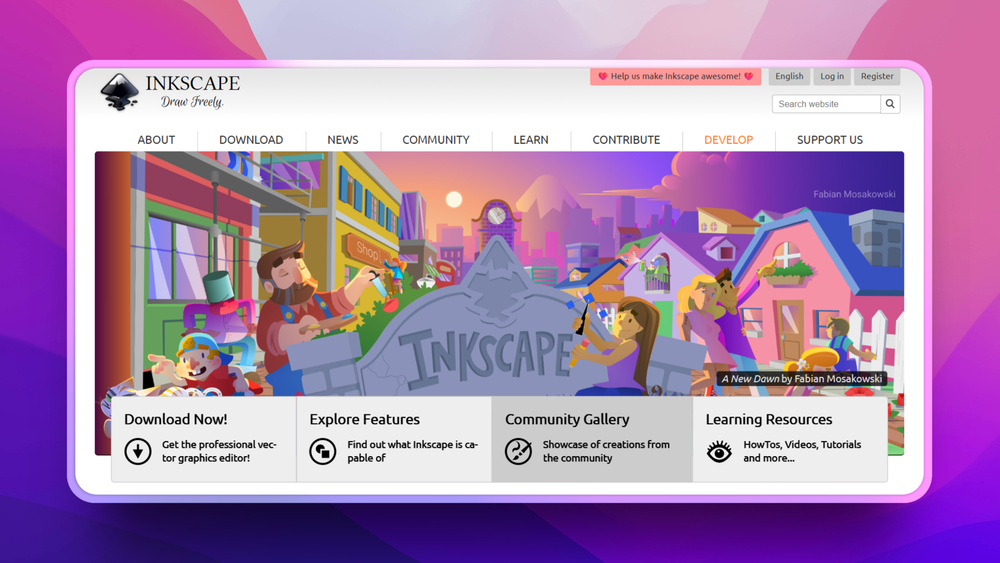
Create professional vector graphics on Linux, macOS, and Windows with SVG as the native format. Free and open source under GPL-2.0-or-later.

Visit websiteGitHub3.5K stars
image of Inkscape
TL;DR

Inkscape is a free, open source vector graphics editor running natively on Windows, macOS, and Linux, using SVG as its native file format. It replaces paid tools like Adobe Illustrator and CorelDRAW for the core vector editing workflow: path drawing, node manipulation, boolean path operations, text handling, gradients, and multi-format export. Licensed under GPL-2.0-or-later, it installs as a desktop application with no subscription and no data sharing. Best for illustrators, graphic designers, and technical users who need a capable, format-agnostic vector editor without a licensing fee.

Read the full breakdownHide the full breakdownWho it is for, how it works, trade-offs, the quick start and the FAQ
who it's for

Who Inkscape is for#

Illustrators creating SVG artwork for the web

Inkscape's SVG-native workflow means finished artwork exports to the exact format browsers consume natively. No conversion step, no format translation artifacts. The output is a standards-compliant SVG file, with full control over what gets embedded or referenced in the document.

Skip if:

If your deliverable is a print-ready PDF with CMYK color management and spot color control, Adobe Illustrator's print production tooling is more mature for that specific output requirement.

Graphic designers working without a subscription budget

Inkscape provides the core vector workflow at no cost: path editing, type handling, boolean operations, and export to multiple formats. For designers who need SVG output but cannot justify subscription pricing for Adobe Creative Cloud, Inkscape covers the workload without any licensing fee.

Skip if:

If your clients require round-trip edits in .ai or .cdr format without conversion friction, the format incompatibility creates practical workflow issues that Inkscape cannot fully eliminate.

Technical users producing diagrams and maps

Inkscape's precision coordinate system, alignment guides, and snap-to-grid tooling make it practical for technical diagrams, flowcharts, and cartographic work. SVG export directly serves web publication, and the CLI enables batch processing of diagram variants without manual export steps.

Skip if:

Specialized diagramming tools such as draw.io offer connection handles, shape libraries, and automatic layout that Inkscape does not include natively.

Open source project contributors building a free toolchain

GPL-compatible license, zero cost, no account registration, and cross-platform install make Inkscape practical for contributors building assets in a fully open source toolchain. Logo design, icon creation, and diagram work all fit within its core vector editing capabilities.

Skip if:

Projects with existing assets in .psd or .ai format will need to convert files before editing in Inkscape; conversion quality varies by file complexity and feature usage.

the problem

The problem it solves#

Professional vector graphics software has traditionally required either a subscription (Adobe Illustrator) or a significant one-time purchase (CorelDRAW, Affinity Designer). Designers working independently, on open source projects, or in organizations with limited software budgets face a recurring choice: pay for a capable commercial editor, or accept limited functionality from entry-level alternatives.

Beyond cost, proprietary file formats create lock-in. Adobe's .ai format and CorelDRAW's .cdr format store work in containers that require the originating application to open and edit reliably. Teams that mix tools, switch software over time, or need to publish vector assets for the web encounter format conversion friction that proprietary formats introduce.

how Inkscape solves it

How it solves it#

SVG as native file format

Inkscape saves and opens standard SVG files, the W3C open standard for vector graphics. SVG files open in any modern web browser, any text editor (SVG is human-readable XML), and any SVG-capable design tool without conversion. Files created today remain readable by any standards-compliant viewer without format migration.

Bezier path and node editing

The core drawing tool is a full Bezier curve editor with manual node control, including cusp nodes, smooth nodes, auto-smooth, and segment type conversion. Path operations such as union, difference, intersection, exclusion, and division are available as single commands from the Path menu.

Text on path and flowed text

Text can follow an arbitrary path, flow inside a shape boundary, or sit as standard point text. Inkscape supports variable font weight and style settings and exports text either as live SVG text elements or converted to paths for output that does not require font embedding.

Filter effects and live gradients

Inkscape implements SVG filter primitives (blur, drop shadow, lighting, morphology, compositing) as live effects editable through a filter editor. Gradients support linear, radial, and mesh modes with stop colors and opacity editable directly on the canvas.

Command-line interface for batch export

Inkscape ships a command-line interface that supports headless PNG export, PDF export, format conversion, and selective object export by ID. This enables automation pipelines, CI-based asset generation, and batch processing without requiring a graphical session.

Cross-platform with consistent features

Inkscape runs natively on Windows, macOS, and Linux as documented in the project README. The feature set is consistent across platforms, so teams working across different operating systems can share files and workflows without platform-specific behavior differences.

strengths · trade-offs

Strengths and trade-offs#

Strengths

  • GPL-2.0-or-later with zero costLicensed under GPL-2.0-or-later with no seat limits, no subscription, and no feature tiers. You can use it commercially, modify the source code, and run it on any number of machines without a licensing agreement. Unlike Adobe Illustrator or CorelDRAW, there is no per-seat or per-month cost.
  • SVG format portability avoids lock-inThe native .svg format opens in all modern web browsers without plugins and in dozens of other applications. Files created in Inkscape are readable by any standards-compliant SVG viewer, avoiding the format lock-in that proprietary .ai and .cdr files create when you switch or share tools.
  • Runs on all three major desktop platformsInkscape installs natively on Windows, macOS, and Linux with the same feature set across platforms. Teams with mixed operating systems can share files and workflows without encountering platform-specific behavior differences or separate licensing requirements per OS.
  • CLI support for headless rendering and automationThe built-in command-line interface supports headless PNG and PDF export and selective object export by ID. This makes Inkscape practical for asset pipelines, icon generation scripts, and any workflow that requires vector-to-raster conversion without a GUI process running.

Trade-offs

  • -No real-time collaboration or cloud syncInkscape is a single-user desktop application. There is no built-in file syncing, shared canvas, or real-time multi-user editing. Teams working on shared assets must manage version control and file handoff externally. Figma-style concurrent editing is not available.
  • -Build from source requires submodule setupThe canonical repository at gitlab.com/inkscape/inkscape uses git submodules, so building from source requires running git clone with the --recurse-submodules flag and setting up a C++ build environment. Users expecting a one-command install may find the source build more involved than other desktop tools.
  • -UI differs from commercial vector editorsUsers migrating from Adobe Illustrator will encounter different keyboard shortcuts, tool naming conventions, and panel organization. The node editor workflow differs from Illustrator's anchor point model. The learning curve is real for users with existing muscle memory built in commercial editors.
versus alternatives

Inkscape vs alternatives#

Inkscape vs Adobe Illustrator

Adobe Illustrator is the industry-standard vector editor, available through Creative Cloud subscription pricing. Inkscape covers the core vector editing workflow: Bezier path drawing, node editing, boolean operations, gradient fills, text handling, and SVG export. The primary gap is in print production depth (CMYK color management, spot colors, print-ready PDF) and Adobe ecosystem integration (Creative Cloud libraries, round-trip workflows with Photoshop and InDesign).

FeatureInkscapeAdobe Illustrator
LicenseGPL-2.0-or-laterProprietary
PricingFreeSubscription required
Native formatSVG (W3C open standard).ai (proprietary)
CMYK color managementLimitedFull
PlatformWindows, macOS, LinuxWindows, macOS

Inkscape is the better choice when cost, open licensing, or SVG-native output is the priority. Illustrator is the stronger option when print production workflows require precise CMYK control or when deep Adobe ecosystem integration is essential.

Inkscape vs CorelDRAW Graphics Suite

CorelDRAW is a long-established commercial vector editor available by subscription or perpetual license. It shares Inkscape's core vector capabilities but adds print production tooling, specialized typography features, and the CorelDRAW file ecosystem. Inkscape cannot open .cdr files natively; CorelDRAW can export to SVG for format exchange.

FeatureInkscapeCorelDRAW
LicenseGPL-2.0-or-laterProprietary
PricingFreePaid (subscription or perpetual)
Native formatSVG.cdr (proprietary)
PlatformWindows, macOS, LinuxWindows, macOS

CorelDRAW is the better choice when .cdr format interoperability or its specific print and signage workflow tooling is required. Inkscape is the better option for teams that need a free, open source, cross-platform editor with SVG portability.

Inkscape vs Affinity Designer

Affinity Designer is a paid one-time-purchase application from Serif available on macOS, Windows, and iPad. It offers a polished interface, strong macOS integration, and a capable vector and raster design workflow. Unlike Illustrator and CorelDRAW, no subscription is required.

FeatureInkscapeAffinity Designer
LicenseGPL-2.0-or-laterProprietary
PricingFreePaid (one-time purchase)
Native formatSVG.afdesign (proprietary)
PlatformWindows, macOS, LinuxWindows, macOS, iPad

Affinity Designer has a gentler learning curve for users migrating from commercial design tools and a more polished print output workflow. Inkscape is the better choice when zero cost, GPL licensing, source code access, or Linux support is required.

install · quick start

Quick start#

bash
Installing Inkscape from source requires cloning the canonical GitLab repository with all submodules, then following the platform-specific build setup.
```bash
git clone --recurse-submodules https://gitlab.com/inkscape/inkscape.git
```
tech stack · detected from GitHub

What it's built on#

Languages
C++
frequently asked

FAQ#

Is Inkscape free for commercial use?

Yes. Inkscape is licensed under GPL-2.0-or-later, which permits commercial use. The GPL license applies to the software itself, not to the files you produce with it. You can use Inkscape to create commercial work, charge for design services, and distribute files you create without any licensing fee or restriction from Inkscape's own license.

Can Inkscape open Adobe Illustrator files?

Inkscape can open .ai files that embed an SVG or PDF compatibility layer, which covers many Illustrator files when exported with compatibility settings enabled. Files saved without those layers, or files that rely on Illustrator-specific features like live effects or live paint groups, may not import fully. For round-trip editing between Inkscape and Illustrator, SVG format is the most reliable exchange format.

Does Inkscape run on Windows, macOS, and Linux?

Yes. Inkscape runs natively on all three platforms as documented in the project README. The feature set is consistent across platforms. Installers and packages are distributed from the official Inkscape website at inkscape.org.

What is the advantage of SVG as the native format?

SVG is a W3C open standard readable by any modern web browser, text editor, and SVG-capable application without conversion. Unlike proprietary formats (.ai, .cdr, .afdesign), SVG files are human-readable XML that remain accessible without the originating application. Files you create today will be readable by any standards-compliant viewer in the future without a format migration step.

How does Inkscape compare to Affinity Designer?

Affinity Designer is a paid one-time-purchase application with a polished interface and a capable vector and raster design workflow. Inkscape is fully open source and free under GPL-2.0-or-later. Affinity Designer offers a more approachable interface for users migrating from Adobe tools and better macOS integration. Inkscape has the advantages of zero cost, GPL licensing that permits source modification, and native Linux support, which Affinity Designer does not provide.

also worth a look

Similar open-source tools#

sK1 Project

Alternative toCorelDRAW Graphics Suite

Linux vector editor for print prepress with CMYK and ICC support

  • 332 GitHub stars
  • GPL-3.0Licence GPL-3.0

Vectorcraft

Alternative toAdobe Illustrator

Native Rust vector editor with MCP server for AI agents.

  • 10,192 GitHub stars
  • Apache-2.0Licence Apache-2.0

God's Eye View

Featured

Alternative toFFlightradar24

Real-time global intelligence on a 3D globe

  • 58,501 GitHub stars
  • CustomLicence MIT with third-party data restrictions

superCMO-skills

Alternative toAdCreative.ai

AI agent skills for UGC videos, ad videos, and product photos

  • 138 GitHub stars
  • Apache-2.0Licence Apache-2.0

Openfilm

Alternative toRemotion

AI video agent for coding agents; films are local web folders.

  • 1,850 GitHub stars
  • MITLicence MIT

Screenshots

Alternative toCleanShot X

macOS screenshot and recorder, no cloud, no account, MIT licensed

  • 2 GitHub stars
  • MITLicence MIT
by category

Open source tools in these categories#

97

Design & Creative

ComfyUI, Excalidraw, Godot Engine

Featured

Inbox Zero

Alternative toSuperhuman

AI email assistant that drafts replies and clears your inbox

  • 12,712 GitHub stars
  • AGPL-3.0Licence AGPL-3.0
  • #Email

Omnara

Alternative toCClaude Managed Agents

Open-source agent deployment API. Self-host or use Omnara Cloud.

  • 2,957 GitHub stars
  • Apache-2.0Licence Apache-2.0
  • #AI Agents

rakazo

Alternative toGrok Bot

AI teammates you own: your keys, your model, your machine.

  • 4,904 GitHub stars
  • Apache-2.0Licence Apache-2.0
  • #AI Agents
Feature your project

New open source projects by email

The projects we add and every new guide. Free, unsubscribe any time.

Find open source alternatives to paid software

/
  • Claude Code to OpenCode
  • Jira to Windshift
  • Notion to AppFlowy
  • Slack to Mattermost
  • Linear to GitLab
  • Wispr Flow to Handy
  • CapCut to Concat
  • Grok Bot to rakazo
  • Superhuman to Inbox Zero
  • Airtable to AITable
  • Muse to OpenClaw
  • GitHub Copilot to Cline
  • Datadog to Netdata
  • Microsoft Teams to Rocket.Chat
  • Pinecone to Qdrant
  • Zapier to n8n
  • Devin AI to OpenHands
  • Firebase to Supabase
  • 1Password to KeePassXC
  • Confluence to Docmost
  • Contentful to Strapi
  • Adobe Premiere Pro to Shotcut
  • ChatGPT to AnythingLLM
  • LangSmith to Langfuse
  • Claude Code to OpenCode
  • Jira to Windshift
  • Notion to AppFlowy
  • Slack to Mattermost
  • Linear to GitLab
  • Wispr Flow to Handy
  • CapCut to Concat
  • Grok Bot to rakazo
  • Superhuman to Inbox Zero
  • Airtable to AITable
  • Muse to OpenClaw
  • GitHub Copilot to Cline
  • Datadog to Netdata
  • Microsoft Teams to Rocket.Chat
  • Pinecone to Qdrant
  • Zapier to n8n
  • Devin AI to OpenHands
  • Firebase to Supabase
  • 1Password to KeePassXC
  • Confluence to Docmost
  • Contentful to Strapi
  • Adobe Premiere Pro to Shotcut
  • ChatGPT to AnythingLLM
  • LangSmith to Langfuse