
Open Source Alternatives
  • Alternatives
  • Categories
    Categories by size882 projects
    • Developer Tools461
    • AI & Machine Learning404
    • Web Development196
    • Business & Productivity191
    • Communication & Collaboration126
    • Security & Monitoring126
    • IT Management123
    • Product & Project Management106
    • Cloud & Hosting105
    • Data & Analytics104
    Browse all 21 categoriesLLMOps & AI Tooling, Design & Creative and 9 more
  • Blog
  • Advertise
SearchNotion, Slack, password manager.../
Submit
Open Source Alternatives
  • Alternatives
    • Developer Tools461
    • AI & Machine Learning404
    • Web Development196
    • Business & Productivity191
    • Communication & Collaboration126
    • Security & Monitoring126
    • Browse all 21 categories
  • Blog
  • Advertise
Submit your project

New open source projects by email

The projects we add and every new guide. Free, unsubscribe any time.

Open Source Alternatives LogoOpen Source Alternatives

Handpicked Open Source Alternatives to Paid Softwares

Product

  • Categories
  • Tag
  • Advertise

Resources

  • Blog
  • Collection
  • Submit

Company

  • Privacy Policy
  • Terms of Service
  • Refund Policy
  • Sitemap

Alternatives

  • Claude Code
  • Jira
  • Notion
  • Slack
  • Linear
  • Wispr Flow
  • All alternatives
© 2026 Open Source Alternatives. All rights reserved.
Open SourceAlternatives
Home/Categories/DevOps & CI/CD/Gitea
icon of Gitea

Gitea

Open source alternative to GitHub, GitLab, Bitbucket, Linear and Jira

  • 58.6K stars
  • MIT
  • Active this week
  • Last commit 1 day ago

Last verified Oct 20, 2026

Host Git repositories, pull requests, CI/CD, issues, and packages on a lightweight self-hosted server with MIT licensing.

Visit websiteGitHub58.6K stars1-click deploy on Hostinger
image of Gitea
TL;DR

Gitea is a self-hosted Git service for teams that want GitHub-style repositories, pull requests, issues, packages, and CI/CD on infrastructure they control.

Read the full breakdownHide the full breakdownWho it is for, how it works, trade-offs, the quick start and the FAQ
who it's for

Who Gitea is for#

Small engineering teams replacing paid Git hosting

Gitea gives a small team private repositories, pull requests, issues, packages, and Actions-style CI/CD without running a large DevOps suite. It fits teams that want GitHub-style workflows but need repository data on their own server.

Skip if:

You need GitHub's public network, Marketplace apps, or a fully managed enterprise cloud service more than you need self-hosting.

Agencies managing client code privately

Agencies can isolate client repositories on their own infrastructure, keep pull request review and issue discussion near the code, and use repository mirrors when a client still needs a copy elsewhere. MIT licensing keeps commercial client work straightforward.

Skip if:

Client contracts require a specific vendor account, enterprise SSO policy, or audit workflow that the open source edition does not include.

Homelab and internal tool teams running Git on small servers

Gitea works well for teams that want Git hosting on a VPS, NAS, Raspberry Pi-class setup, or internal server. Docker Compose and SQLite make small installs practical, while PostgreSQL and MySQL give a growth path.

Skip if:

Nobody owns server maintenance, backups, upgrades, and recovery drills.

Regulated teams keeping source code in controlled environments

Teams with data residency, air-gapped, or internal-only requirements can keep Git repositories and review history inside their own network. Gitea's binary and Docker install paths make that easier than adopting a heavier suite first.

Skip if:

Your control checklist mandates SAML SSO, formal audit logs, and support SLAs from day one. Review Gitea Enterprise or another paid self-hosted option instead.

the problem

The problem it solves#

Private source code becomes a long-term dependency when it lives entirely inside a SaaS vendor. Repository history, CI logs, access controls, package artifacts, and pull request discussions all sit behind the vendor's uptime, pricing, and data residency rules. Small engineering teams need familiar Git hosting without adopting a heavy enterprise DevOps suite or giving up control of their source code.

how Gitea solves it

How it solves it#

Self-hosted Git repositories

Hosts repositories, branches, commits, tags, wikis, Git LFS, repository topics, code search, and activity pages. Teams keep source code and contribution history on their own server instead of moving every repository into a vendor account.

Pull request review workflow

Supports pull requests with inline comments, approvals, required approvals, squash merging, rebase merging, multiple reviewers, templates, patch downloads, and merge queues. That covers the review flow most teams expect from GitHub-style hosting.

Issue tracking for engineering work

Includes issues, labels, milestones, templates, time tracking, multiple assignees, issue dependencies, comment reactions, batch issue handling, and issue search. Small teams can keep code and project context together without adding a separate tracker.

Actions, packages, and integrations

Provides built-in CI/CD through Gitea Actions, an official action runner, package and container registry support, webhooks, Git hooks, LDAP or AD integration, OpenID Connect, OAuth 2.0, and two-factor authentication.

Lightweight deployment paths

Runs as a single Go binary across Linux, macOS, Windows, x86, amd64, ARM, and PowerPC, or through Docker Compose. SQLite works for small deployments, while MySQL and PostgreSQL are documented for production-style installs.

strengths · trade-offs

Strengths and trade-offs#

Strengths

  • MIT license with self-hostingGitea's MIT license keeps commercial use simple: run it internally, modify it, or package it into your workflow without license negotiation. Unlike GitHub Enterprise or Bitbucket, the core self-hosted tool is open source and free to operate on your own server.
  • Lower server footprint than heavier suitesGitea's official comparison highlights low RAM and CPU usage, and the README positions the project around fast self-hosted Git service setup. That matters for small teams, homelabs, agencies, and internal teams that do not want a large GitLab-style install.
  • Familiar migration pathGitea supports repository migration, push mirrors, pull mirrors, pull requests, issues, and GitHub-style workflows. Teams can move private repositories gradually instead of forcing a one-day migration away from GitHub or GitLab.
  • Flexible deployment and database choicesThe official docs cover Docker Compose, binary installs, SQLite, MySQL, and PostgreSQL. You can start with a small SQLite-backed instance and move to a stronger database setup when team size or availability needs justify it.

Trade-offs

  • -Enterprise identity may require paid Gitea offeringsThe community comparison table lists SAML 2.0 service provider support as absent in the open source edition, while the product site lists SAML SSO and audit logs under enterprise offerings. Teams that require those controls should check Gitea Enterprise or compare against GitLab EE.
  • -Some GitLab-style project features are missingOfficial comparison docs mark subgroups, confidential issues, service desk, create issue via email, and in-browser merge conflict handling as unavailable or partial. That is fine for lightweight Git hosting, but it matters for teams replacing a broader GitLab workflow.
  • -Self-hosting still needs operational careDocker and binary installs are well documented, but administrators still own backups, upgrades, app.ini settings, database choice, SSH ports, file permissions, and secret management. Docker rootful and rootless images are not compatible, so you should choose one path and stay with it.
  • -The hosted network effect stays with GitHubGitea can replace private Git hosting, code review, and CI/CD for internal work. It does not replace GitHub's public developer network, marketplace, discovery surface, or third-party app ecosystem for open source projects that depend on those channels.
versus alternatives

Gitea vs alternatives#

Gitea vs GitHub Enterprise and GitLab EE

Gitea is strongest when a team wants self-hosted Git, pull requests, issues, packages, and CI/CD without adopting a large enterprise DevOps suite. The official comparison docs position Gitea as open source, low RAM and CPU, multi-database, multi-OS, and telemetry-free compared with GitHub Enterprise, GitLab EE, and Bitbucket.

GitHub Enterprise or GitLab EE still make sense when the buying criterion is enterprise governance depth, hosted vendor support, SAML SSO, audit logs, service desk workflows, confidential issues, or the public GitHub network. Gitea is the better fit for small teams, agencies, homelabs, and internal engineering groups that care most about data ownership, simple operations, and a familiar GitHub-style workflow on their own infrastructure.

install · quick start

Quick start#

yaml
networks:
  gitea:
    external: false

services:
  server:
    image: docker.gitea.com/gitea:1
    container_name: gitea
    environment:
      - USER_UID=1000
      - USER_GID=1000
    restart: always
    networks:
      - gitea
    volumes:
      - ./gitea:/data
      - /etc/timezone:/etc/timezone:ro
      - /etc/localtime:/etc/localtime:ro
    ports:
      - "3000:3000"
      - "222:22"
```

```bash
docker compose up -d
tech stack · detected from GitHub

What it's built on#

Languages
GoJavaScriptTypeScript
Frameworks
Vue
Tooling
esbuild
frequently asked

FAQ#

Is Gitea free to self-host?

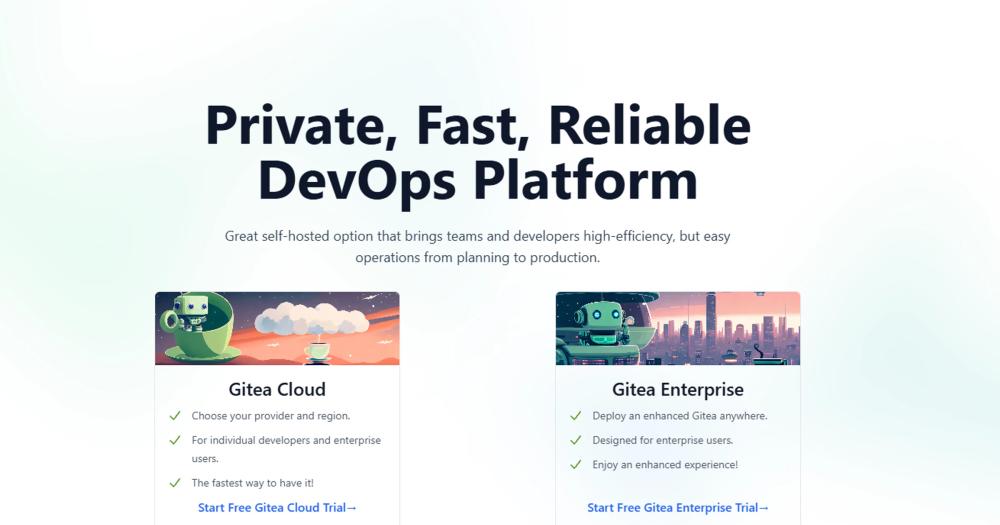
Yes. Gitea is MIT licensed, so the open source edition is free to self-host and can be used commercially. Gitea also offers Cloud and Enterprise products for teams that want managed hosting, SAML SSO, audit logs, support, or other paid services.

Can Gitea replace GitHub?

Gitea can replace GitHub for private Git hosting, pull requests, issues, packages, repository mirrors, and Actions-style CI/CD. It is not a full replacement for GitHub's public network, marketplace, discovery features, or every Enterprise Cloud control.

Does Gitea support CI/CD?

Yes. Gitea provides built-in CI/CD through Gitea Actions, and the README lists the official action runner as a Gitea project. Teams already familiar with GitHub Actions-style workflows will find the model recognizable.

What database should I use with Gitea?

SQLite is documented for the simplest small Docker setup. The official Docker docs also show MySQL and PostgreSQL configurations, which are better fits when the instance needs stronger production operations, backups, or higher concurrency.

How is Gitea licensed?

Gitea is licensed under the MIT License. That means teams can run, modify, and use the software commercially with minimal license restrictions, while still owning the infrastructure and data path.

Looking for more

Other ways to replace GitHub, GitLab, Bitbucket, Linear and Jira#

GitLab

#1 in the Linear guide

Teams on GitLab for code hosting

24,535 GitHub stars

OpenProject

#2 in the Linear guide

Teams needing Scrum boards, Gantt charts, and time tracking

16,508 GitHub stars

Taiga

#3 in the Linear guide

Agile teams wanting Scrum sprints without enterprise overhead

385 GitHub stars

Macro Tasks

#5 in the Linear guide

Tasks that follow chat, email, and GitHub pull requests

4,782 GitHub stars
All 13 Linear alternatives8 open source Linear alternatives, ranked
by category

Open source tools in these categories#

88

DevOps & CI/CD

Nvm, Uptime Kuma, Netdata
463

Developer Tools

REA (Reverse Engineer Anything), superpowers, Skills for Real Engineers
123

IT Management

RustDesk, Immich, Stirling PDF
Hostinger

Run Gitea on your own server

Hostinger sets Gitea up as a one-click app on a VPS.

Deploy on Hostinger

Featured

rakazo

Alternative toGrok Bot

AI teammates you own: your keys, your model, your machine.

  • 4,904 GitHub stars
  • Apache-2.0Licence Apache-2.0
  • #AI Agents

Omnara

Alternative toCClaude Managed Agents

Open-source agent deployment API. Self-host or use Omnara Cloud.

  • 2,957 GitHub stars
  • Apache-2.0Licence Apache-2.0
  • #AI Agents

Inbox Zero

Alternative toSuperhuman

AI email assistant that drafts replies and clears your inbox

  • 12,712 GitHub stars
  • AGPL-3.0Licence AGPL-3.0
  • #Email
Feature your project

New open source projects by email

The projects we add and every new guide. Free, unsubscribe any time.

Find open source alternatives to paid software

/
  • Claude Code to OpenCode
  • Jira to Windshift
  • Notion to AppFlowy
  • Slack to Mattermost
  • Linear to GitLab
  • Wispr Flow to Handy
  • CapCut to Concat
  • Grok Bot to rakazo
  • Superhuman to Inbox Zero
  • Airtable to AITable
  • Muse to OpenClaw
  • GitHub Copilot to Cline
  • Datadog to Netdata
  • Microsoft Teams to Rocket.Chat
  • Pinecone to Qdrant
  • Zapier to n8n
  • Devin AI to OpenHands
  • Firebase to Supabase
  • 1Password to KeePassXC
  • Confluence to Docmost
  • Contentful to Strapi
  • Adobe Premiere Pro to Shotcut
  • ChatGPT to AnythingLLM
  • LangSmith to Langfuse
  • Claude Code to OpenCode
  • Jira to Windshift
  • Notion to AppFlowy
  • Slack to Mattermost
  • Linear to GitLab
  • Wispr Flow to Handy
  • CapCut to Concat
  • Grok Bot to rakazo
  • Superhuman to Inbox Zero
  • Airtable to AITable
  • Muse to OpenClaw
  • GitHub Copilot to Cline
  • Datadog to Netdata
  • Microsoft Teams to Rocket.Chat
  • Pinecone to Qdrant
  • Zapier to n8n
  • Devin AI to OpenHands
  • Firebase to Supabase
  • 1Password to KeePassXC
  • Confluence to Docmost
  • Contentful to Strapi
  • Adobe Premiere Pro to Shotcut
  • ChatGPT to AnythingLLM
  • LangSmith to Langfuse