Open Source Alternatives
  • Alternatives
  • Categories
    Categories by size882 projects
    • Developer Tools461
    • AI & Machine Learning404
    • Web Development196
    • Business & Productivity191
    • Communication & Collaboration126
    • Security & Monitoring126
    • IT Management123
    • Product & Project Management106
    • Cloud & Hosting105
    • Data & Analytics104
    Browse all 21 categoriesLLMOps & AI Tooling, Design & Creative and 9 more
  • Blog
  • Advertise
SearchNotion, Slack, password manager.../
Submit
Open Source Alternatives
  • Alternatives
    • Developer Tools461
    • AI & Machine Learning404
    • Web Development196
    • Business & Productivity191
    • Communication & Collaboration126
    • Security & Monitoring126
    • Browse all 21 categories
  • Blog
  • Advertise
Submit your project

New open source projects by email

The projects we add and every new guide. Free, unsubscribe any time.

Open Source Alternatives LogoOpen Source Alternatives

Handpicked Open Source Alternatives to Paid Softwares

Product

  • Categories
  • Tag
  • Advertise

Resources

  • Blog
  • Collection
  • Submit

Company

  • Privacy Policy
  • Terms of Service
  • Refund Policy
  • Sitemap

Alternatives

  • Claude Code
  • Jira
  • Notion
  • Slack
  • Linear
  • Wispr Flow
  • All alternatives
© 2026 Open Source Alternatives. All rights reserved.
Open SourceAlternatives
Home/Categories/Design & Creative/GIMP
icon of GIMP

GIMP

Open source alternative to Adobe Photoshop, Adobe Lightroom and Affinity Photo

  • 6.5K stars
  • GPL-3.0
  • Active this week
  • Last commit 2 days ago

Last verified Oct 20, 2026

A free and open-source image editor for GNU/Linux, macOS, Windows, offering sophisticated tools for graphic designers, photographers, and more.

Visit websiteGitHub6.5K stars
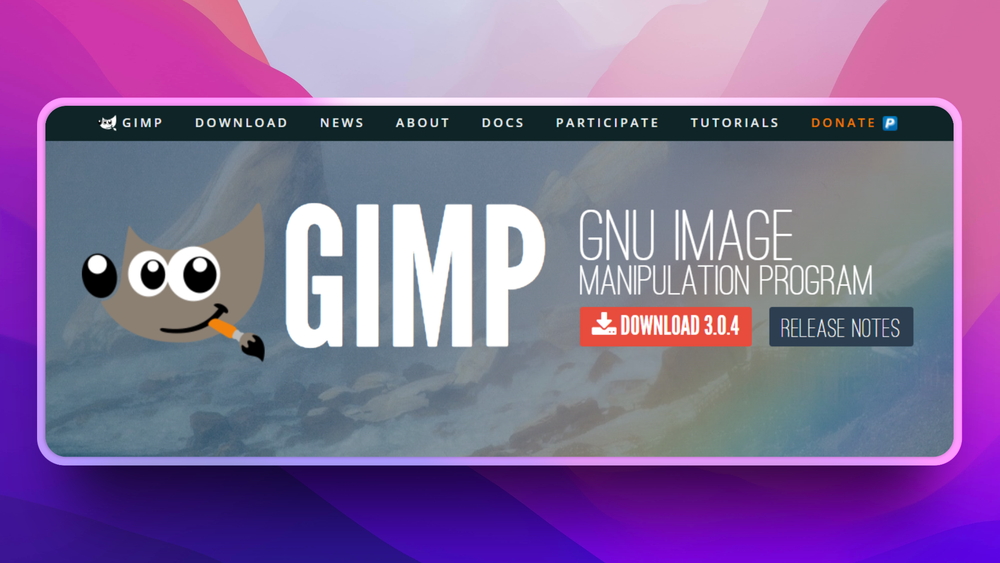
image of GIMP
TL;DR

GIMP is a desktop image editor for photo retouching, compositing, illustration, and asset cleanup. It replaces paid raster editors like Adobe Photoshop for users who want local control, scriptable workflows, and no subscription. Best for designers, photographers, educators, and technical teams that need a mature editor without sending files to a cloud service.

Read the full breakdownHide the full breakdownWho it is for, how it works, trade-offs and the FAQ
who it's for

Who GIMP is for#

Linux-first design teams

Use GIMP when designers or developers need image editing on Linux workstations without keeping a separate paid design machine.

Skip if:

Your team depends on Adobe-specific plug-ins, cloud libraries, or PSD workflows that clients expect unchanged.

Educators teaching image editing

Use GIMP in classrooms where every student needs the same editor on personal or lab machines without license management.

Skip if:

The course is explicitly designed around Adobe certification or Photoshop-specific professional workflows.

the problem

The problem it solves#

Paid image editors can become expensive when a team only needs practical editing, export, and compositing tools. They also push users toward account-based services, cloud libraries, and platform-specific workflows that may not fit classrooms, public-sector teams, or Linux-heavy environments.

The harder problem is control. Image work often touches private client files, product screenshots, or internal assets. Teams need a local editor they can inspect, customize, and run across operating systems without a vendor deciding when features, prices, or file access change.

how GIMP solves it

How it solves it#

Layer-based image editing

Edit raster images with layers, masks, selections, paths, blending modes, and transforms. That gives designers the core control needed for retouching, image repair, mockups, and production asset cleanup.

Scriptable workflow support

GIMP supports automation through plug-ins and scripting, so repetitive edits can be turned into repeatable actions instead of manual point-and-click work across every file.

Cross-platform desktop app

Runs on Linux, Windows, and macOS, which matters for mixed teams that need one editor across developer workstations, design laptops, and classroom machines.

strengths · trade-offs

Strengths and trade-offs#

Strengths

  • No subscription lock-inGIMP runs as local desktop software with no per-seat subscription. Unlike Photoshop, it does not require a recurring paid account for basic image editing workflows.
  • Mature plug-in ecosystemThe project has long-running documentation and plug-in support, which makes it easier to adapt the editor for niche workflows such as batch processing, format conversion, and custom filters.

Trade-offs

  • -Different workflow from PhotoshopTeams migrating from Adobe tooling should expect retraining. Some Photoshop-specific habits, plug-ins, and collaboration workflows do not map directly to GIMP.
tech stack · detected from GitHub

What it's built on#

Languages
CC++Python
frequently asked

FAQ#

Is GIMP a Photoshop replacement?

GIMP can replace Photoshop for many local raster editing, retouching, compositing, and export tasks. Photoshop remains stronger when a team relies on Adobe cloud collaboration, commercial plug-ins, or Photoshop-specific production habits.

Can GIMP run on Linux?

Yes. GIMP runs on Linux, Windows, and macOS, making it a practical editor for mixed operating-system environments.

Is GIMP free for commercial work?

GIMP is free software and can be used for commercial work. Teams should still review the project license and any third-party plug-ins they install.

also worth a look

Similar open-source tools#

Pinta

Alternative toAdobe Photoshop

Free open source image editor inspired by Paint.NET

  • 4,103 GitHub stars
  • MITLicence MIT

Compositor

Alternative toAdobe Photoshop

Free Photoshop-style image editor for Apple silicon Macs

  • 17,569 GitHub stars
  • MITLicence MIT

Krita

Alternative toClip Studio Paint

Free open source digital painting app for artists

  • 10,590 GitHub stars
  • GPL-3.0Licence GPL-3.0

RawTherapee

Alternative toAdobe Lightroom

Non-destructive RAW editor with advanced color tools and no cost

  • 4,242 GitHub stars
  • GPL-3.0Licence GPL-3.0

MyPaint

Alternative toCorel Painter

Free open source painting app optimized for drawing tablets

  • 2,988 GitHub stars
  • GPL-2.0Licence GPL-2.0

Upscayl

Alternative toTopaz Labs Gigapixel AI

Free open source AI image upscaler for Mac, Linux, and Windows

  • 50,790 GitHub stars
  • AGPL-3.0Licence AGPL-3.0
by category

Open source tools in these categories#

97

Design & Creative

ComfyUI, Excalidraw, Godot Engine

Featured

Inbox Zero

Alternative toSuperhuman

AI email assistant that drafts replies and clears your inbox

  • 12,712 GitHub stars
  • AGPL-3.0Licence AGPL-3.0
  • #Email

rakazo

Alternative toGrok Bot

AI teammates you own: your keys, your model, your machine.

  • 4,904 GitHub stars
  • Apache-2.0Licence Apache-2.0
  • #AI Agents

Omnara

Alternative toCClaude Managed Agents

Open-source agent deployment API. Self-host or use Omnara Cloud.

  • 2,957 GitHub stars
  • Apache-2.0Licence Apache-2.0
  • #AI Agents
Feature your project

New open source projects by email

The projects we add and every new guide. Free, unsubscribe any time.

Find open source alternatives to paid software

/
  • Claude Code to OpenCode
  • Jira to Windshift
  • Notion to AppFlowy
  • Slack to Mattermost
  • Linear to GitLab
  • Wispr Flow to Handy
  • CapCut to Concat
  • Grok Bot to rakazo
  • Superhuman to Inbox Zero
  • Airtable to AITable
  • Muse to OpenClaw
  • GitHub Copilot to Cline
  • Datadog to Netdata
  • Microsoft Teams to Rocket.Chat
  • Pinecone to Qdrant
  • Zapier to n8n
  • Devin AI to OpenHands
  • Firebase to Supabase
  • 1Password to KeePassXC
  • Confluence to Docmost
  • Contentful to Strapi
  • Adobe Premiere Pro to Shotcut
  • ChatGPT to AnythingLLM
  • LangSmith to Langfuse
  • Claude Code to OpenCode
  • Jira to Windshift
  • Notion to AppFlowy
  • Slack to Mattermost
  • Linear to GitLab
  • Wispr Flow to Handy
  • CapCut to Concat
  • Grok Bot to rakazo
  • Superhuman to Inbox Zero
  • Airtable to AITable
  • Muse to OpenClaw
  • GitHub Copilot to Cline
  • Datadog to Netdata
  • Microsoft Teams to Rocket.Chat
  • Pinecone to Qdrant
  • Zapier to n8n
  • Devin AI to OpenHands
  • Firebase to Supabase
  • 1Password to KeePassXC
  • Confluence to Docmost
  • Contentful to Strapi
  • Adobe Premiere Pro to Shotcut
  • ChatGPT to AnythingLLM
  • LangSmith to Langfuse