Open Source Alternatives
  • Alternatives
  • Categories
    Categories by size882 projects
    • Developer Tools461
    • AI & Machine Learning404
    • Web Development196
    • Business & Productivity191
    • Communication & Collaboration126
    • Security & Monitoring126
    • IT Management123
    • Product & Project Management106
    • Cloud & Hosting105
    • Data & Analytics104
    Browse all 21 categoriesLLMOps & AI Tooling, Design & Creative and 9 more
  • Blog
  • Advertise
SearchNotion, Slack, password manager.../
Submit
Open Source Alternatives
  • Alternatives
    • Developer Tools461
    • AI & Machine Learning404
    • Web Development196
    • Business & Productivity191
    • Communication & Collaboration126
    • Security & Monitoring126
    • Browse all 21 categories
  • Blog
  • Advertise
Submit your project

New open source projects by email

The projects we add and every new guide. Free, unsubscribe any time.

Open Source Alternatives LogoOpen Source Alternatives

Handpicked Open Source Alternatives to Paid Softwares

Product

  • Categories
  • Tag
  • Advertise

Resources

  • Blog
  • Collection
  • Submit

Company

  • Privacy Policy
  • Terms of Service
  • Refund Policy
  • Sitemap

Alternatives

  • Claude Code
  • Jira
  • Notion
  • Slack
  • Linear
  • Wispr Flow
  • All alternatives
© 2026 Open Source Alternatives. All rights reserved.
Open SourceAlternatives
Home/Categories/Design & Creative/FreeCAD
icon of FreeCAD

FreeCAD

Open source alternative to SOLIDWORKS, Autodesk Fusion and Autodesk Inventor

  • 34.6K stars
  • LGPL-2.1
  • Active this week
  • Last commit 2 days ago

Last verified Oct 20, 2026

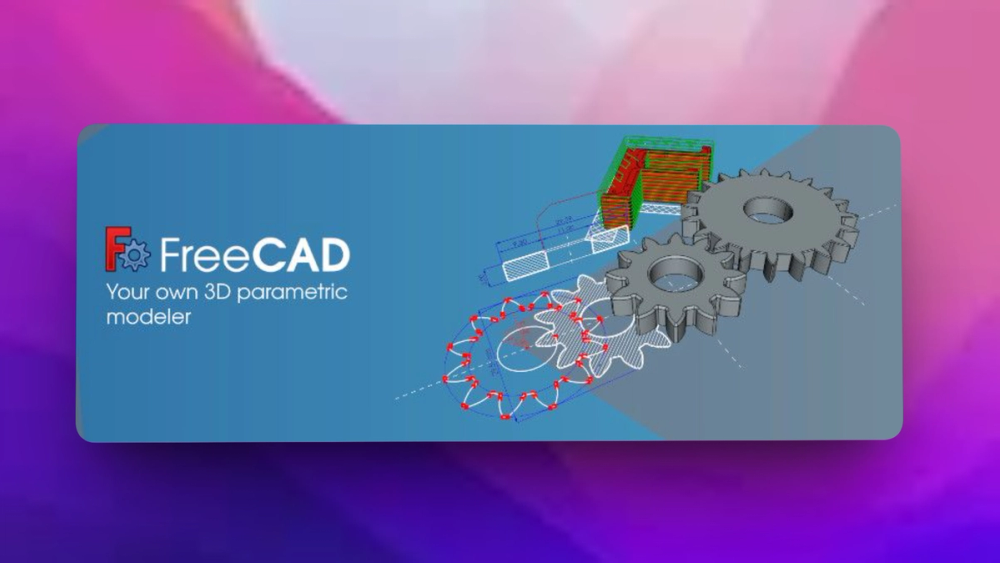
FreeCAD is an open-source 3D parametric modeler designed for a wide range of engineering and architectural applications.

Visit websiteGitHub34.6K stars
image of FreeCAD
TL;DR

FreeCAD is an LGPL-licensed parametric 3D CAD modeler for designing real objects across mechanical engineering, product design, architecture, BIM, CAM, and 3D printing workflows. It gives makers and engineering teams a cross-platform open source alternative to proprietary CAD suites, with model history, constrained sketches, workbenches, Python scripting, and production drawing tools. Best for users who want ownership of their CAD workflow and can tolerate a more technical interface.

Read the full breakdownHide the full breakdownWho it is for, how it works, trade-offs and the FAQ
who it's for

Who FreeCAD is for#

Makers designing printable parts

FreeCAD fits makers who need constraint-based sketches, parametric part changes, and cross-platform access for 3D printing or workshop projects.

Skip if:

You only need quick sculpting or decorative meshes with no dimensional constraints.

Small teams avoiding CAD license lock-in

FreeCAD gives small engineering, hardware, and architecture teams an open source CAD option that runs across operating systems and supports real parametric modeling.

Skip if:

Your workflow requires proprietary cloud collaboration, certified vendor support, or a specific commercial CAD file workflow.

Students and teachers learning CAD concepts

FreeCAD is useful in education because students can install it on common desktop operating systems, inspect the source, and learn sketches, constraints, model history, and technical drawings.

Skip if:

The course must match a commercial vendor exam or a school-mandated CAD package.

Technical users scripting CAD workflows

FreeCAD suits programmers and power users who want to automate model creation, build macros, or extend CAD behavior through Python and workbench APIs.

Skip if:

You want a locked-down GUI-only CAD tool with minimal scripting surface.

the problem

The problem it solves#

Professional CAD tools can be expensive, restrictive, and hard to keep available across mixed Windows, macOS, and Linux environments. Small teams, students, hobbyists, and open hardware projects often need real parametric modeling without accepting proprietary file lock-in or per-seat licensing pressure.

The harder problem is depth. Simple 3D modelers do not cover model history, constraint-based sketches, drawings, scripting, architecture, mechanical design, CAM, or custom workflows. Teams need a CAD tool that can grow from part modeling into a broader engineering workspace.

how FreeCAD solves it

How it solves it#

Parametric model history

FreeCAD lets users change a design by editing parameters earlier in the model history. That matters when part dimensions, constraints, or design assumptions change after the first model is built.

2D sketches to 3D objects

The README says users can sketch geometry-constrained 2D shapes and use them as the base for 3D objects, which is a standard workflow for mechanical parts and product models.

Production drawing support

FreeCAD can extract design details from 3D models to create production-ready drawings, giving teams a path from model to dimensions and documentation.

Cross-platform desktop app

The README states that FreeCAD runs on Windows, macOS, and Linux, and stable precompiled packages are available through GitHub releases and distribution software centers.

Python automation API

FreeCAD exposes a broad Python API, so advanced users can automate modeling tasks, build macros, script custom behavior, and extend workflows beyond manual GUI operations.

Engineering workbench ecosystem

Official docs list workbenches for areas such as Sketcher, Part Design, BIM, CAM, FEM, TechDraw, Mesh, Draft, and more, letting users switch tools by discipline.

strengths · trade-offs

Strengths and trade-offs#

Strengths

  • Real open source CAD ownershipGitHub reports FreeCAD under LGPL-2.1, and the project publishes its official source code openly. Users can inspect the CAD stack instead of depending entirely on a proprietary desktop vendor.
  • Broad engineering scopeFreeCAD is not limited to casual modeling. The README and docs cover mechanical design, product design, architecture, constrained sketches, technical drawings, scripting, and multiple workbenches.
  • Useful for mixed operating systemsFreeCAD runs on Windows, macOS, and Linux, which helps classrooms, makerspaces, and distributed teams standardize around one CAD tool without matching every user's workstation.
  • Scriptable for custom workflowsThe Python API and macro documentation give technical users a path to automate repeat modeling tasks, integrate with other engineering tools, or build domain-specific commands.

Trade-offs

  • -Learning curve is realFreeCAD covers many disciplines and workbenches. New users coming from simpler 3D modeling tools may need time with the wiki, tutorials, and forum before the workflow feels natural.
  • -Not a managed cloud CAD serviceFreeCAD is a desktop CAD application, not a browser-first managed collaboration platform. Teams that need live multiplayer editing, cloud PDM, and vendor-hosted review workflows may need extra tools.
  • -Development builds can be unstableThe README directs users to stable packages for normal use and weekly development releases for newer builds. Development releases should be treated as test builds, not the default choice for critical work.
tech stack · detected from GitHub

What it's built on#

Languages
CC++Python
frequently asked

FAQ#

What is FreeCAD?

FreeCAD is an open source parametric 3D modeler for designing real-life objects. It supports workflows such as product design, mechanical engineering, architecture, BIM, CAM, 3D printing, scripting, and technical drawings.

Does FreeCAD run on Windows, macOS, and Linux?

Yes. The README says FreeCAD runs on Windows, macOS, and Linux, and stable precompiled packages are available from the latest releases page.

Is FreeCAD parametric?

Yes. The README says FreeCAD uses parametric modeling so users can modify a design by going back into model history and changing parameters.

Can FreeCAD be scripted?

Yes. FreeCAD offers a broad Python API, and the official wiki includes Python scripting documentation, macros, workbench docs, and developer resources.

What license does FreeCAD use?

GitHub reports FreeCAD under the GNU Lesser General Public License v2.1. Teams should still review the project's license documentation for policy-sensitive commercial use.

also worth a look

Similar open-source tools#

God's Eye View

Featured

Alternative toFFlightradar24

Real-time global intelligence on a 3D globe

  • 58,501 GitHub stars
  • CustomLicence MIT with third-party data restrictions

superCMO-skills

Alternative toAdCreative.ai

AI agent skills for UGC videos, ad videos, and product photos

  • 138 GitHub stars
  • Apache-2.0Licence Apache-2.0

Openfilm

Alternative toRemotion

AI video agent for coding agents; films are local web folders.

  • 1,850 GitHub stars
  • MITLicence MIT

Vectorcraft

Alternative toAdobe Illustrator

Native Rust vector editor with MCP server for AI agents.

  • 10,192 GitHub stars
  • Apache-2.0Licence Apache-2.0

Screenshots

Alternative toCleanShot X

macOS screenshot and recorder, no cloud, no account, MIT licensed

  • 2 GitHub stars
  • MITLicence MIT

Jasna

Alternative toUniFab Video Enhancer

GPU-accelerated mosaic detection and restoration for video and images

  • 3,365 GitHub stars
  • AGPL-3.0Licence AGPL-3.0
by category

Open source tools in these categories#

97

Design & Creative

ComfyUI, Excalidraw, Godot Engine

Featured

rakazo

Alternative toGrok Bot

AI teammates you own: your keys, your model, your machine.

  • 4,904 GitHub stars
  • Apache-2.0Licence Apache-2.0
  • #AI Agents

Omnara

Alternative toCClaude Managed Agents

Open-source agent deployment API. Self-host or use Omnara Cloud.

  • 2,957 GitHub stars
  • Apache-2.0Licence Apache-2.0
  • #AI Agents

Inbox Zero

Alternative toSuperhuman

AI email assistant that drafts replies and clears your inbox

  • 12,712 GitHub stars
  • AGPL-3.0Licence AGPL-3.0
  • #Email
Feature your project

New open source projects by email

The projects we add and every new guide. Free, unsubscribe any time.

Find open source alternatives to paid software

/
  • Claude Code to OpenCode
  • Jira to Windshift
  • Notion to AppFlowy
  • Slack to Mattermost
  • Linear to GitLab
  • Wispr Flow to Handy
  • CapCut to Concat
  • Grok Bot to rakazo
  • Superhuman to Inbox Zero
  • Airtable to AITable
  • Muse to OpenClaw
  • GitHub Copilot to Cline
  • Datadog to Netdata
  • Microsoft Teams to Rocket.Chat
  • Pinecone to Qdrant
  • Zapier to n8n
  • Devin AI to OpenHands
  • Firebase to Supabase
  • 1Password to KeePassXC
  • Confluence to Docmost
  • Contentful to Strapi
  • Adobe Premiere Pro to Shotcut
  • ChatGPT to AnythingLLM
  • LangSmith to Langfuse
  • Claude Code to OpenCode
  • Jira to Windshift
  • Notion to AppFlowy
  • Slack to Mattermost
  • Linear to GitLab
  • Wispr Flow to Handy
  • CapCut to Concat
  • Grok Bot to rakazo
  • Superhuman to Inbox Zero
  • Airtable to AITable
  • Muse to OpenClaw
  • GitHub Copilot to Cline
  • Datadog to Netdata
  • Microsoft Teams to Rocket.Chat
  • Pinecone to Qdrant
  • Zapier to n8n
  • Devin AI to OpenHands
  • Firebase to Supabase
  • 1Password to KeePassXC
  • Confluence to Docmost
  • Contentful to Strapi
  • Adobe Premiere Pro to Shotcut
  • ChatGPT to AnythingLLM
  • LangSmith to Langfuse