
Independent creators editing regular videos
Use Kdenlive for YouTube videos, tutorials, product clips, interviews, and social content that need multi-track editing and effects.
Skip if:
You need a managed collaborative post-production suite.

Open source alternative to Adobe Premiere Pro, DaVinci Resolve Studio, Final Cut Pro and CapCut
Last verified
Edit multi-track videos with a GPL-3.0 editor that replaces Premiere-style workflows on Linux, Windows, macOS, and BSD.
Use Kdenlive for YouTube videos, tutorials, product clips, interviews, and social content that need multi-track editing and effects.
You need a managed collaborative post-production suite.
Use Kdenlive when Linux is the primary workstation and simple editors are not enough.
Your team must exchange projects in Adobe-native formats.
Video production tools can get expensive before a creator has a repeatable publishing workflow. Paid editors are strong, but the subscription model is hard to justify for educators, independent creators, nonprofits, and Linux-first teams.
At the same time, simple editors break down when projects need multiple tracks, proxy editing, effects, audio cleanup, titles, and reliable export control. Creators need a local editor with room to grow.
Kdenlive supports non-linear editing across multiple video and audio tracks, giving creators control over layered clips, titles, audio, and effects.
Proxy workflows help editors work with high-resolution media on less powerful machines by editing lower-resolution versions before final export.
Kdenlive includes effects, transitions, keyframe animation, color tools, and audio features needed for more than basic clip trimming.
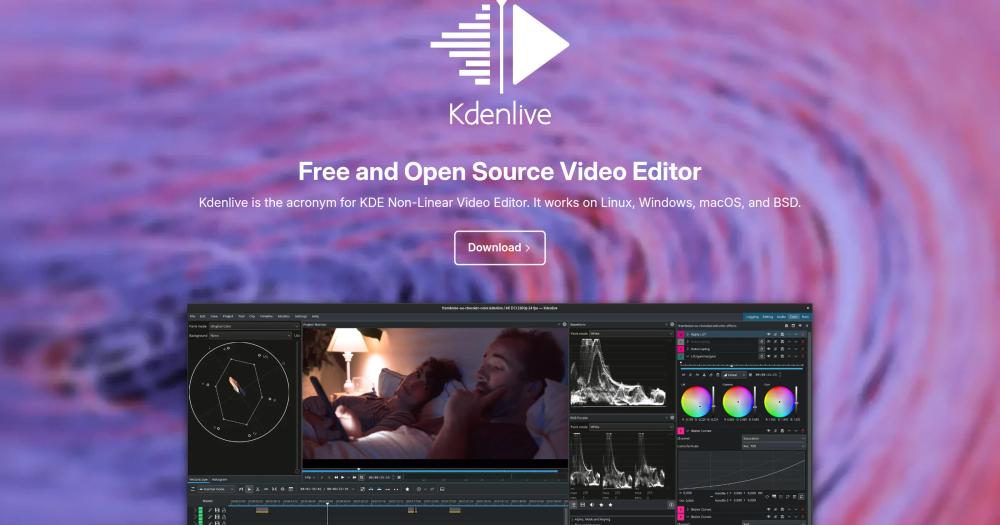
Kdenlive is a non-linear video editor for desktop editing, multi-track timelines, effects, proxy editing, audio, and exports.
Yes. Kdenlive can replace Premiere Pro for many independent and small-team editing workflows, though Premiere has stronger enterprise and Adobe ecosystem support.
Yes. Kdenlive includes proxy editing workflows for smoother editing of high-resolution footage.
#1 in the CapCut guide
Local background removal, auto-captions, and Android support
#2 in the CapCut guide
The browser-and-desktop pick for CapCut's familiar feel
#3 in the CapCut guide
Desktop timeline editor with built-in Whisper captions
#5 in the CapCut guide
Beginner-friendly desktop editor with no watermark
Featured

Alternative toClaude Managed Agents
Open-source agent deployment API. Self-host or use Omnara Cloud.

Alternative to Superhuman
AI email assistant that drafts replies and clears your inbox

Alternative to Grok Bot
AI teammates you own: your keys, your model, your machine.
The projects we add and every new guide. Free, unsubscribe any time.
 Claude Code to
  OpenCode
 Jira to
  Windshift
 Notion to
  AppFlowy
 Slack to
  Mattermost
 Linear to
  GitLab
 Wispr Flow to
  Handy
Handy CapCut to
  Concat
 Grok Bot to
  rakazo
 Superhuman to
  Inbox Zero
 Airtable to
  AITable
 Muse to
  OpenClaw
 GitHub Copilot to
  Cline
Cline Datadog to
  Netdata
 Microsoft Teams to
  Rocket.Chat
 Pinecone to
  Qdrant
 Zapier to
  n8n
n8n Devin AI to
  OpenHands
 Firebase to
  Supabase
 1Password to
  KeePassXCConfluence to
  Docmost
 Contentful to
  Strapi
 Adobe Premiere Pro to
  Shotcut
 ChatGPT to
  AnythingLLM
 LangSmith to
  Langfuse


