
Open Source Alternatives
  • Alternatives
  • Categories
    Categories by size881 projects
    • Developer Tools460
    • AI & Machine Learning404
    • Web Development196
    • Business & Productivity191
    • Communication & Collaboration126
    • Security & Monitoring126
    • IT Management123
    • Product & Project Management106
    • Cloud & Hosting104
    • Data & Analytics104
    Browse all 21 categoriesLLMOps & AI Tooling, Design & Creative and 9 more
  • Blog
  • Advertise
SearchNotion, Slack, password manager.../
Submit
Open Source Alternatives
  • Alternatives
    • Developer Tools460
    • AI & Machine Learning404
    • Web Development196
    • Business & Productivity191
    • Communication & Collaboration126
    • Security & Monitoring126
    • Browse all 21 categories
  • Blog
  • Advertise
Submit your project

New open source projects by email

The projects we add and every new guide. Free, unsubscribe any time.

Open Source Alternatives LogoOpen Source Alternatives

Handpicked Open Source Alternatives to Paid Softwares

Product

  • Categories
  • Tag
  • Advertise

Resources

  • Blog
  • Collection
  • Submit

Company

  • Privacy Policy
  • Terms of Service
  • Refund Policy
  • Sitemap

Alternatives

  • Claude Code
  • Jira
  • Notion
  • Slack
  • Linear
  • Wispr Flow
  • All alternatives
© 2026 Open Source Alternatives. All rights reserved.
Open SourceAlternatives
Home/Categories/IT Management/Immich
icon of Immich

Immich

Open source alternative to Google Photos, Apple iCloud Photos and Microsoft OneDrive

  • 116.8K stars
  • AGPL-3.0
  • Active this week
  • Last commit 1 day ago

Last verified Oct 21, 2026

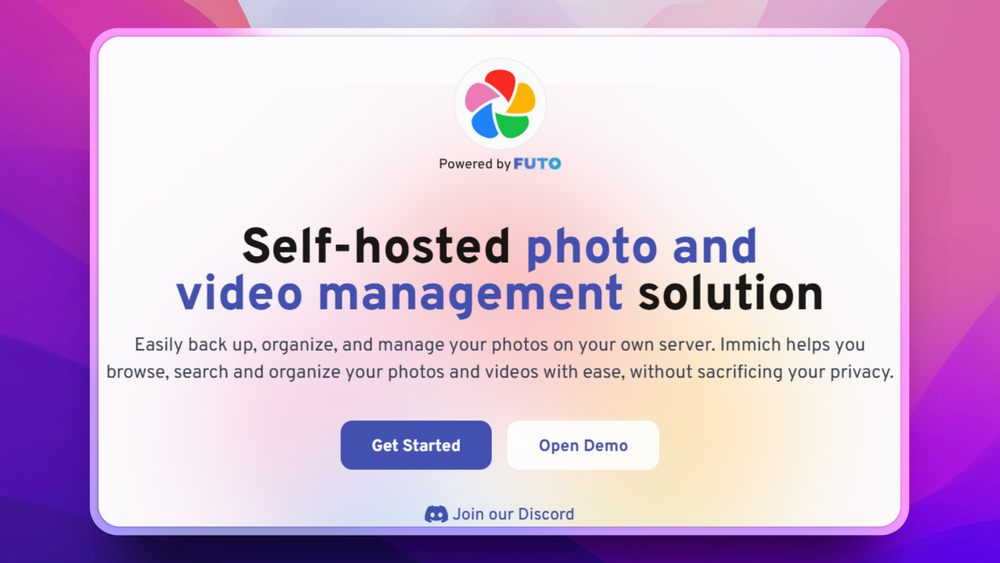
Immich is a self-hosted photo and video backup solution with automatic mobile uploads, facial recognition, and a Google Photos-like interface. AGPL-3.0 licensed, runs via Docker.

Visit websiteGitHub116.8K stars1-click deploy on Hostinger
image of Immich
TL;DR

Immich replaces Google Photos and iCloud Photos with self-hosted photo and video backup, giving families Google-style browsing while keeping media under their control.

Read the full breakdownHide the full breakdownWho it is for, how it works, trade-offs, the quick start and the FAQ
who it's for

Who Immich is for#

Families replacing Google Photos

A household can run Immich on a home server or VPS, install the iOS and Android apps, and back up selected albums from multiple phones into one private photo library with shared albums and partner sharing.

Skip if:

You want a provider to handle storage, uptime, account recovery, and app integrations for you. Google Photos or iCloud Photos will be easier if convenience matters more than control.

Home lab users managing personal media

A self-hosting user can place UPLOAD_LOCATION on local storage, a NAS mount, or another attached volume, then browse photos through the web UI while keeping original files under their own infrastructure.

Skip if:

Your server cannot meet the recommended baseline of 6GB RAM and 2 CPU cores, or you do not want to maintain Docker services and backups.

Creators archiving phone footage

Creators who shoot high volumes of photos and videos can use automatic mobile backup, deduplication, RAW support, metadata views, and download access to keep a searchable archive outside a consumer cloud plan.

Skip if:

You need collaborative editing, client proofing, or managed delivery workflows. Immich focuses on backup and library management, not a full digital asset management suite.

Privacy-focused teams sharing internal photos

Small groups can use multi-user accounts, public share links, OAuth, API keys, and admin controls to host a shared visual archive without putting every media file into a third-party photo cloud.

Skip if:

You need enterprise governance, retention policies, or guaranteed managed support. Immich is strongest for self-hosted control, not outsourced administration.

the problem

The problem it solves#

Personal photo libraries quickly run into privacy, storage-cost, and control tradeoffs when every phone backup depends on Google Photos or iCloud Photos. Families and creators still need automatic upload, search, albums, sharing, and timeline browsing, but the default path asks them to keep paying a provider that controls the platform around irreplaceable media.

A folder of images on a NAS fixes storage ownership but not browseability. Without a purpose-built photo management tool, self-hosters end up with backup drives they rarely search or cloud accounts they do not fully control.

how Immich solves it

How it solves it#

Automatic mobile backup

Backs up photos and videos from iOS and Android devices to your Immich server. Backup can target selected albums, skip excluded albums, avoid duplicate uploads through checksums, and run when the app opens, resumes, or runs in the background.

Web and mobile photo library

Lets users upload, browse, download, archive, favorite, and organize photos and videos from both mobile and web clients. The README lists support for albums, shared albums, public sharing, folder view, stacked photos, and read-only gallery access.

Local search and recognition

Indexes media for search by metadata, objects, faces, and CLIP. Facial recognition, face clustering, object search, metadata views, and map views give users cloud-photo discovery features while processing the library on their own server.

Admin and multi-user controls

Supports multiple users, OAuth, API keys, user management, partner sharing, and administrative functions through the web interface. This makes Immich practical for a household or small group rather than a single-user gallery only.

Docker Compose deployment

Uses Docker Compose as the recommended production install. The quick start requires Docker, at least 6GB RAM, and 2 CPU cores, then starts the service from downloaded compose and environment files with docker compose up -d.

strengths · trade-offs

Strengths and trade-offs#

Strengths

  • Own the storage locationImmich stores uploaded photos and videos under your configured UPLOAD_LOCATION, with database data under the configured Postgres location. Unlike managed cloud libraries, storage capacity is bounded by the hardware or storage service you choose.
  • Google Photos-style workflow without Google hostingImmich covers the core workflow users expect from Google Photos: mobile backup, timeline browsing, albums, sharing, memories, face recognition, and search. The difference is that the server runs under your control.
  • AGPL-3.0 source accessThe project is open source under AGPL-3.0, so users can inspect, modify, and self-host the code. That matters for a private media library because the server software is not a black box around personal photos and videos.
  • Mobile-first backup, not just a web galleryThe official mobile apps back up selected albums and can upload in the background. That makes Immich closer to a cloud photo replacement than traditional self-hosted gallery tools that expect manual uploads or filesystem-first organization.

Trade-offs

  • -Server resources are not optionalThe quick start lists at least 6GB RAM and 2 CPU cores. Face recognition, search indexing, thumbnails, video handling, and background jobs make Immich heavier than a static gallery or basic file sync service.
  • -You still need real backupsImmich creates database backups for disaster recovery, but the docs warn that database backups do not contain photos or videos. Users must separately back up UPLOAD_LOCATION, including original assets and generated files.
  • -Mobile background behavior depends on the platformAndroid battery optimization can interfere with background workers, and iOS controls when background tasks run. Immich supports background backup, but phone operating systems can still delay uploads unless users configure the device correctly.
  • -Self-hosting shifts operations to youDocker Compose is the recommended production path, but users still manage updates, storage paths, database restore steps, and server health. Google Photos or iCloud Photos remain easier for users who want no server responsibility.
versus alternatives

Immich vs alternatives#

Immich vs Google Photos and iCloud Photos

Immich and consumer cloud photo libraries solve the same everyday problem: backing up phone photos, making them searchable, and keeping albums easy to browse. The main difference is operational control. Immich runs on your server under AGPL-3.0; Google Photos and iCloud Photos run as proprietary managed cloud services.

FeatureImmichGoogle Photos / iCloud Photos
LicenseAGPL-3.0Proprietary
HostingSelf-hostedManaged cloud
Mobile backupiOS and Android appsNative cloud apps
Storage limitYour configured storageProvider account limits
MaintenanceYou manage Docker, storage, and backupsProvider manages operations

Immich is the better fit when you want control over where personal photos and videos live, and you are comfortable maintaining a Docker Compose service. Google Photos or iCloud Photos are still better for users who want the least operational work and tighter default integration with their phone ecosystem.

install · quick start

Quick start#

bash
mkdir ./immich-app
cd ./immich-app
wget -O docker-compose.yml https://github.com/immich-app/immich/releases/latest/download/docker-compose.yml
wget -O .env https://github.com/immich-app/immich/releases/latest/download/example.env
# Edit .env before starting, including UPLOAD_LOCATION and DB_PASSWORD
docker compose up -d
tech stack · detected from GitHub

What it's built on#

Languages
DartJavaScriptKotlinPythonSwiftTypeScript
Frameworks
FlutterNestJSReactSvelte
Databases
PostgreSQL
Runtimes
Node.js
frequently asked

FAQ#

Is Immich a Google Photos alternative?

Yes. Immich is a self-hosted alternative to Google Photos for automatic mobile backup, timeline browsing, albums, sharing, face recognition, metadata search, and map views. Google Photos is still simpler if you want a fully managed cloud service.

Can Immich back up photos from iPhone and Android?

Yes. Immich provides mobile apps for iOS and Android, and the docs describe automatic backup from selected albums. Background uploads work differently by platform because Android battery settings and iOS Background App Refresh can affect when uploads run.

How do you install Immich?

Docker Compose is the recommended production install method. The official quick start downloads docker-compose.yml and .env, asks you to set storage and database values, then starts the stack with docker compose up -d.

Does Immich back up the actual photo files for me?

No. Immich creates database backups, but the docs state that those backups do not contain photos or videos. You must separately back up UPLOAD_LOCATION, especially original assets under library, upload, and profile folders.

What license does Immich use?

Immich is available as open source under the GNU AGPL v3 license. You can self-host and modify it, but AGPL obligations matter if you distribute modified versions or run modified network services for others.

also worth a look

Similar open-source tools#

ownCloud

Alternative toDropbox

Self-hosted file sharing with data sovereignty for teams and enterprises.

  • 8,837 GitHub stars
  • AGPL-3.0Licence AGPL-3.0

Nextcloud

Alternative toMicrosoft OneDrive

Self-hosted collaboration hub with file sync, calendar, and messaging.

  • 37,178 GitHub stars
  • AGPL-3.0Licence AGPL-3.0

Twake Drive

Alternative toGoogle Drive

Twake file management for Cozy-backed Drive workflows

  • 987 GitHub stars
  • AGPL-3.0Licence AGPL-3.0

seaweedfs

Alternative toAmazon S3

One cluster: S3 store, POSIX files, and Iceberg tables

  • 35,636 GitHub stars
  • Apache-2.0Licence Apache-2.0

portabase

Alternative toSimpleBackups

Self-hosted backup tool for PostgreSQL, MySQL, MongoDB, and 7 more

  • 1,850 GitHub stars
  • Apache-2.0Licence Apache-2.0

Jellyfin

Alternative toPlex

Free open source media server for movies, TV, and music

  • 58,304 GitHub stars
  • GPL-2.0Licence GPL-2.0
by category

Open source tools in these categories#

123

IT Management

RustDesk, Immich, Stirling PDF
61

Databases & Storage

Immich, Supabase, Redis
Hostinger

Run Immich on your own server

Hostinger sets Immich up as a one-click app on a VPS.

Deploy on Hostinger

Featured

Omnara

Alternative toCClaude Managed Agents

Open-source agent deployment API. Self-host or use Omnara Cloud.

  • 2,957 GitHub stars
  • Apache-2.0Licence Apache-2.0
  • #AI Agents

Inbox Zero

Alternative toSuperhuman

AI email assistant that drafts replies and clears your inbox

  • 12,712 GitHub stars
  • AGPL-3.0Licence AGPL-3.0
  • #Email

rakazo

Alternative toGrok Bot

AI teammates you own: your keys, your model, your machine.

  • 4,904 GitHub stars
  • Apache-2.0Licence Apache-2.0
  • #AI Agents
Feature your project

New open source projects by email

The projects we add and every new guide. Free, unsubscribe any time.

Find open source alternatives to paid software

/
  • Claude Code to OpenCode
  • Jira to Windshift
  • Notion to AppFlowy
  • Slack to Mattermost
  • Linear to GitLab
  • Wispr Flow to Handy
  • CapCut to Concat
  • Grok Bot to rakazo
  • Superhuman to Inbox Zero
  • Airtable to AITable
  • Muse to OpenClaw
  • GitHub Copilot to Cline
  • Datadog to Netdata
  • Microsoft Teams to Rocket.Chat
  • Pinecone to Qdrant
  • Zapier to n8n
  • Devin AI to OpenHands
  • Firebase to Supabase
  • 1Password to KeePassXC
  • Confluence to Docmost
  • Contentful to Strapi
  • Adobe Premiere Pro to Shotcut
  • ChatGPT to AnythingLLM
  • LangSmith to Langfuse
  • Claude Code to OpenCode
  • Jira to Windshift
  • Notion to AppFlowy
  • Slack to Mattermost
  • Linear to GitLab
  • Wispr Flow to Handy
  • CapCut to Concat
  • Grok Bot to rakazo
  • Superhuman to Inbox Zero
  • Airtable to AITable
  • Muse to OpenClaw
  • GitHub Copilot to Cline
  • Datadog to Netdata
  • Microsoft Teams to Rocket.Chat
  • Pinecone to Qdrant
  • Zapier to n8n
  • Devin AI to OpenHands
  • Firebase to Supabase
  • 1Password to KeePassXC
  • Confluence to Docmost
  • Contentful to Strapi
  • Adobe Premiere Pro to Shotcut
  • ChatGPT to AnythingLLM
  • LangSmith to Langfuse