
TL;DR: For anyone comparing open source note taking apps, Notesnook is the privacy-first pick, with end-to-end encryption on every free plan and unlimited devices at no cost. Joplin fits better if you want reliable offline notes and a sync server you control. The 9 apps below cover every workflow, and 3 carry licence restrictions worth reading before you self-host.
If you pay for Evernote or Notion and want out, 3 questions sort the list: whether you need encryption on by default, whether you want to run a sync server on your own hardware, and whether you need a workspace or a note-taking app. I compared all 9 on those lines.
What to Look for in an Open Source Note-Taking App
5 checks separate a tool you'll keep from one you'll migrate away from inside a year.
Local-first storage means your notes sit on your device and open without a connection. If a tool skips this, a cloud outage or a lapsed subscription cuts you off.
An open storage format or a clear export path is what lets you leave. Store everything in a proprietary database and you're stuck if the tool shuts down or raises its price. Plain Markdown files are the cleanest answer. A documented export to Markdown is an acceptable second.
Sync flexibility is where most free plans draw the line. Some tools sync across every device at no cost. Others gate it behind a paid plan or restrict which server you can use.
Licence clarity for self-hosting matters more on this list than on most. An AGPLv3 client paired with a separately licensed server is common here, and the server licence sometimes restricts commercial use. AppFlowy's self-hosted server runs on an open-core model, with a closed-source commercial server codebase. AFFiNE's backend uses the AFFiNE Enterprise Edition licence, which requires commercial authorization to modify or redistribute. Both facts appear in the comparison table below.
Cross-platform coverage is the last check. A tool with no mobile app or no Linux client means a workaround before you've written a single note.
2 names you'll find on other lists are Anytype and Obsidian. Neither qualifies here: Anytype's clients are source-available under the Any Source Available License 1.0, which restricts commercial use, and Obsidian is proprietary software.
Quick Comparison of 9 Open Source Note Taking Apps
| Tool | Licence | E2EE | Self-hosted sync | Offline-first | Free tier | GitHub stars |
|---|---|---|---|---|---|---|
| Notesnook | GPLv3 (client), AGPLv3 (server) | Yes, on every plan | Yes (AGPLv3 server, unsupported) | Yes | $0/mo | 14.8k |
| Joplin | AGPLv3 (client), personal-use only (server) | Yes, opt-in | Yes, personal use only | Yes | Free client. Cloud from €2.99/mo billed monthly (€2.40/mo billed yearly) | 56.7k |
| Standard Notes | AGPLv3 (app), GPL-3.0 (server) | Yes, always on | Yes, Docker | Yes | Free | 6.7k |
| Trilium Notes | AGPLv3 | Opt-in per note (AES-128-CBC) | Yes, self-hosted server | Yes | Free, no paid tiers | 38.3k |
| Memos | MIT | — | Yes (it is the server) | — | $0 | 63.8k |
| SiYuan | AGPLv3 | Yes, on third-party sync | Yes, S3 or WebDAV (PRO or subscription required) | Yes | $0 local. PRO $64 one-time | 46.8k |
| Logseq | AGPLv3 | Sync encrypted (paid feature) | Yes, self-hostable (paid feature) | Yes | Free forever personal use | 45.2k |
| AppFlowy | AGPLv3 (client), closed-source (server) | — | Yes, closed-source server | — | $0/mo | 77.4k |
| AFFiNE | MIT (editor/client), EE licence (backend) | — | Yes, Docker (EE backend) | Yes | $0 | 73.5k |
blank: the tool's pages do not state it
9 Open Source Note Taking Apps
The order is which one fits you if you're moving off a paid notes app, not which has the most stars or the lowest plan price.
1. Notesnook: Privacy-first Evernote replacement with E2EE on every plan
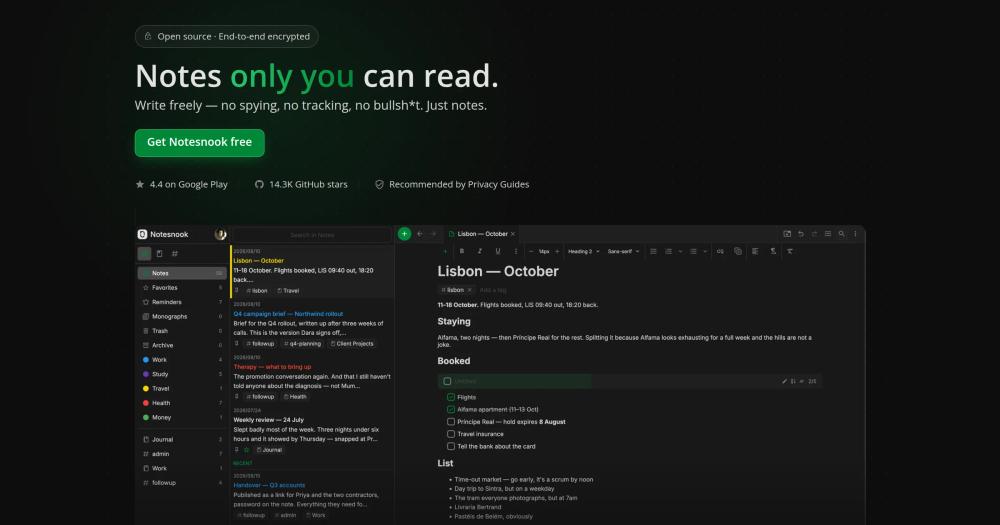
End-to-end encryption with XChaCha20-Poly1305 and Argon2 runs on every plan, including the free one, and everything is encrypted on your device before it syncs. No card required, no trial clock, unlimited devices at no cost. Privacy Guides recommends it, which is the strongest independent signal I've found that someone outside Notesnook has actually looked at the encryption claim.
Self-hosting is where the picture gets partial. The sync server is published under AGPLv3 and starts with Docker, which sets up MongoDB, MinIO and the Notesnook services. The Notesnook team says plainly that self-hosting is possible without support and that documentation is coming later.
Key Features
- XChaCha20-Poly1305 encryption on every note, title, tag, reminder and attachment, derived from the user's password via Argon2, on the device before sync
- Local-first: everything saves to your device first and works with no connection
- Unlimited devices and sync on the free plan, no card required
- Private vault: a second password required to open the most sensitive notes, separate from the app lock
- Web clipper, monograph publishing (public or password-protected), and an Inbox API for Zapier or IFTTT that encrypts each incoming note before it reaches Notesnook's servers
- Available on Windows, macOS, Linux, Android, iOS and the web
Pros
- Encryption is on by default, so you never configure it
- Sync is genuinely free on every plan: unlimited devices, no paywall
- Import from Evernote runs entirely on your device, so no ENEX data touches Notesnook's servers
- If you stop paying, your account drops to the free plan and nothing is deleted or locked
Cons
- Self-hosting the sync server is documented as possible but unsupported, with no published step-by-step guide at this time. If owning your own sync infrastructure is a requirement today, start with Joplin or Trilium instead
- Attachment management has been a friction point for at least 1 early user. The 50 MB monthly attachment storage on the free plan is low if you attach files regularly
License & Hosting
- License: GPLv3 (client), AGPLv3 (sync server). Both are fully open source.
- Where it runs: Local-first desktop and mobile apps on Windows, macOS, Linux, Android, iOS and the web. The sync server can be self-hosted via Docker.
- Setup: Client installs from notesnook.com. The sync server can be started with Docker, which sets up MongoDB, MinIO and the Notesnook services. No official documentation published yet.
- Costs: Free plan is $0 with unlimited notes and sync. Essential is $1.99/mo billed monthly. No trial clock and no card required on the free plan.
Best For
I'd start with Notesnook for anyone leaving Evernote or a paid notes app who wants encryption on every device from day one with no configuration. The free plan covers unlimited devices and the encryption is on by default. Skip it if you need a fully documented, community-supported self-hosted sync server today. Joplin or Trilium handle that better. If you need bidirectional links and block references, SiYuan or Logseq fit those workflows.
2. Joplin: Reliable offline-first notes with flexible sync
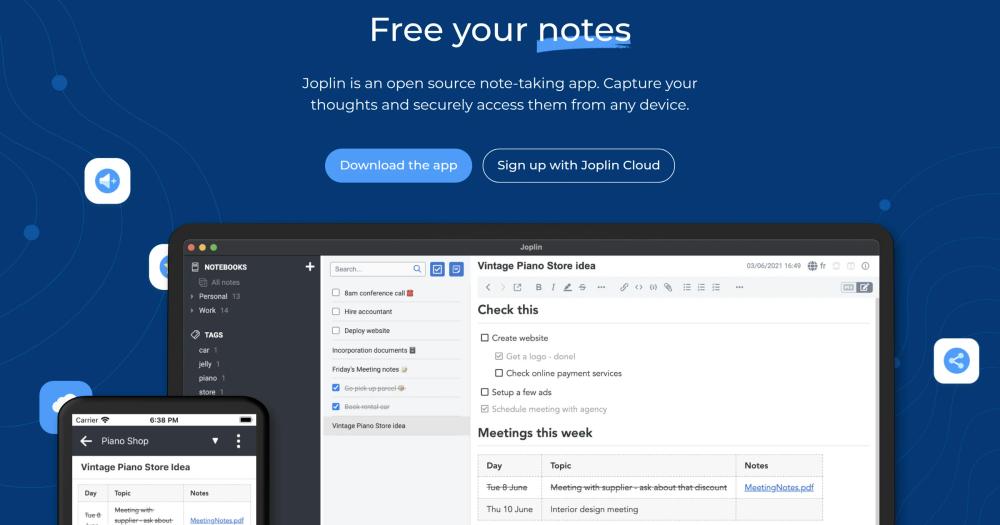
Joplin is built around the Evernote switch: full ENEX import of notebooks, notes, tags, attachments and metadata. It is offline-first, stores everything on your device, and syncs via Joplin Cloud, Nextcloud, S3, WebDAV, Dropbox, OneDrive or the local filesystem. It has 56.7k GitHub stars.
2 things to know before you self-host. Notes live in Joplin's own database and export to Markdown on demand. And Joplin Server's personal-use licence limits self-hosting to non-commercial personal use: commercial use requires Joplin Server Business, a separate product with its own pricing.
Key Features
- Offline-first: all notes are on your device and readable with no connection
- End-to-end encryption available on all apps
- Sync via Joplin Cloud, Nextcloud, S3, WebDAV, Dropbox, OneDrive or local filesystem
- Full Evernote import: complete notebooks, notes, tags, attachments and metadata via ENEX files. OneNote import also supported
- Desktop (Windows, macOS, Linux), mobile (Android, iOS) and terminal (Windows, macOS, Linux, FreeBSD)
- Plugin ecosystem: custom themes, Rich Text or Markdown editors, and a Web Clipper for Chrome and Firefox
Pros
- The sync menu covers Nextcloud, Dropbox, S3, WebDAV, OneDrive, Joplin Cloud and the local filesystem, so a homelab running Nextcloud and a simple Dropbox account both fit without any configuration gymnastics
- Evernote import brings across complete notebooks, notes, tags, attachments and metadata such as geo-location and author via ENEX files
- A 50% education discount for students and teachers, valid for one year and renewable
- Joplin Cloud data is hosted in France and covered by GDPR
Cons
- Notes are stored in Joplin's own database and export to Markdown on demand. If owning a folder of readable files is important, Logseq's file-based graphs are a better fit.
- Joplin Server's licence limits self-hosting to personal non-commercial use. Commercial self-hosting requires Joplin Server Business, which starts at €3.33/user/mo for 2 to 10 users, falling to €2.50/user/mo for 51 or more users, billed annually
- One long-term user reports the desktop app taking over 30 seconds to load after a recent update. If a fast, modern interface matters, AFFiNE or AppFlowy are worth comparing
License & Hosting
- License: AGPLv3 (client). Joplin Server uses a separate personal-use licence that restricts commercial self-hosting. Joplin Server Business is a separate commercial product.
- Where it runs: Desktop and mobile apps are local-first. Self-hosted via Joplin Server on Docker with PostgreSQL or SQLite. AWS S3 is supported for item storage on the server.
- Setup: Client downloads from joplinapp.org. Joplin Server requires Docker Engine and PostgreSQL or SQLite.
- Costs: Client is free. Joplin Cloud Basic starts at €2.99/mo billed monthly (€2.40/mo billed yearly at €28.69/yr). Self-hosting the server costs nothing for personal use. Joplin Server Business is €3.33/user/mo for 2 to 10 users, falling to €2.50/user/mo for 51 or more users, billed annually.
Best For
Already running Syncthing or WebDAV? Joplin fits that setup without rebuilding how you sync, and it is shaped enough like Evernote that the move is not a full relearn. One user who has run it since 2020 on Syncthing calls it a great note-taking tool overall. If you need commercial self-hosting rights without an annual contract, or if plain Markdown files are a hard requirement, look at Logseq's file-based graphs instead, which store notes as Markdown files, though its newer DB version stores graphs as SQLite databases.
3. Standard Notes: Audited E2EE with Proton backing
Standard Notes has completed 4 third-party security audits covering its client-side encryption and its sync server, with the most recent server penetration test conducted by Cure53 in 2022. The encryption model (XChaCha20-Poly1305 with Argon2id key derivation) treats the server as a dumb data-store. It holds ciphertext it cannot read or decrypt.
Standard Notes says that since joining Proton it has added dedicated engineers and operates as a separate product with its own plan and pricing, rather than folding into a Proton subscription. One observer reads it as a finished product not yet integrated into the Proton ecosystem. Both readings are consistent with a stable, maintained product.
Key Features
- End-to-end encryption on every plan, XChaCha20-Poly1305 with Argon2id key derivation. The server holds ciphertext it cannot read.
- 4 completed third-party security audits, most recent server test by Cure53 in 2022
- Multiple note types: rich text, Markdown, plain text, tasks and todos, code snippets, spreadsheets
- Self-hosted via Docker: the only supported self-hosting method
- Long-term revision history on paid plans, and daily encrypted email backups on every plan including the free one
- Available on iOS, Android, web, macOS (Intel and Apple Silicon), Windows and Linux
Pros
- The audit record, with 4 third-party audits, is public documentation of the encryption implementation
- The free tier includes E2EE, unlimited device sync, offline access, tags, password-protected notes, full data export, 2FA and daily encrypted email backups, which is an unusually complete set for a free plan
- Standard Notes says Proton has added dedicated engineers and collaborates on security, infrastructure and long-term stability
- Evernote import via ENEX files is supported
Cons
- Self-hosted subscriptions unlock server-side premium features but not client-side ones such as Super notes and Nested tags. Full client-side access requires a separate offline plan purchase on top of running your own server, which adds cost twice
- The 3 MB per note limit on ENEX imports means large Evernote notes do not come across. Trilium's limit is 250 MB per import
- One commenter reports development has slowed to bug fixes since the Proton acquisition.
License & Hosting
- License: AGPLv3 (app), GPL-3.0 (server). Both are fully open source.
- Where it runs: Desktop and mobile apps with offline access. Self-hosted via Docker on a Linux server.
- Setup: Docker is the only supported self-hosting method. The server stack includes API Gateway, Syncing Server, Auth, Database and a Redis cache.
- Costs: Free plan is $0. Productivity plan is $90/yr. Professional plan is $120/yr. Students get a 30% discount. Running the self-hosted server costs nothing in licence fees, though full client-side premium features (Super notes, Nested tags) need a purchased offline plan.
Best For
The 4 completed audits make Standard Notes the right pick for anyone whose primary requirement is a documented, independently verified encryption implementation, especially if they are already in the Proton ecosystem or plan to be. If you need the full feature set (Super notes, Nested tags) without paying for both a self-hosted server and a separate offline plan, that combination adds up. For a self-hosted PKM at zero total cost, Trilium is a cleaner fit.
4. SiYuan: Block-level PKM with local-first storage
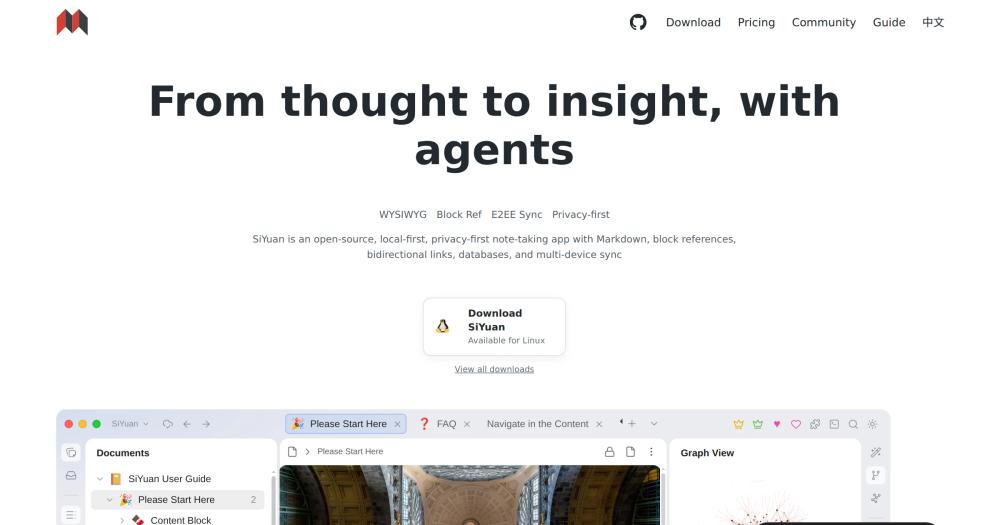
If you want block-level references, SQL query embeds and a database view on notes that never leave your machine, SiYuan is the place to start. Every document is stored as a JSON file with the .sy suffix in a local workspace folder. Most features are free, including for commercial use.
Check the sync pricing before you commit. The local client is free. S3 and WebDAV sync cost either a one-time PRO purchase of $64 (regular price $96) or the annual subscription. Official cloud storage of 8 GB runs $148/yr (regular price $296), and the renewal price is locked at that amount for life.
Key Features
- Block-level references and two-way links, SQL query embed, and custom attributes
- Databases with table view, PDF annotation links, flashcard spaced repetition
- AI writing and Q&A connect to the OpenAI API.
- Export to standard Markdown, PDF, Word and HTML
- Docker deployment available. Data is end-to-end encrypted on all third-party sync paths
- AGPLv3, completely open source with 117 contributors on GitHub
Pros
- Block-level references and bidirectional links at zero cost if you stay local, with most features free and no subscription needed
- Third-party sync data is end-to-end encrypted: S3 and WebDAV providers cannot read your notes in plaintext
- 46.8k GitHub stars
Cons
- S3 and WebDAV sync require the $64 one-time PRO purchase or the subscription, so if free self-hosted sync from day one is the requirement, Trilium or Joplin are better starting points
- Docker deployment does not support PDF, HTML and Word export or Markdown import.
- Refunds are not available after subscribing, so try the trial subscription in SiYuan Desktop under Settings, Account before paying for PRO or the subscription plan
License & Hosting
- License: AGPLv3. Fully open source. Most features are free even for commercial use.
- Where it runs: Local-first desktop app (Windows, macOS, Linux, Android, iOS, HarmonyOS). Docker deployment available for server use (browser only, no desktop or mobile app connections).
- Setup: Desktop app downloads from the SiYuan site. Docker uses the b3log/siyuan image. S3 or WebDAV sync requires the PRO one-time purchase or the annual subscription.
- Costs: Local use is free, $0 lifetime. PRO Features (S3/WebDAV sync) is $64 one-time (regular $96). Official 8 GB cloud is $148/yr (regular $296). AI features connect to OpenAI API with your own configuration.
Best For
Block-level references, SQL queries and a database view on a fully local setup point to SiYuan. The PKM feature depth is strong for that workflow. Free self-hosted sync without any upfront payment is where it falls short: Trilium runs a sync server at zero cost, and Logseq stores notes as plain Markdown files you can open in other tools.
5. AFFiNE: Docs and whiteboard in one local-first workspace
AFFiNE puts an edgeless canvas next to docs and databases in a single local-first app, and the desktop version stores everything on your device without a server. Sync starts only when you sign into AFFiNE Cloud. One self-hoster reported it is nearly a 1:1 Notion replacement.
Understand the licence split before you deploy. The editor (BlockSuite), the desktop app, and most of the codebase are MIT-licensed. The backend server is under the AFFiNE Enterprise Edition licence: you can read the source, but modifying or redistributing it requires a commercial agreement with AFFiNE.
Key Features
- Edgeless canvas (whiteboard), docs and databases in one app, local-first
- Available on macOS, Windows, Linux (AppImage, .deb, Flatpak), iOS, Android, web and Docker
- Real-time sync and collaboration when signed into AFFiNE Cloud. Local workspace otherwise
- OIDC SSO with MFA enforced at the identity provider on self-hosted instances
- AI is optional and requires your own provider keys (BYOK) on self-hosted instances
- Self-host free plan covers up to 10 seats per workspace. Self-host Team is $10/seat/mo billed annually
Pros
- MIT licence on the editor and client means the app itself is freely modifiable and redistributable
- Local-first: desktop docs and whiteboards are readable offline, no server required
- AFFiNE Cloud free tier includes 10 GB of cloud storage, up to 3 members and 7 days of version history at no cost
- Notion-leavers get a drawing and planning tool on the same canvas as their docs and databases
Cons
- The backend server uses the AFFiNE EE licence: modifying or redistributing the server requires a commercial agreement with AFFiNE, which rules it out for some commercial self-hosting use cases
- AI on self-hosted instances requires your own provider keys and has been reported as tricky to configure
- One self-hoster on Hacker News finds the database layer less polished than Notion's. Self-hosted instances do not support SAML, SCIM provisioning, built-in audit logs or official Kubernetes deployment: if those are requirements, this is not the right pick
License & Hosting
- License: MIT (editor, desktop app, most client code), AFFiNE Enterprise Edition (backend server). The client is freely modifiable. The backend cannot be modified or redistributed without commercial authorization. It may be reviewed without one.
- Where it runs: Local-first desktop and mobile apps. Self-hosted via Docker Compose (recommended). Self-host uses PostgreSQL and Redis alongside the AFFiNE container.
- Setup: Desktop app from affine.pro. Self-hosted via Docker Compose. PostgreSQL and Redis are required.
- Costs: AFFiNE Cloud free tier is $0. Cloud Pro is $6.75/mo billed annually ($7.99/mo monthly). AI add-on is $8.9/mo billed annually. Self-hosted free is $0 for up to 10 seats. Self-hosted Team is $10/seat/mo billed annually.
Best For
Leaving Notion and want a whiteboard surface alongside docs and databases? AFFiNE puts the canvas and the documents in the same app, and the local-first desktop stores everything on your machine. Skip it if you need to modify or redistribute the server code commercially: the EE licence requires authorization for that. AppFlowy has databases and a project management tool, so compare it if that workflow matters more than a whiteboard.
6. AppFlowy: Open source Notion alternative for teams
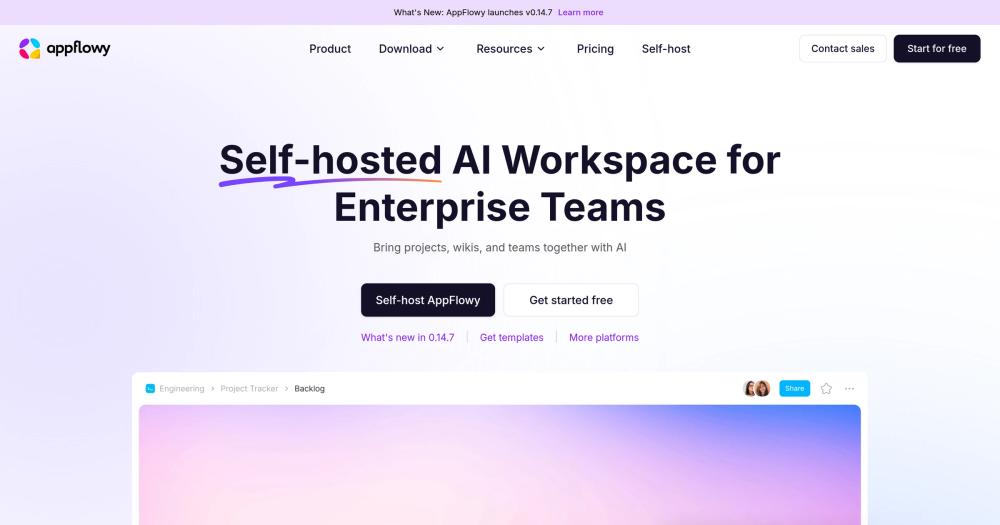
77.4k GitHub stars puts AppFlowy at the top of this list by that measure. The client covers project management, databases, team wiki, AI features and forms across macOS, Windows, Linux, iOS, Android and the web.
AppFlowy Cloud runs on an open-core model. AppFlowy Web and AppFlowy Flutter stay fully open source, but the commercial server codebase is closed-source. Self-hosted plans require annual billing and have no monthly option.
Key Features
- Notion-style workspace: documents, databases, project boards, team wiki, forms and AI tools in one app
- AGPLv3 client on macOS, Windows, Linux, iOS and Android, with AppFlowy Web also open source
- AI Search, AI Writing Assistant, AI Chatbot, AI Research and AI Meeting Notes built in
- Notion import: export as a Markdown and CSV zip, upload.
- On-premises deployment with complete data sovereignty, a centralised admin panel, and an air-gapped option
- Self-hosted free plan: 1 user seat per instance, up to 3 guest editors, version history and unlimited workspaces
Pros
- Client is AGPLv3 and entirely open source, with AppFlowy Web and Flutter open source too
- AppFlowy lists SOC 2 Type II, GDPR, HIPAA and ISO/IEC 27001 in its enterprise security section
- Self-hosted free tier at $0 covers a solo operator with no ongoing cost beyond infrastructure
Cons
- AppFlowy's server is closed source, so self-hosting means running code you cannot read.
- Self-hosted plans require annual billing, and there is no monthly option for self-hosters
- Self-hosted Team plan caps at 1,000 seats per instance, and larger deployments require an Enterprise plan
License & Hosting
- License: AGPLv3 (client). AppFlowy Web and AppFlowy Flutter remain entirely open source. Closed-source commercial licence (server). The client is fully open source. The server is not.
- Where it runs: Desktop and mobile apps on all major platforms. Self-hosted via the AppFlowy Cloud server (closed-source). Can run on-prem, in the cloud or in an air-gapped environment.
- Setup: Client from appflowy.com. Self-hosted server deployment has its own guide. Requires the closed-source AppFlowy Cloud backend.
- Costs: Cloud Personal is $0. Cloud Pro is $12/member/mo billed annually ($16/mo monthly). Self-hosted Free is $0. Self-hosted One is $6/mo billed annually. Self-hosted Team is $10/seat/mo billed annually.
Best For
A team moving off Notion that needs project management and databases alongside docs will find AppFlowy covers the workflow, as long as a closed-source server on the client's AGPLv3 terms is acceptable. If you need to inspect or modify the server code, the closed-source backend rules AppFlowy out entirely. A solo operator who needs notes rather than a full team workspace will find AppFlowy more than the job requires.
7. Logseq: Block-based outliner moving to a database format
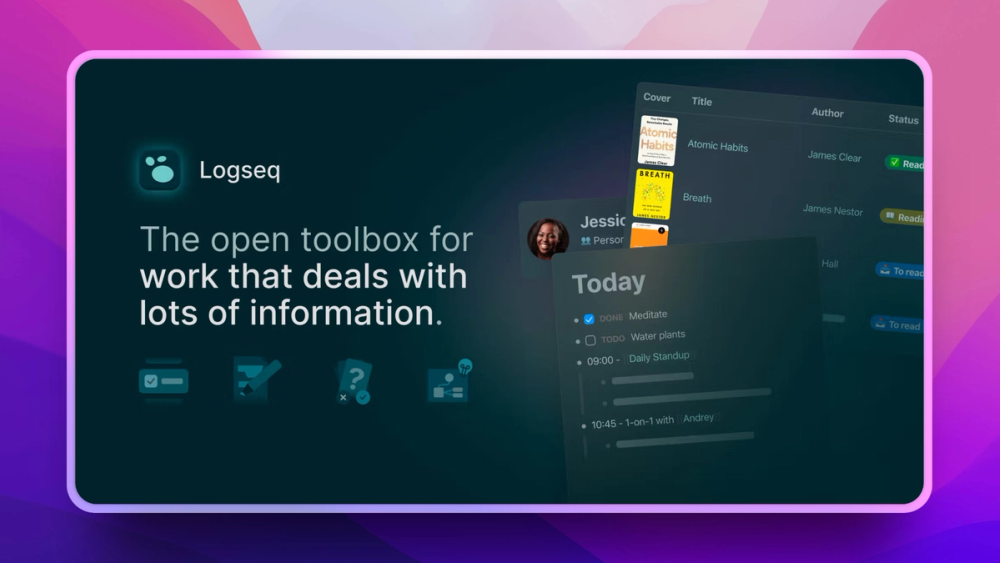
Think in outlines, want bidirectional links and your notes in local files you can read in any text editor, and Logseq is the one to look at. It covers bidirectional links, queries, flashcards, PDF annotations, and an ecosystem of 150+ plugins and 30+ themes. The 2.0 database version is now in beta, and it changes the storage model: the DB version moves from plain Markdown files to a SQLite graph, exportable as .db or EDN files.
That format change splits the community. One early user reports leaving the Markdown version behind after the wait for 2.0, with some 2.0 concepts still in progress.
Key Features
- Block-based outliner with bidirectional links, linked references, queries and search
- 2.0 DB version stores graphs as SQLite with a new tag-based type system (tags with inherited properties create flexible typed tables)
- Optional MCP server to connect AI applications to a Logseq graph, runnable from the desktop app or CLI
- Logseq Sync and Publish are paid features that can also be self-hosted
- DB graphs are scriptable via nbb-logseq: scripts can read and write any data
- Available on macOS, Windows, Linux, iOS and Android
Pros
- AGPLv3 licence, free forever for personal use, with Sync as a separate paid feature
- Local files (in the Markdown version) are owned by the user and readable in any text editor
- The DB version's CLI works independent of the Logseq app and supports GitHub Actions for automation
- 45.2k GitHub stars. 65+ plugins already support DB graphs
Cons
- The 2.0 DB version moves from Markdown files to SQLite: if you depend on owning a folder of plain, portable Markdown files, the new format breaks that. The decision to migrate is worth making before you have years of notes in the system
- Sync is a paid feature currently invite-only in the DB version: offline local use is free, but multi-device sync adds a cost
- One early user reports leaving the Markdown version behind after the wait for 2.0, with some 2.0 concepts still in progress.
License & Hosting
- License: AGPLv3. Free forever for personal use. The AGPL requires that modified versions used to provide a network service make their source available.
- Where it runs: Local-first desktop and mobile apps. Sync and Publish features are paid and can be self-hosted.
- Setup: Download from logseq.com. No server required for local use. Self-hosted Sync is possible, and the DB version docs link to community guides for setting it up.
- Costs: Free for personal local use. Sync is a paid feature (invite-only at capture date).
Best For
Think in outlines, want bidirectional links and block queries, and are ready to commit to the new database format knowing it is no longer plain Markdown files? Logseq is the one to start with. If plain Markdown file ownership is non-negotiable, do not migrate to the DB version: stay on the Markdown version or move to SiYuan, which stores as .sy JSON files with a documented export path. For a PKM at zero cost with no format migration decisions, Trilium is the cleaner choice.
8. Trilium Notes: Free hierarchical self-hosted PKM with no paid tiers
Nothing about Trilium Notes sits behind a paywall. The AGPL-3.0 licence covers the full feature set, no account is required, and the sync server runs on Docker, a packaged Linux binary, a NixOS module, Kubernetes, or PikaPods managed hosting. One long-term self-hoster has run it in a homelab since 2021 and calls it indispensable. Another landed on it after trying Notion, Anytype and Obsidian because it handled typed notes better.
There is no official cloud version. If you want managed hosting without running your own server, PikaPods offers Trilium as a third-party option.
Key Features
- Hierarchical note tree: notes contain sub-notes, a single note can appear in multiple places, and there are no required folders
- WYSIWYG editor with tables, images, math expressions and code blocks with syntax highlighting, plus separate note types for Mermaid diagrams, canvas, spreadsheets and mind maps
- Evernote ENEX import up to 250 MB per import. Also imports from OneNote (cloud API), Notion, Google Keep, Anytype and Obsidian
- AI features are opt-in and disabled by default: connect OpenAI, Anthropic or Google with your own API key, point at a self-hosted OpenAI-compatible model, or expose notes to external assistants over MCP
- REST API for automations and third-party integrations
- Multi-factor authentication with TOTP and OpenID Connect SSO
Pros
- Zero cost to use and self-host: no licence fee, no paid tier, no feature paywall
- ENEX import allows up to 250 MB per import.
- Opt-in AI with BYOK means you choose whether any note content ever leaves your server
- Conflict resolution retains the newer change and keeps the older version in note revisions for recovery
Cons
- Notes are stored in a SQLite database, not Markdown files: users who want a folder of plain text files will find Logseq's file-based graphs a better fit
- Server sync or browser access requires a server you manage or a third-party provider such as PikaPods. The desktop app works without one
- No official cloud or hosted version exists: if you do not want to manage a server, PikaPods is the documented third-party option
License & Hosting
- License: AGPLv3. Fully open source. Free to use, self-host and modify.
- Where it runs: Desktop app with local SQLite storage. Server deployment for multi-device sync via Docker, packaged Linux binary, NixOS module or Kubernetes.
- Setup: Desktop app from triliumnotes.org or GitHub. Server via Docker (recommended), packaged binary, NixOS or Kubernetes. Desktop-to-desktop sync available without a server.
- Costs: Free, $0, with no paid tiers, accounts or feature paywalls. No API key required unless AI features are enabled with your own key. PikaPods managed hosting has its own pricing if you do not want to run the server yourself.
Best For
Zero cost and AGPLv3 on both client and server make Trilium the plain pick for a homelab PKM. The ENEX import is generous enough to handle large Evernote exports, the AI is opt-in and local-model-compatible, and the Docker setup is well-documented. Skip it if you need a native mobile app or a plain Markdown folder. Joplin covers mobile with iOS and Android, and Logseq's file-based graphs give you the plain file folder.
9. Memos: Self-hosted quick-capture timeline at zero cost
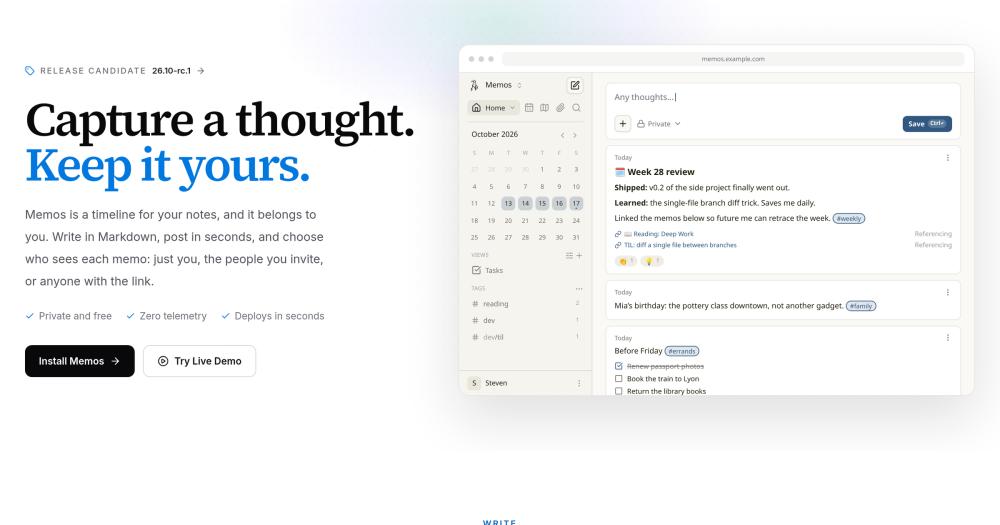
Memos is a self-hosted, MIT-licensed timeline for quick notes in Markdown. It ships as a single binary with the web app included, starts with one Docker command, and costs nothing beyond whatever server you run it on: no licence fee, no subscription, no premium tier. The pull is self-hosting: the server is yours, you reach it from a browser or the PWA, and the data goes nowhere else.
Key Features
- 4 visibility levels per memo: PRIVATE (author only), PROTECTED (authenticated users on the instance), PUBLIC (anonymous visitors when public instance access is enabled) and SPACE (active members of an assigned Space)
- Markdown writing with code highlighting, tables, task lists, math and diagrams
- Single binary, no external service needed, and the Docker command exposes port 5230:
docker run -d --name memos -p 5230:5230 -v ~/.memos:/var/opt/memos neosmemo/memos:stable - REST and gRPC APIs for custom capture flows, integrations and automation
- Calendar and Map views for browsing memos by date or by location
- Spaces for collaboration: invite people, move memos between Spaces, and use SPACE visibility to limit a memo to active Space members
Pros
- MIT licence: no restriction on commercial use, modification or redistribution
- Zero telemetry: the software sends no usage data or analytics
- Export all memos and attachments as a ZIP of Markdown and JSON
- Runs on SQLite by default. PostgreSQL and MySQL are also supported to fit what you already run
Cons
- Import from other note apps is not supported, so anyone moving from Evernote, Joplin or Notion starts from zero
- Memos is a server you run and access from a browser or the PWA.
- Memos is built for quick capture, not long documents or a note tree; for those, Trilium or SiYuan are the right tools.
License & Hosting
- License: MIT. No restriction on use, modification or redistribution.
- Where it runs: Self-hosted server. Browser access plus a progressive web app installable to home screen or desktop.
- Setup: Single Docker command. Also runs as a native binary on Linux, macOS or Windows, or in Kubernetes.
- Costs: $0 for the software. Hosting costs depend on your infrastructure.
Best For
Running a home server and want a fast capture tool with no notes database to organize? Memos is a single binary, MIT-licensed, and costs nothing beyond the server you already run. Write a thought, set its visibility, move on. Skip it if you are migrating from another app: no import support means starting from zero. For a homelab PKM that handles migration, Trilium is the one.
Best Self-Hosted Notes App
Not every app on this list can be fully self-hosted, and the ones that can differ on cost, licence and setup effort. The columns cover what you can host, how the client and server licences differ, and what the server costs to run.
| Tool | What you can self-host | Client licence | Server licence | Zero-cost to run |
|---|---|---|---|---|
| Notesnook | Sync server (Docker, MongoDB, MinIO) | GPLv3 | AGPLv3 | Yes (AGPLv3 server, unsupported) |
| Joplin | Joplin Server (Docker, PostgreSQL or SQLite) | AGPLv3 | Personal-use only (non-commercial). Business plan for commercial use | Yes for personal non-commercial use. Business plan from €3.33/user/mo for 2 to 10 users |
| Standard Notes | Full server stack (Docker, microservices) | AGPLv3 | GPL-3.0 | Yes, Docker. Client-side premium features need a paid offline plan |
| Trilium Notes | Sync server (Docker, binary, NixOS, Kubernetes) | AGPLv3 | AGPLv3 | Yes |
| Memos | The entire app (it is the server) | MIT | MIT | Yes |
| SiYuan | Docker deployment for browser use | AGPLv3 | AGPLv3 | Local client is free. S3/WebDAV sync requires $64 one-time PRO purchase or the annual subscription |
| Logseq | Sync and Publish (self-hostable, paid feature) | AGPLv3 | AGPLv3 | Local use free. Sync is paid |
| AppFlowy | AppFlowy Cloud server | AGPLv3 (client) | Closed-source commercial | Self-hosted free plan $0. Paid plans from $6/mo billed annually |
| AFFiNE | Self-hosted via Docker Compose | MIT (client) | AFFiNE EE (backend, cannot modify without commercial agreement) | Self-hosted free plan $0 for up to 10 seats |
Plain pick for the self-hosted reader:
- Trilium for a full hierarchical PKM with no ongoing cost, AGPLv3 on both client and server, Evernote import, and opt-in AI.
- Memos for quick capture at zero cost, MIT-licensed, single-binary to deploy, and nothing locked behind a paywall.
- Joplin Server for Evernote-style self-hosting: it works well, but the personal-use licence restriction means commercial use requires Joplin Server Business.
Joplin Alternatives
If you're leaving Joplin, the reason usually fits 1 of 4 categories: a web app, a fresher interface, encryption on by default, or plain Markdown files you own outright.
Notesnook is the clearest move if encryption is the problem. It's on by default, covers every note on every device on the free plan, and the import runs on your own device, so no ENEX data touches Notesnook's servers.
Standard Notes is the choice if you want independently audited E2EE and a server you can self-host with Docker, though full client-side premium features need an offline plan. ENEX import works, though the 3 MB per note limit means large Evernote notes won't come across whole.
Trilium Notes is the right pick if you're moving to a self-hosted PKM. It accepts up to 250 MB per ENEX import and pulls in notes from OneNote, Notion, Google Keep, Anytype, and Obsidian. Zero cost. Server sync and browser access both require running a server or using a provider like PikaPods.
AFFiNE is the pick if your dissatisfaction with Joplin is its document model, not sync or encryption. It puts a whiteboard surface alongside docs and databases, the local-first desktop app stores everything on your machine, and self-hosting triggers the EE backend licence.
Joplin's main strengths, stated plainly: sync with Joplin Cloud, Nextcloud, S3, WebDAV, Dropbox, OneDrive or the local filesystem, a proven Evernote import, and years of accumulated reliability. Leave it only when a specific gap (encryption by default, a web app, a whiteboard) is the real problem.
How to Choose the Right Open Source Notes App
The question that sorts this list is what you most need to keep: encryption on by default, a folder of plain files you own, a self-hosted server that costs nothing to run, or a workspace that works like Notion.
The 3-question decision, mapped to picks:
| What you most need | Start here |
|---|---|
| Encryption on by default, free on every device | Notesnook |
| A sync server you already run (Syncthing, WebDAV, Nextcloud) | Joplin |
| Self-hosted PKM at zero ongoing cost | Trilium (full PKM) or Memos (quick capture) |
| Whiteboard and docs in one workspace, leaving Notion | AFFiNE (canvas) or AppFlowy (team databases) |
| Bidirectional links and block references | SiYuan (local, free) or Logseq (outliner, new DB format) |
Default pick: Notesnook for anyone leaving a paid notes app. Encryption is on by default, sync runs free on any number of devices, and nothing starts a countdown on the free plan.
Override to Joplin if you already run Syncthing or WebDAV. Joplin fits that setup without rebuilding how you sync, and it is shaped enough like Evernote that the move is not a full relearn.
Override to Trilium or Memos if you self-host and zero ongoing cost is what decides it. Trilium gives you a hierarchical PKM with an Evernote import path. Memos is the pick for quick capture with a timeline feed.
Override to AFFiNE or AppFlowy if you are leaving Notion and need a whiteboard or a team workspace. AFFiNE has the canvas. AppFlowy brings databases and a project management view.
Override to Logseq or SiYuan if bidirectional links and block references are the point. SiYuan costs nothing for local use. Logseq is block-based with an outline structure. The 2.0 DB version no longer stores notes as plain Markdown files.
Migrating from Evernote or Notion
From Evernote:
Joplin imports complete Evernote notebooks from ENEX files, along with notes, tags, attachments and metadata such as geo-location and author. Trilium handles ENEX files up to 250 MB per import.
Standard Notes accepts ENEX too, but individual notes cap at 3 MB, so a note with heavy attachments may need splitting before you move it. Notesnook runs the import on-device, which means your export data never touches Notesnook's servers.
From Notion:
Export your Notion workspace or pages as a Markdown and CSV zip, and AppFlowy takes it as an upload. SiYuan imports Markdown files, so export your Notion pages as Markdown first, then bring them across.
From Obsidian:
Trilium added an Obsidian import in a recent release. Logseq's file-based version stores graphs as Markdown files that other tools can open.
I'd stage it rather than cut over all at once, for any of these paths. Move one notebook or workspace section first, confirm it reads right, and keep your old tool open for a week before you commit.
Open Source Note Taking Apps: FAQ
What is the best open source note taking app?
Notesnook is my default pick. It encrypts everything on every device on the free plan, sync is unlimited at no cost, and Privacy Guides recommends it. The free plan gives unlimited notes, unlimited devices, and E2EE with no card required and no trial clock. Pick Joplin instead if you already have a sync setup you want to reuse. Pick Trilium if zero cost on a self-hosted server is what decides it.
Is Joplin completely free?
The Joplin client is free and AGPLv3. Joplin Cloud is a paid add-on starting at €2.99/mo billed monthly (€2.40/mo billed yearly). Joplin Server can be self-hosted, but its licence restricts use to personal non-commercial purposes. Commercial self-hosting requires Joplin Server Business, at €3.33/user/mo for 2 to 10 users, falling to €2.50/user/mo for 51 or more users, billed annually.
Which open source app is the best Evernote alternative?
Joplin for structure: it imports complete Evernote notebooks from ENEX files, including notes, tags, attachments and metadata, and one Evernote user on Hacker News found the interface familiar. Notesnook for encryption: it also imports ENEX on-device, and it adds E2EE on the free plan. Standard Notes supports ENEX import with a 3 MB per note limit.
Which apps support a self-hosted sync server?
The 3 clearest picks are Trilium (AGPLv3, free, Docker), Joplin Server (Docker, personal-use licence), and Memos (MIT, it is the server). See the self-hosting table above for the full breakdown across all 9 tools.
Which apps work offline without any server?
Notesnook, Joplin, Trilium, Logseq, and SiYuan are all local-first and save everything to your device first, so they work with no internet connection. AFFiNE also works locally on the desktop app without a server connection.
What is a good Joplin alternative?
Notesnook for Evernote-shaped notes with encryption on by default. Trilium for self-hosting at zero cost with a hierarchical PKM and a 250 MB ENEX import limit per import. AFFiNE for a newer interface that adds a whiteboard surface alongside docs. The pick that fits depends on what pushed you off Joplin: encryption, a web app, a whiteboard, or plain file ownership.
Which app is best for a self-hosted notes setup?
Trilium for a full PKM at zero cost: AGPLv3 on both client and server, no paid tiers, and a well-documented Docker setup. Memos for quick capture at zero cost with an MIT licence and a single-binary setup. Joplin Server for Evernote-style self-hosting, but the server licence limits it to personal non-commercial use.
Do any of these apps have AI features?
Yes, several. Trilium's AI is disabled by default, and AFFiNE's and Logseq's AI features are optional.
Trilium's AI connects to OpenAI, Anthropic, or Google with your own API key, or to a self-hosted OpenAI-compatible model. Notes are never sent anywhere unless a provider is enabled.
SiYuan includes AI writing and Q&A via the OpenAI API.
AFFiNE's AI is optional on self-hosted instances and requires your own provider keys (BYOK).
Logseq has an optional MCP server to connect AI applications to a graph.
AppFlowy includes AI Search, AI Writing Assistant, AI Chatbot, and AI Research built in.
Bottom Line
9 apps, and 3 questions sort the choice: do you need encryption by default, a sync server you can self-host at no cost, or a Notion-style workspace?
Notesnook is my default pick for anyone leaving a paid notes app. It encrypts everything on every device on the free plan, sync is unlimited and free, no card required. What it does not give you is a documented, supported self-hosted sync server. The source is published and runs on Docker, but self-hosting comes without official support and the documentation is promised for later.
I'd take Joplin as the runner-up if you already have a sync setup running: Syncthing, Nextcloud or WebDAV. It slots in, the ENEX import is complete, and Joplin has 56.7k GitHub stars. Read the server licence before you build a team around it: commercial self-hosting is restricted.
If you need to modify and redistribute the sync server commercially, start with Trilium. AGPLv3 licensed, no paid tiers, and the ENEX import limit is 250 MB per import.
Compare all 9 at opensourcealternatives.to.